Skip to content
(816) 608-7745Get pricingBook a demo

GeomagicPoint cloud, mesh and surfacing software for 3D scan data

Geomagic Wrap

Point cloud, mesh and surfacing software that turns raw scans of organic shapes into clean meshes and NURBS surfaces.

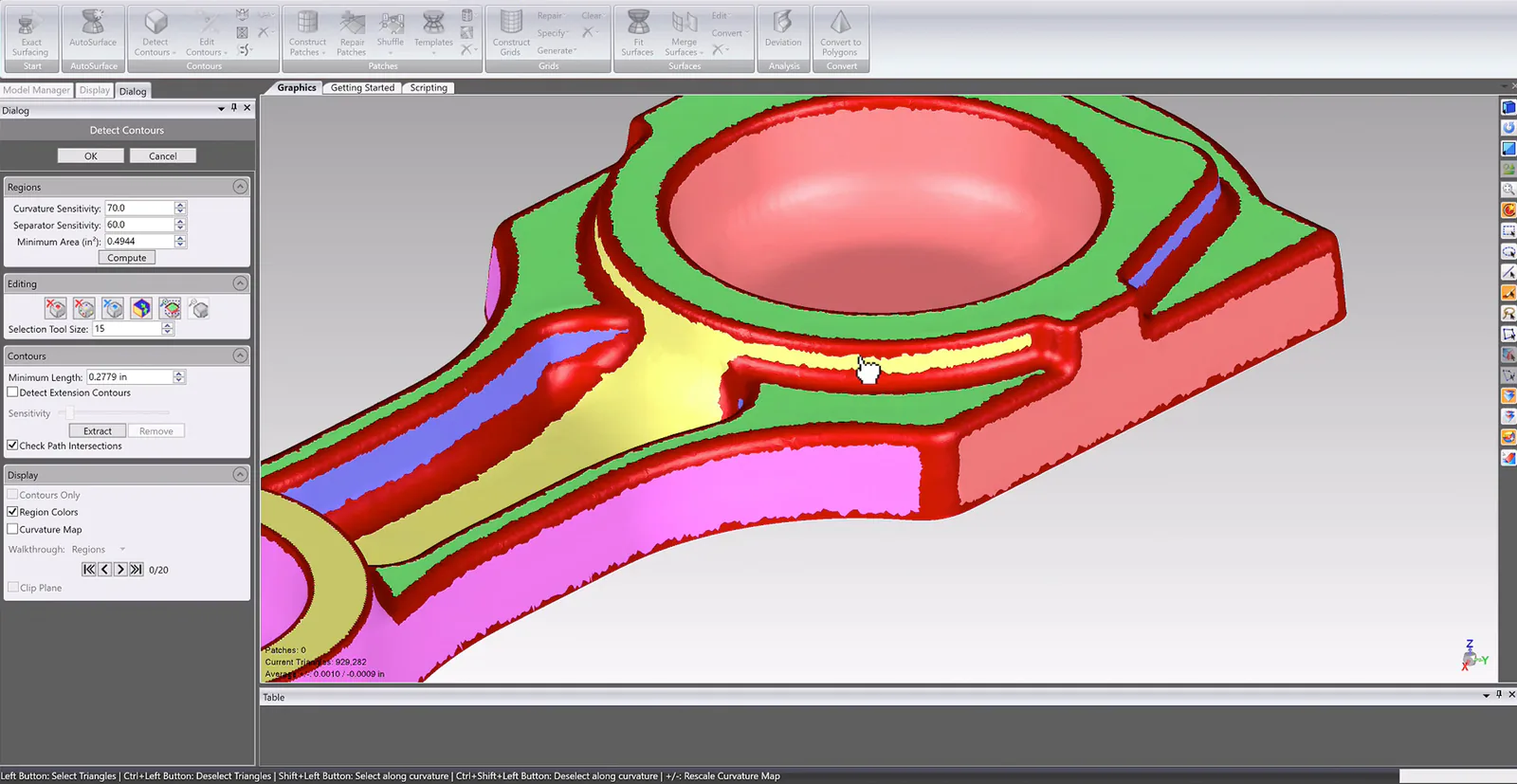
Geomagic Wrap Detect Contours dialog dividing a connecting rod mesh into color-coded curvature regions, with red bands where they meet

Key takeaways

  • Wrap builds watertight polygon meshes from point clouds and handles very large data sets.
  • Exact Surfacing fits NURBS patches, with control of their layout and continuity, to give surfaces or solids for CAD.
  • Version 2024.3 added E57, LAS and LAZ import and 3MF mesh export.
  • Artec lists 16 export formats, from STEP, IGES and X_T to STL, OBJ and PLY.
  • Texture editing, engraving, unrolling, scripting and macros cover color scans, part numbers and repeat jobs.

What is Geomagic Wrap?

Geomagic Wrap is 3D scanning and surfacing software for engineers, designers and product developers who work with complex, organic shapes. It brings point cloud processing, mesh construction and surfacing into one toolbox: you clean and merge raw scans, build watertight polygon models, repair them with Mesh Doctor, and fit exact NURBS surfaces or solids that CAD software can use. It also edits color texture, engraves lettering and unrolls cylindrical scans, while scripting and macros repeat routine work. Scans come from a scanner driven inside Wrap or as raw data from any device. For editable, feature-based CAD with a history tree, the maker points to Geomagic Design X.

What can Geomagic Wrap do?

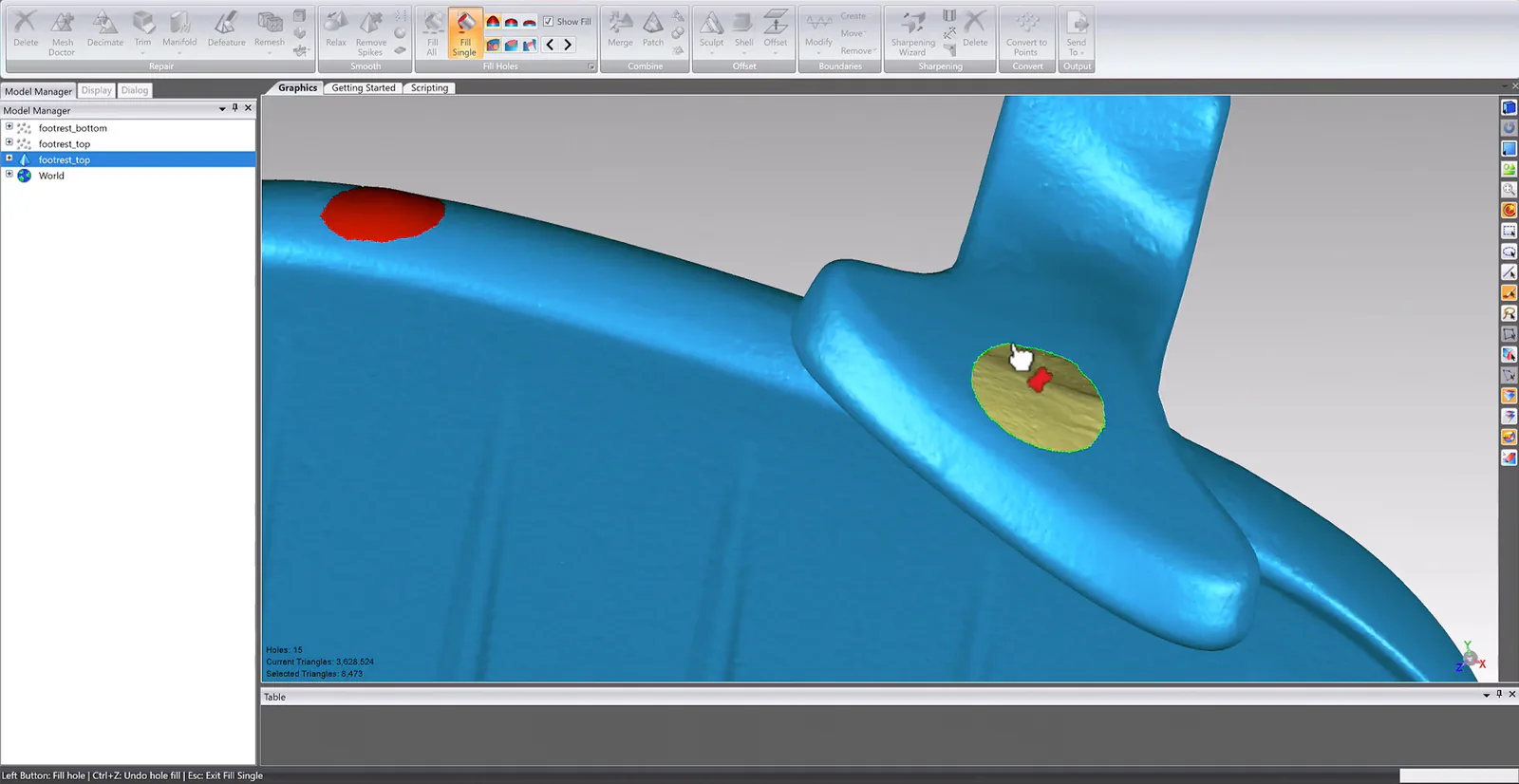
Geomagic Wrap Fill Single tool on a scanned footrest mesh, one hole outlined in green under the pointer, ready to fill
With Fill Single active, a click on a hole in the footrest scan fills that hole and nothing else.

3D scan data preparation for surfacing

Preparation decides how well the rest goes. Wrap's repair tools merge several scans into one mesh, fill holes with options that follow the surrounding curvature, remove spikes and make the model watertight for 3D printing. Fill All closes every hole in one step, while Fill Single closes them one at a time, so openings that belong to the design stay open and the surfacing step starts from a mesh with no stray gaps.
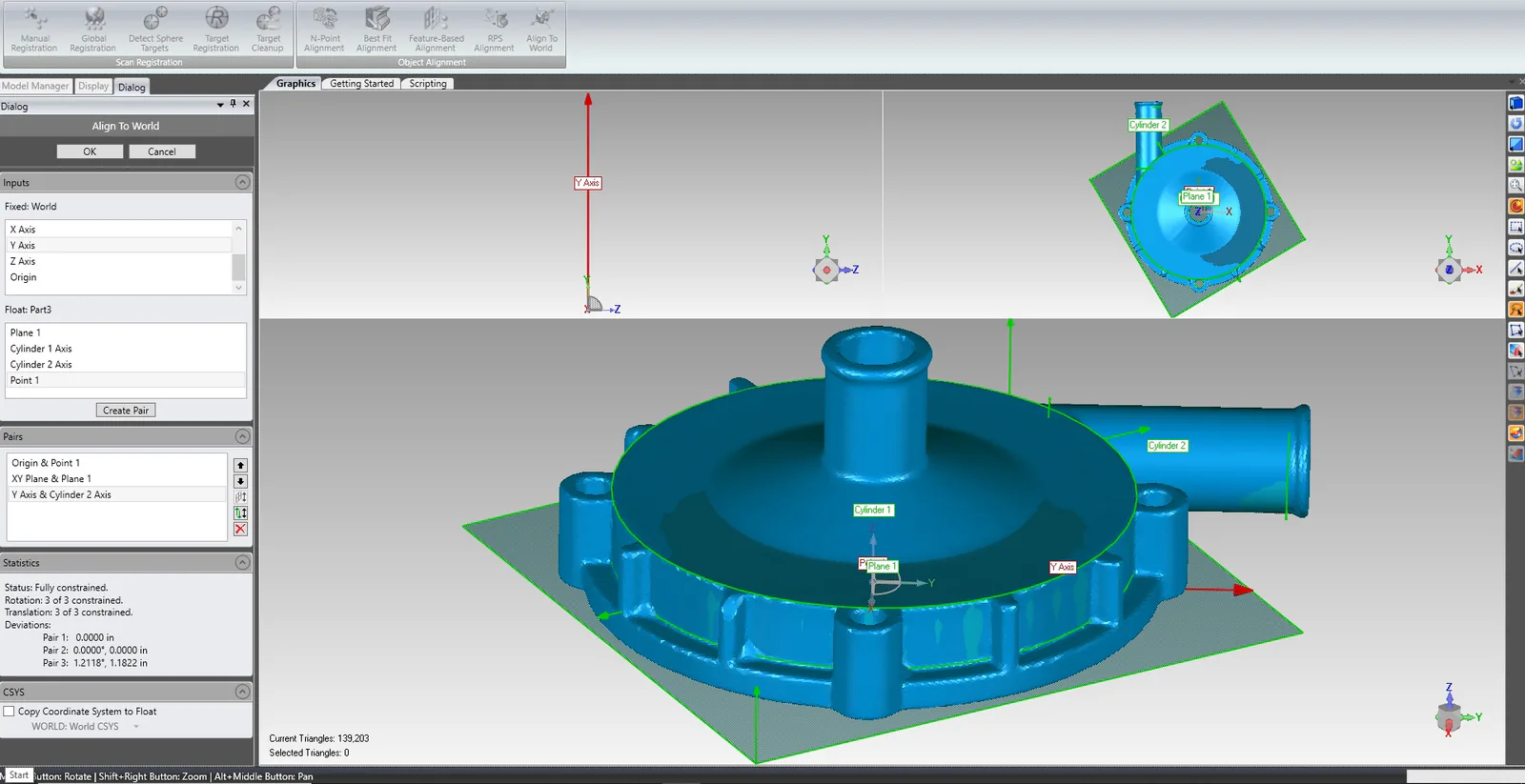
Geomagic Wrap Align To World dialog pairing a plane and two cylinders of a scanned pump housing with world axes
Three pairs fully constrain the housing, so its axes now match the ones the CAD model will use.

Scan data alignment to your CAD axes

Align To World puts the scan on the coordinate system your CAD model will use. You pick reference geometry taken from the scan, such as planes, axes, cylinders and points, and pair each with a world axis or the origin, and the status shows when the part is fully constrained. Because the XYZ planes match the planes in SOLIDWORKS, the aligned scan lands in a CAD part in the right place.

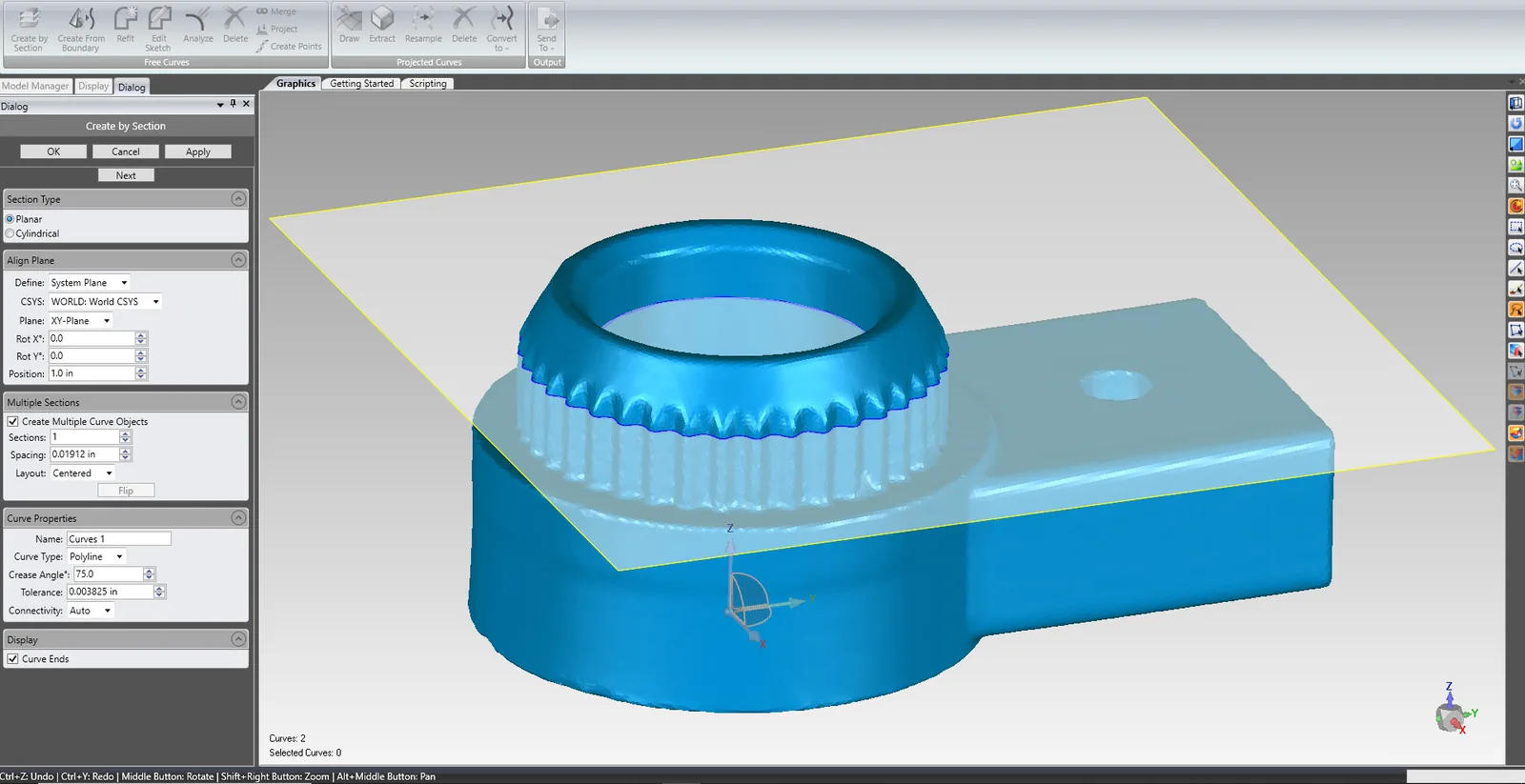
Geomagic Wrap Create by Section dialog cutting a plane through a scanned part with a knurled ring
The section follows every tooth of the knurl, giving a profile to rebuild in CAD.

2D sketching from sections of the scan

Sections turn a scan into curves. Wrap cuts planar or cylindrical sections through the mesh, from system planes or your own, one at a time or as evenly spaced sets. The curves can be lines and arcs, splines or polylines, with controls for crease angle, tolerance and tension, and options to show and close open curve ends. The sketches then import into SOLIDWORKS as a starting point for the model.

Exact Surfacing for NURBS surfaces and solids

Exact Surfacing builds a network of knitted NURBS patches over the mesh. A watertight mesh becomes a solid and an open mesh becomes surfaces, both ready for CAD. You can lay out the patches automatically, set a target patch count, or draw the layout yourself for full control, and Artec notes that the tool controls patch layout and continuity. The result exports as STEP, IGES, X_T or SAT for SOLIDWORKS or any other CAD system, or as a model for FEA and CFD.

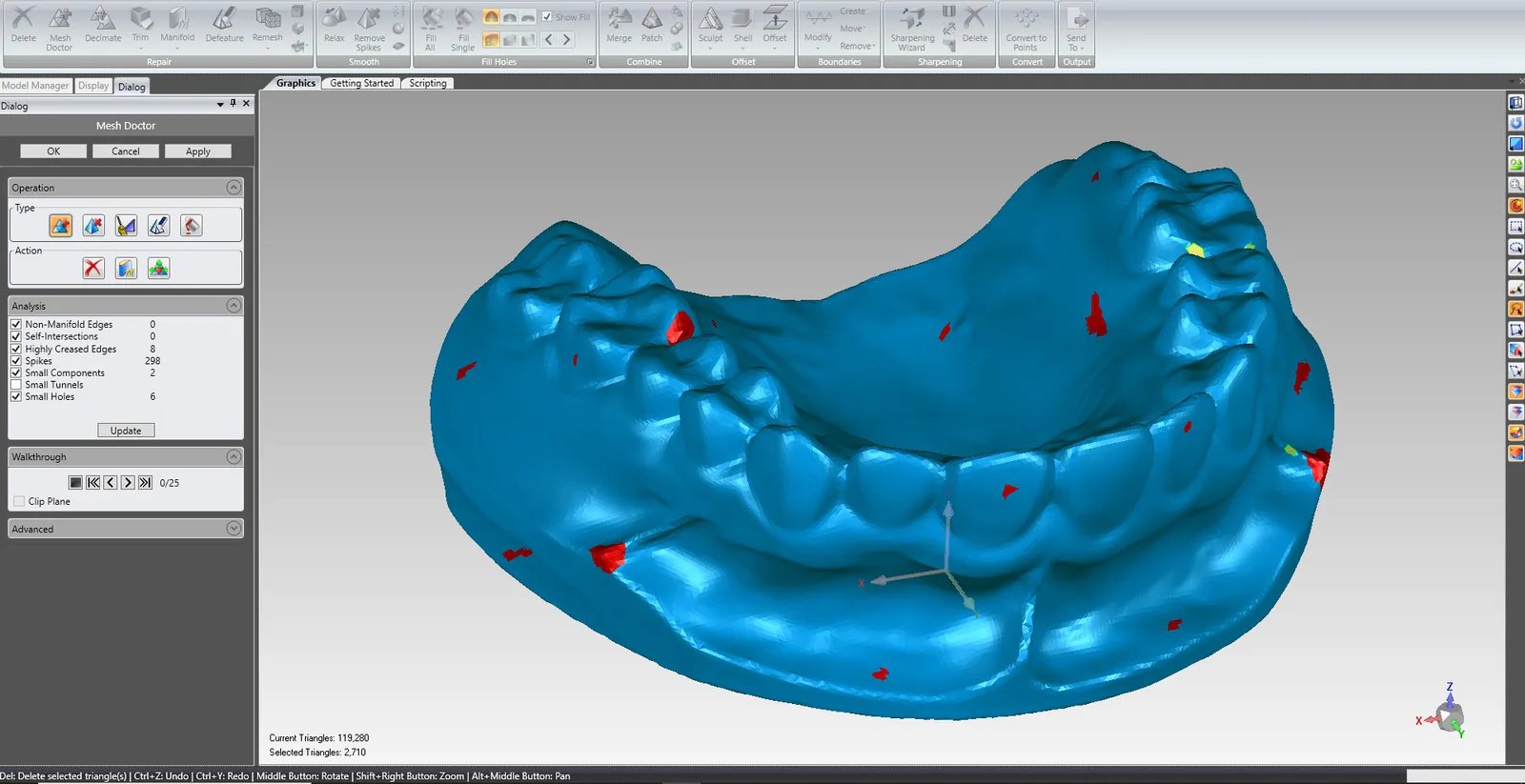
Geomagic Wrap Mesh Doctor counting spikes, creased edges and small holes, marked in red on a scanned dental arch
Red marks show where Mesh Doctor found a problem on the dental scan.

Mesh Doctor finds and repairs scan faults

Mesh Doctor runs a set of tests for imperfections, such as non-manifold edges, self-intersections, highly creased edges, spikes, small components, small tunnels and small holes, and lists how many of each it finds. You can let it repair everything automatically or step through the problems one by one. Hole filling, spike removal and defeaturing sit beside it for the cases that need a hand.

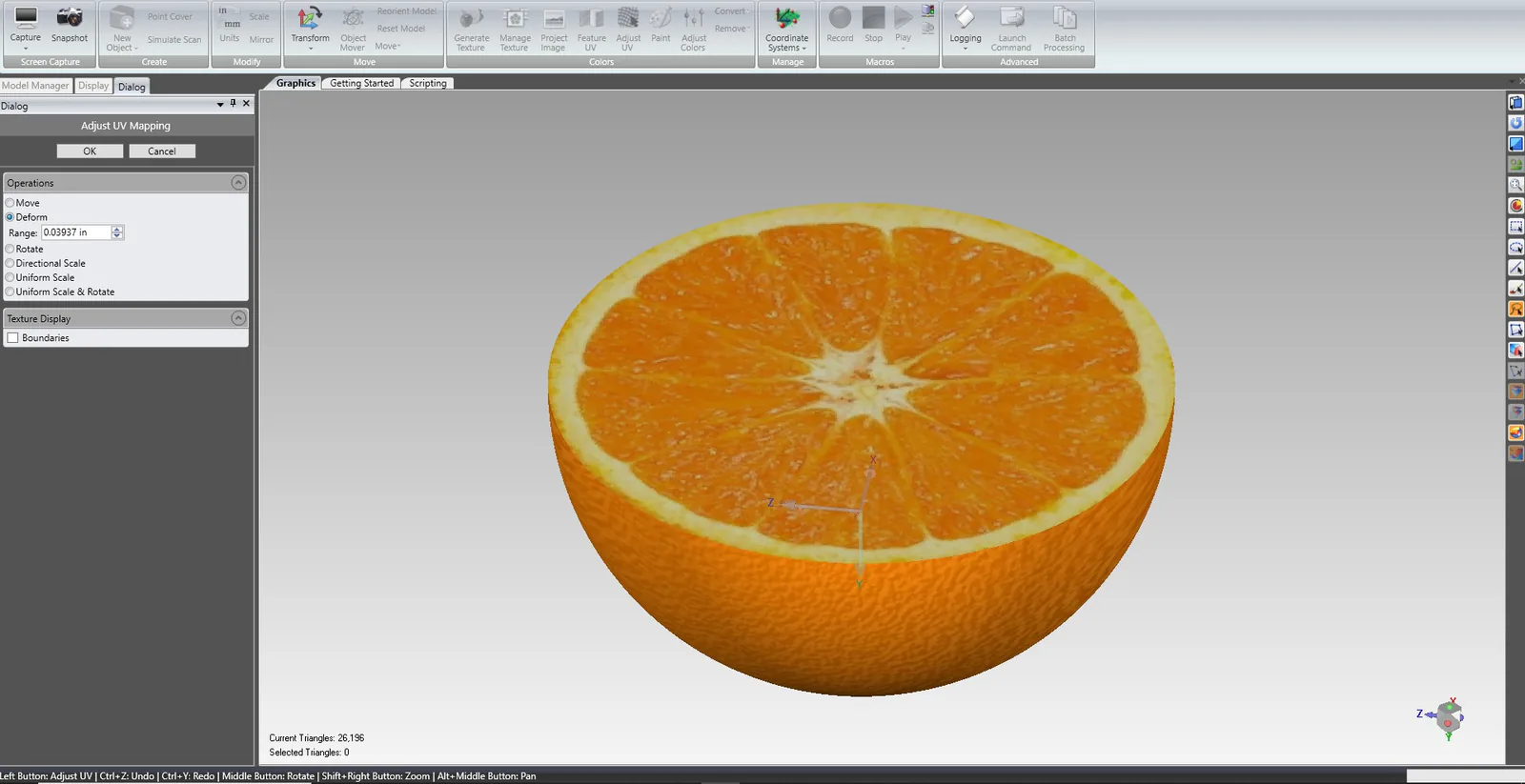
Geomagic Wrap Adjust UV Mapping dialog with a color-textured scan of half an orange
The orange keeps its photographic color, which Wrap can move, stretch or repaint.

Texture modification on color scans

Color scans keep their texture in Wrap, and the texture can be edited. You can move, deform, rotate and scale it on the surface, adjust contrast and brightness, edit the UV map, project an image onto the scan and paint on it, then export the edited texture with the mesh. That matters for heritage records, art reproductions and product models where color is part of the result.

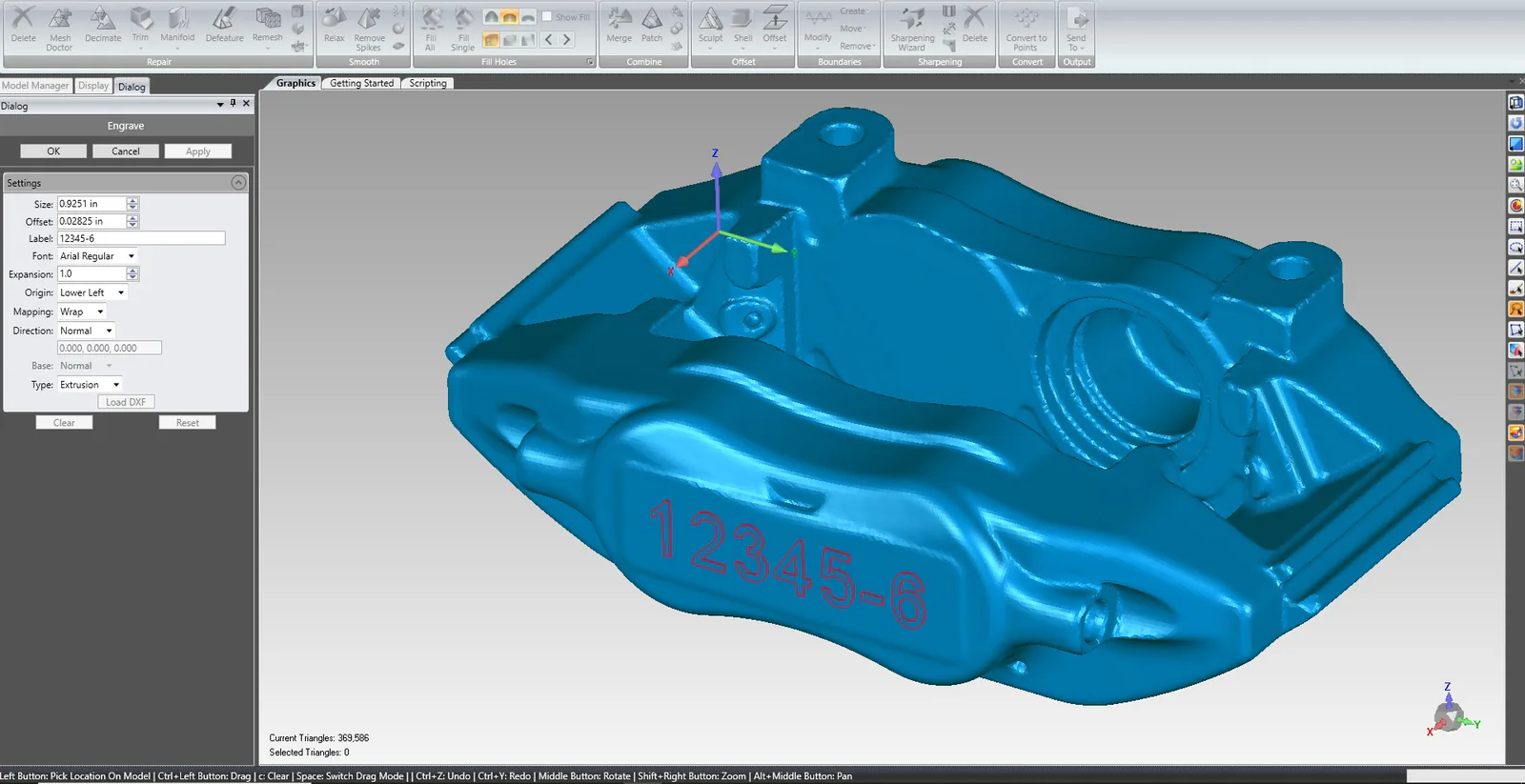
Geomagic Wrap Engrave settings placing a raised part number on the side of a scanned brake caliper
The engraved number becomes part of the mesh, so it prints with the caliper.

Engrave part numbers and logos into the mesh

Engrave adds raised or inset lettering to a mesh, such as a part number, a serial or a name. You set the font, size, spacing and depth, choose where the text starts, and project it onto the surface or wrap it around a curve. Importing a DXF file lets you engrave a logo the same way. The lettering becomes part of the model, so it prints or machines with the part.

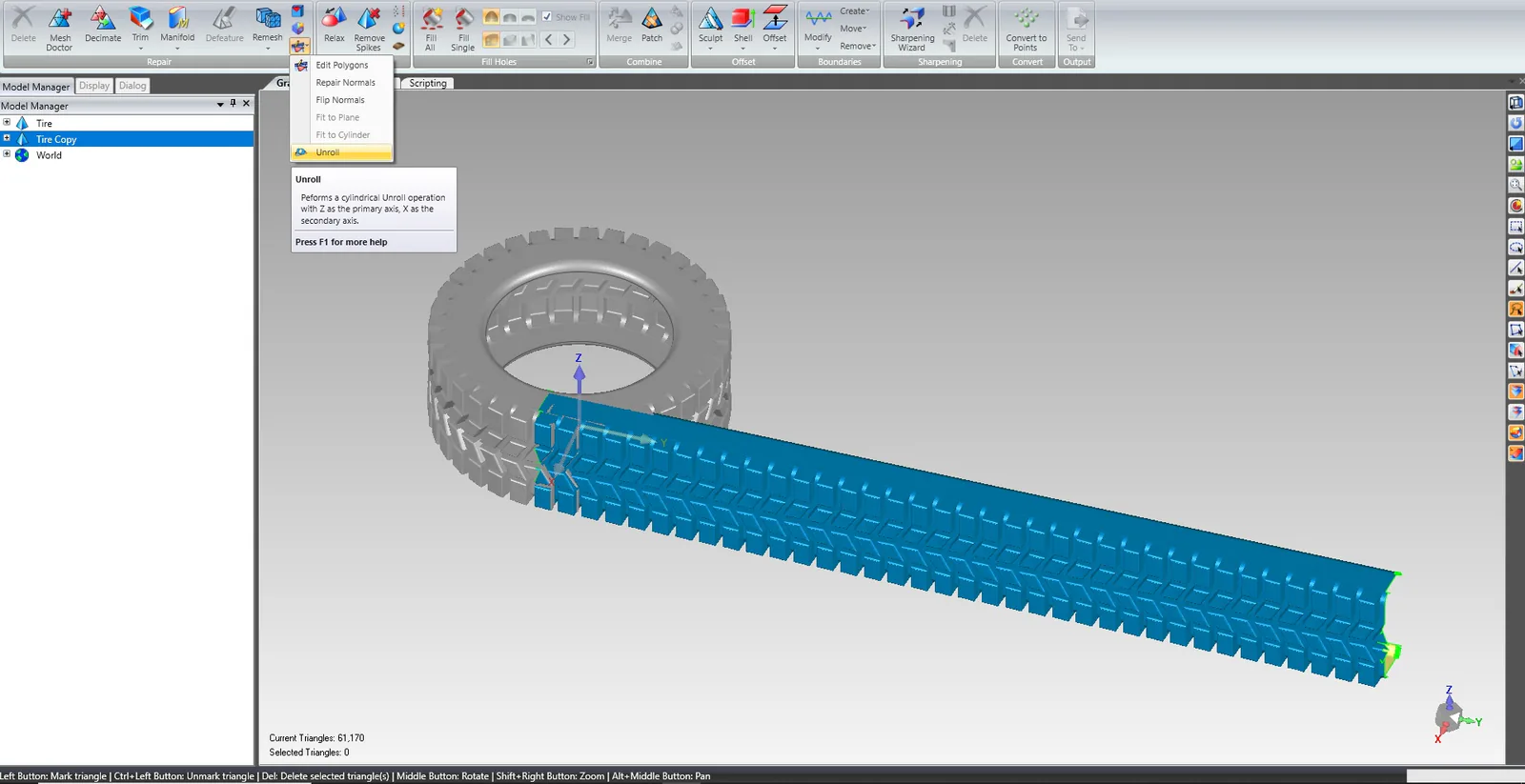
Geomagic Wrap Unroll command flattening a copy of a scanned tire into a straight strip of tread
Flattened, the tread pattern can be measured and sectioned like a straight part.

Unroll flattens cylindrical scans

Unroll flattens a cylindrical mesh into a strip, which makes repeating patterns and features much easier to study and to section cleanly. Align the cylinder to the Z axis, run the command, and the copy unrolls with Z as the main axis and X as the second. Tires, pipes, bottles and decorated cylinders are typical subjects for it.

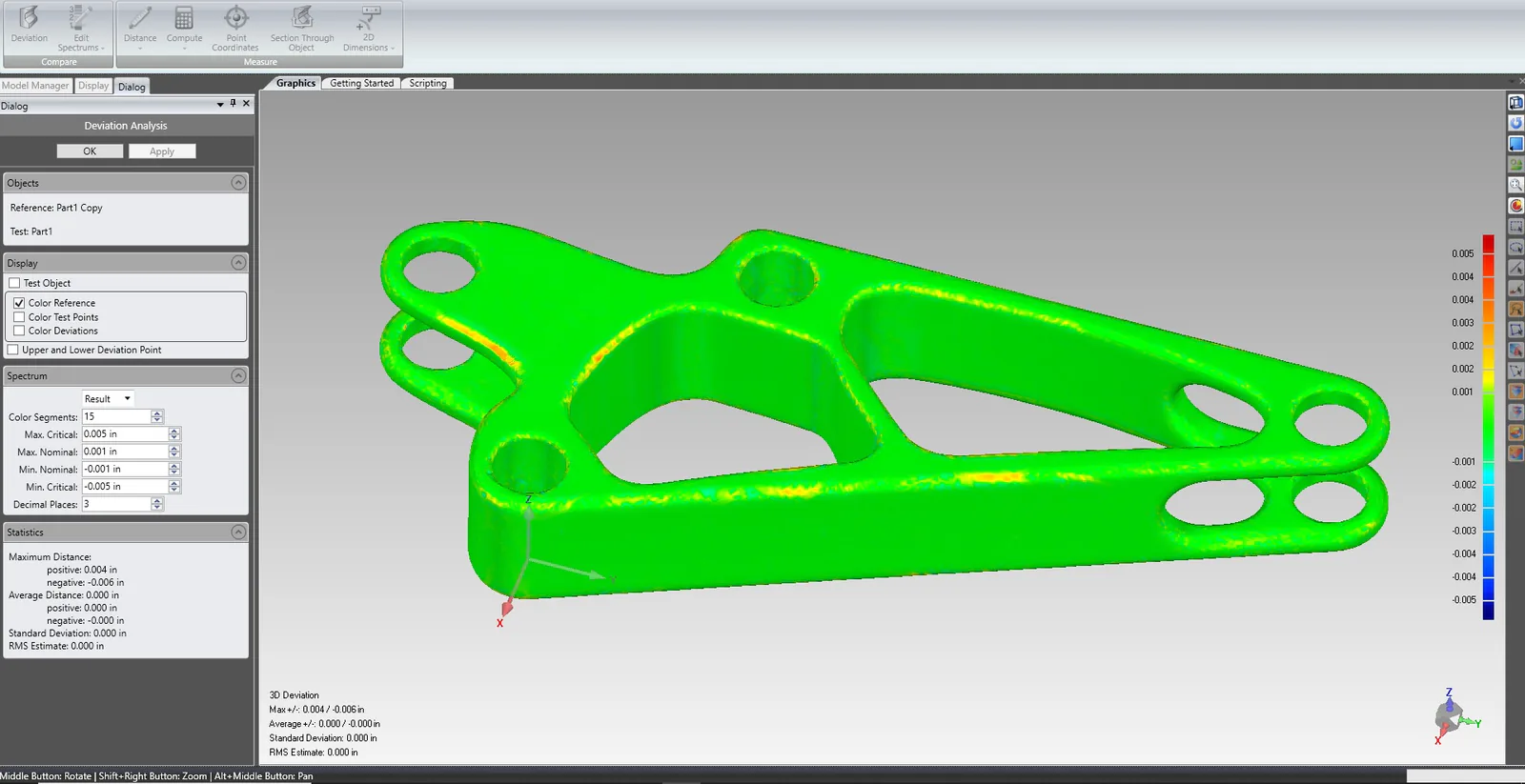
Geomagic Wrap Deviation Analysis coloring a scanned bracket green within tolerance, with a few yellow areas
Green areas fall inside the nominal band; yellow ones sit slightly above it.

Deviation maps check the surfaced model

Deviation analysis compares two objects, such as an auto-surfaced body and the mesh it came from, and colors the differences. The spectrum and critical limits are yours to set, and statistics report the maximum, average and standard deviation. It shows at a glance where a surface strays from the scan, so you fix those areas before the model leaves Wrap.

What are the key facts about Geomagic Wrap?

Geomagic Wrap key facts
Latest version2024.3.2
SurfacingAuto and Exact Surfacing
ToolsDevice integration, point cloud processing, scripting and macros, Auto and Exact Surfacing, HD mesh construction
Scan dataDrive a scanner directly in Wrap, or bring in raw scan data from any device
Exact SurfacingNURBS surfaces with control of patch layout and continuity
Formats added in 2024.3E57 import; LAS and LAZ import; 3MF mesh export; colored point clouds as PLY; curves as SVG; transforms as TRM
Export formatsWRP, IGES, X_T, SAT, PRC, STEP, VDA, NEU, 3ds, DXF, OOGL, IV, PLY, STL, WRL, OBJ
Mesh toolsRemesh, hole filling, smoothing, patching, watertight models, curve and hard-feature extraction
Downstream usesFEA and CFD models; animation tools such as Maya and 3ds Max
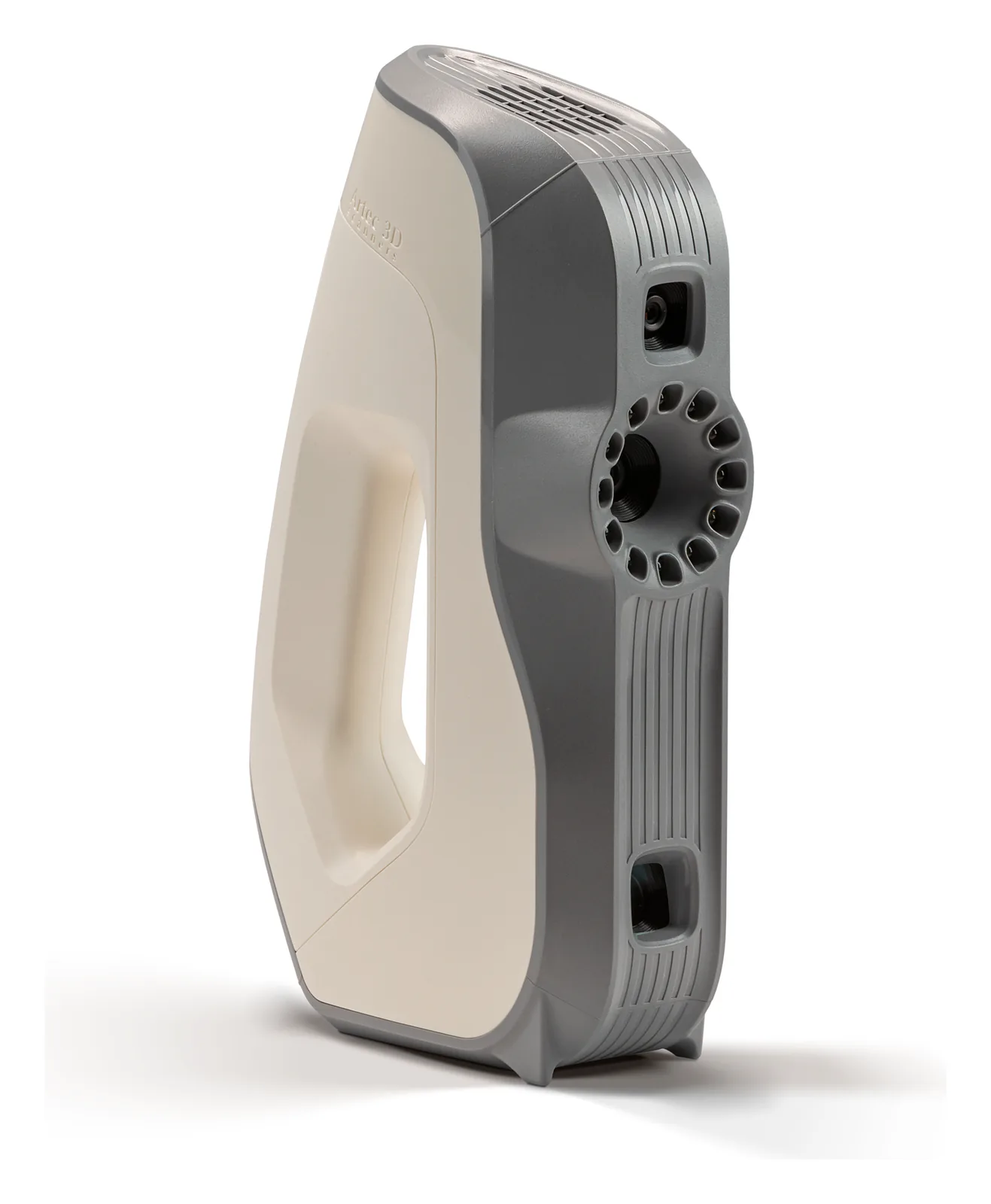
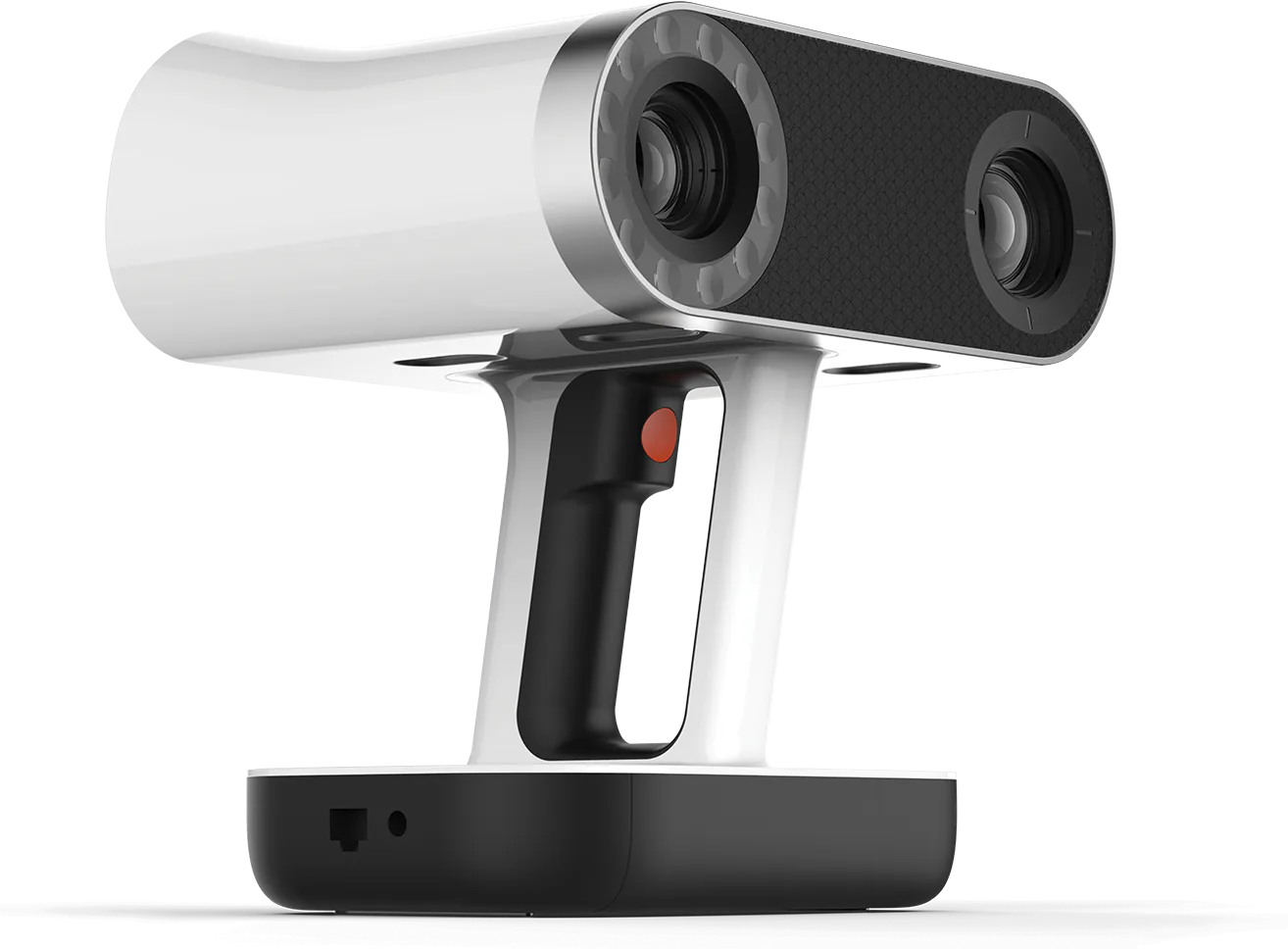
Artec scannersArtec pairs Wrap with the Eva and the Leo, together with Artec Studio
Interface languages12: English, Chinese, Japanese, Korean, German, Italian, Portuguese, Spanish, Polish, Turkish, French, Czech
Operating systemMinimum Windows 10 64-bit or later; recommended Windows 11 64-bit
ProcessorMinimum Intel or AMD 64-bit; recommended Intel Core i7 or i9 (13th generation or newer) or AMD Ryzen 7 or 9 (5000 series or newer)
Memory (RAM)Minimum 8 GB; recommended 32 GB or more
StorageMinimum 30 GB free, plus a cache of about 3 GB per 100 million points; recommended SSD of 512 GB or more
DisplayMinimum 1280 × 720; recommended 1920 × 1080 or higher
Graphics cardMinimum NVIDIA with OpenGL 4.0 and 2 GB VRAM; recommended NVIDIA RTX with 4 GB VRAM or more
Other requirementsThree-button or 3D mouse

Specs checked:

What is Geomagic Wrap used for?

  • Organic shapes to CAD

    Turn sculpted, anatomical or cast shapes into NURBS surfaces or solids for CAD and simulation software.

  • 3D printing

    Merge scans, fill holes and close the mesh so it prints cleanly, then export it as STL, OBJ, PLY or 3MF.

  • Art, heritage and archaeology

    Clean and keep scans of sculptures and artifacts, color texture included.

  • Animation and visual effects

    Prepare scanned meshes for animation tools such as Maya and 3ds Max.

  • Part marking and checks

    Engrave part numbers onto a mesh, unroll cylindrical scans and compare a surfaced body with its scan.

Industries

  • Consumer products
  • Medical and dental
  • Heritage and art
  • Media and entertainment
  • Manufacturing

What parts and surfaces can Geomagic Wrap handle?

Wrap is built for complex, organic shapes where feature-based modeling struggles: sculptures, anatomy, dental models, cast fittings and styled consumer products. Its point cloud tools handle very large data sets, and HD mesh construction turns them into watertight polygon models. Scans that carry color keep their texture, which you can move, scale, adjust or paint. For cylindrical subjects such as tires or pipes, Unroll flattens the mesh so patterns and sections are easier to study. The size you can work with follows your scanner; Wrap's job is to turn whatever it captured into a clean mesh or a surface.

What does Geomagic Wrap work with?

Wrap sits between the scanner and the programs that use the shape. It drives supported scanners directly or imports raw data from any device, including E57, LAS and LAZ point clouds since version 2024.3. Meshes leave Wrap for 3D printing as STL, OBJ, PLY or 3MF, and surfaces or solids go to CAD as STEP, IGES, X_T or SAT, for SOLIDWORKS or any other system. Artec pairs Wrap with its Eva and Leo scanners alongside Artec Studio. When a part needs a parametric history tree, Geomagic Design X is the better fit, and Geomagic Freeform takes over when you want to sculpt new shapes.

How does Geomagic Wrap compare?

Can I see Geomagic Wrap work on my own scans?

Often, yes. Tell us you want to see Geomagic Wrap, and we will confirm whether we can show it at your location. Where we can, our specialist runs it on scans of your own work, so you see how it fits your workflow, from raw scan data to the result you need, before you decide. Pick something you measure often, or a part that has no CAD model, and say what you need to check, rebuild or deliver. On-site demos are available in most areas; ask when you request.

  1. Request a demo and tell us what you scan and which results matter to you.
  2. Where we can show the software at your location, our specialist runs it on scans of that work.
  3. You review the results with us and talk through how it fits your workflow.

What do buyers ask about Geomagic Wrap?

What is the difference between Geomagic Wrap and Design X?

Wrap turns scans into clean meshes and NURBS surfaces: point cloud processing, watertight meshes, texture editing and Exact Surfacing for organic shapes. Design X turns scans into feature-based, editable CAD with a parametric history tree and LiveTransfer to your CAD system. Choose Wrap when the shape itself is the deliverable, for printing, animation, art or a surface model. Choose Design X when engineers must change dimensions later. Both read the same scan data.

Which file formats does Geomagic Wrap import and export?

For export, Artec lists WRP, IGES, X_T, SAT, PRC, STEP, VDA, NEU, 3ds, DXF, OOGL, IV, PLY, STL, WRL and OBJ. Version 2024.3 added E57, LAS and LAZ point cloud import, 3MF mesh export, colored point clouds as PLY, curves as SVG and transform matrices as TRM. Common scan files such as STL, OBJ and PLY come in as meshes. If your work depends on one format, tell us and we check it before you order.

Can Geomagic Wrap edit color scans?

Yes. Wrap keeps the color texture of a scan, and its texture tools can shift, stretch, turn or resize it, change its contrast and brightness, rework the UV map, lay an image over the scan or paint straight onto it. The edited texture leaves Wrap together with the mesh. That suits heritage, art and product work, where the color of the object matters as much as its shape.

Can I put part numbers or logos on a scanned part?

Yes, with Engrave. You type raised or inset lettering, such as a part number, set the font, size and spacing, and project it onto the surface or wrap it around a curve. Importing a DXF file lets you engrave a logo in the same way. The lettering becomes part of the mesh, so it prints or machines with the part.

Is Geomagic Wrap good for 3D printing a scan?

Yes. Its repair tools merge scans into one mesh, fill holes with options that follow the surrounding curvature, remove spikes and make the model watertight, which is what a printer needs. Mesh Doctor finds the remaining faults and repairs them automatically or one by one. Version 2024.3 added 3MF export next to STL, OBJ and PLY, so the mesh goes to most print software as it is.

How much does Geomagic Wrap cost?

Wrap is usually quoted with the scanner whose data it will process, or on its own if you already scan. The quote covers the software and training on mesh repair, surfacing and texture work for the people who will use it. If you also need feature-based CAD, we can quote Design X beside it. Tell us what you scan and what you deliver, whether a print, a surface model or an animation asset, and we quote the setup that fits.

Request pricing on Geomagic Wrap

See Geomagic Wrap work on your own scans

Our specialists can show it on scans of your own work, at your facility. On-site demos are available in most areas; ask when you request. You can also start with a pricing request.

Call (816) 608-7745