Skip to content
(816) 608-7745Get pricingBook a demo

ArtecWireless handheld 3D scanner with onboard processing

Artec Leo

A fully wireless scanner with its own screen, processor and battery for medium to large objects.

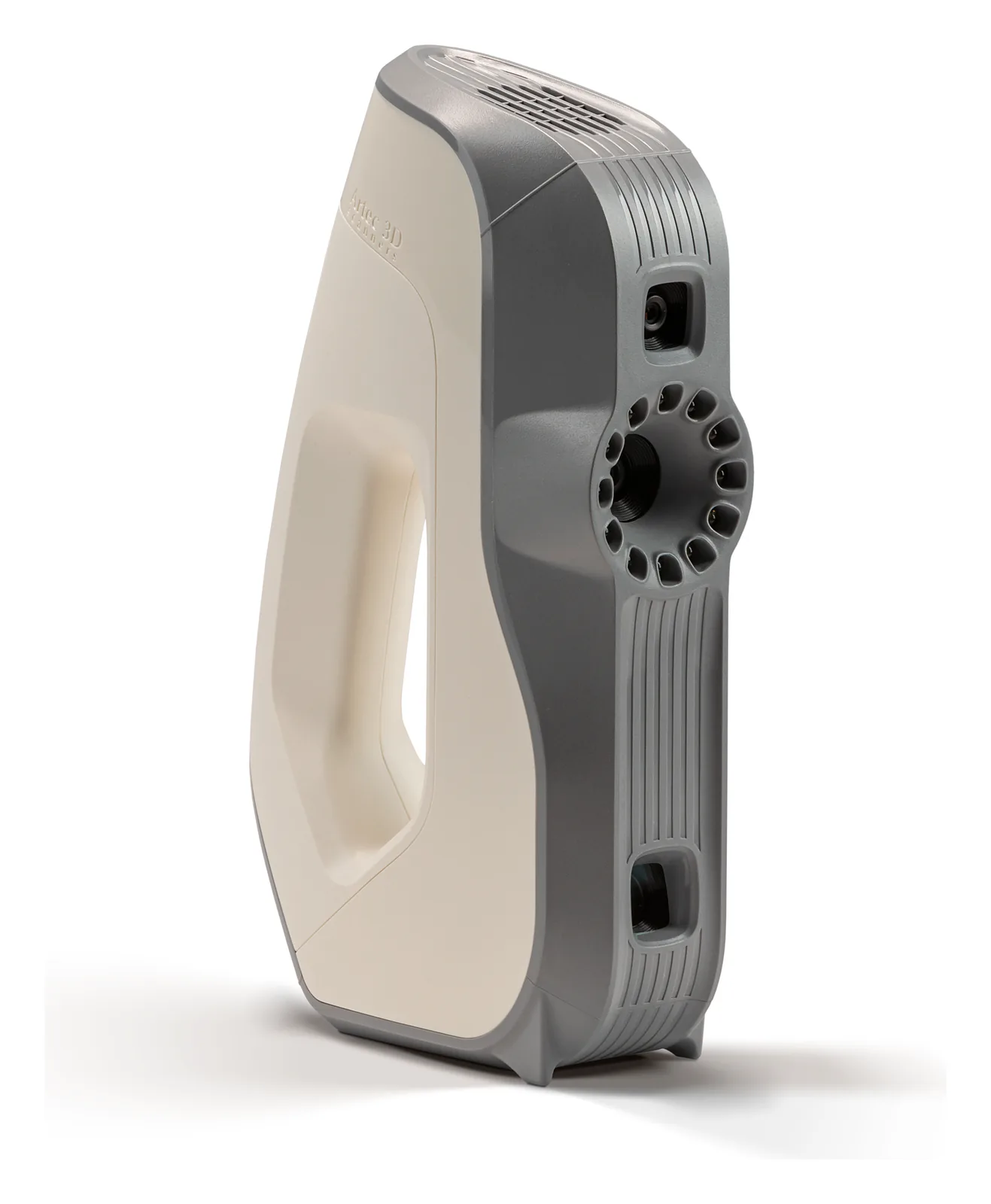
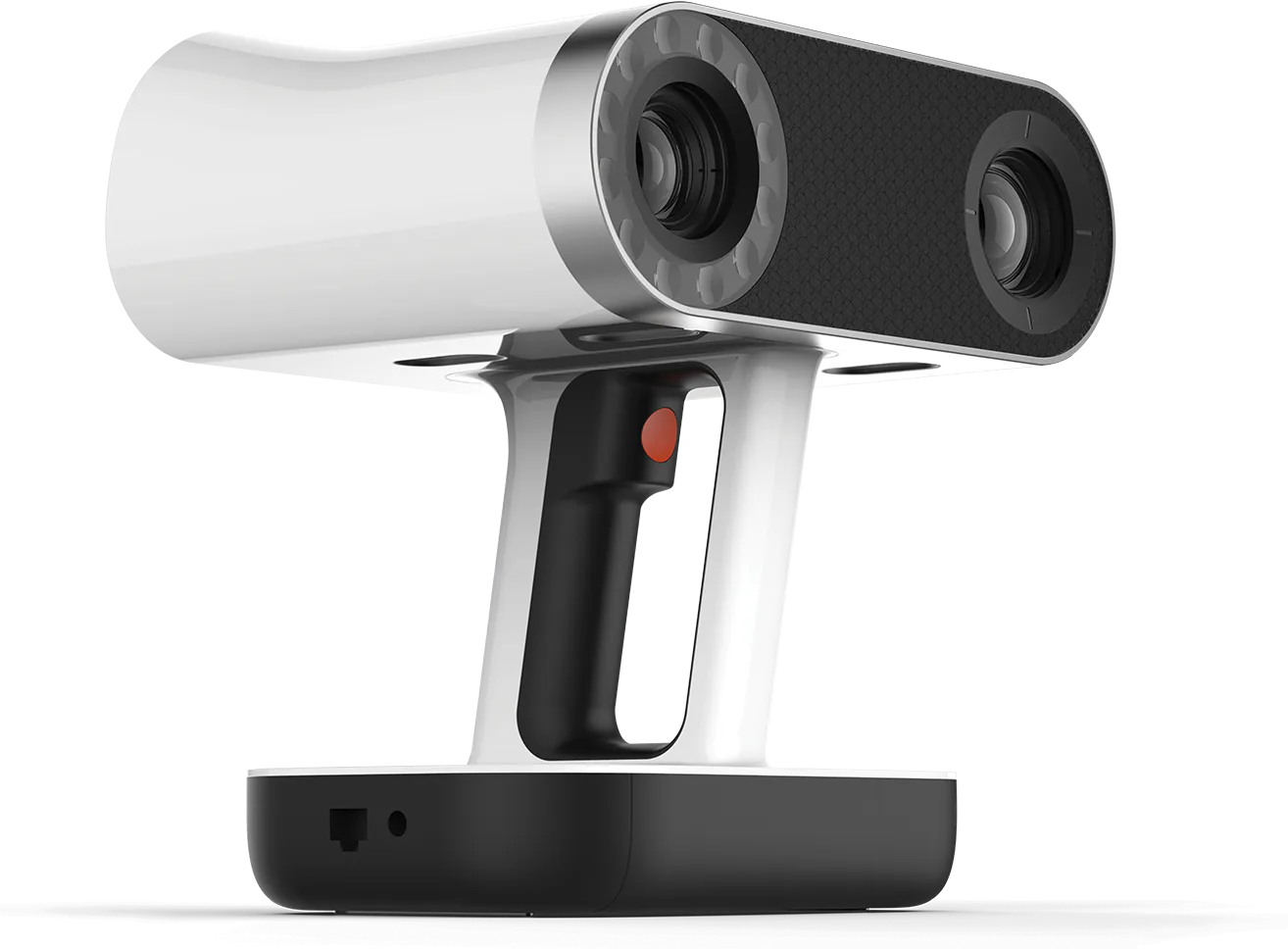
Artec Leo wireless 3D scanner, side view of the white body, front lenses, black grip with orange trigger and dark base
Best accuracy
0.1 mm
Part size
0.2–2 m

Key takeaways

  • Point accuracy is up to 0.1 mm, and 0.1 mm + 0.3 mm/m over distance, with up to 0.2 mm resolution in HD mode.
  • The Leo is fully wireless, with an onboard NVIDIA Jetson TX2, a 5.5-inch touchscreen, a swappable battery and a 512 GB SSD.
  • Its 160,000 cm³ capture zone and 838 × 488 mm far field of view cover medium and large objects quickly.
  • It records up to 35 million points per second in HD and 2.3 MP color texture, with no targets needed.
  • The scanner weighs 2.6 kg and uses a Class 1 VCSEL light source that the maker says works in sunlight.

What is the Artec Leo?

The Artec Leo is a handheld 3D scanner that needs no computer or cable while you scan. A built-in NVIDIA Jetson TX2 processor reconstructs the model in real time, and a tilting 5.5-inch touchscreen shows the live result with distance and coverage cues. It runs on a swappable battery and stores data on a 512 GB SSD. The maker states 0.1 mm point accuracy, 0.1 mm + 0.3 mm/m over distance, up to 0.2 mm resolution in HD mode and up to 35 million points per second. With a 160,000 cm³ capture zone and a 0.35 to 1.2 m working distance, it suits objects from about 20 cm to 2 m.

What can the Artec Leo do?

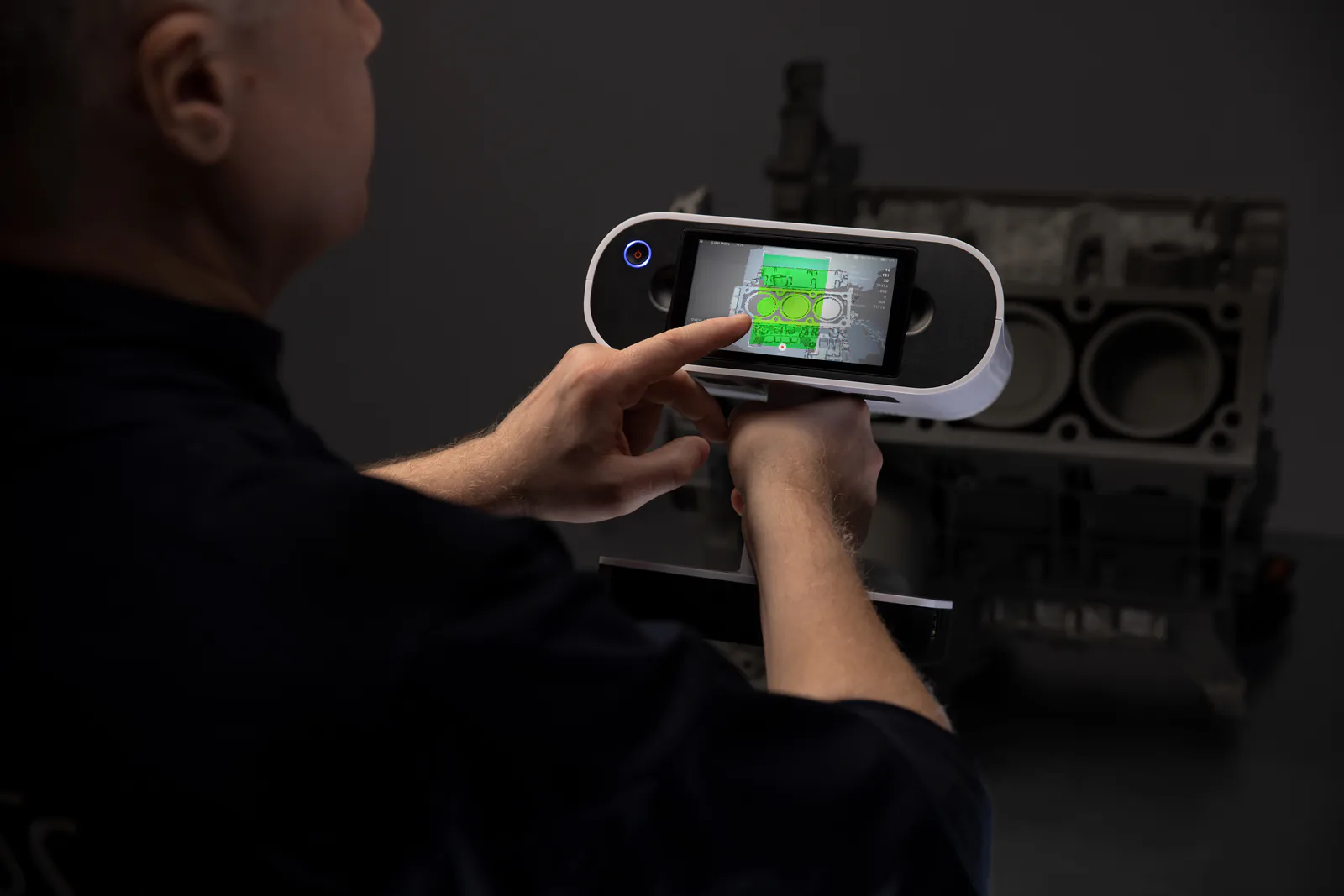
Man holding the Artec Leo and touching its screen, which shows a live green preview of the engine block behind it
What the scanner sees appears on its own screen, so the operator does not turn away to a laptop.

Wireless handheld 3D scanner with a built-in screen

The Leo needs no computer or cable while you scan. It carries its own processor, a swappable battery, a 512 GB SSD and a tilting 5.5-inch touchscreen, which helps in tight spaces and at awkward angles, such as around this engine block. Color cues on the screen show whether you are at the right distance from the subject. Artec states its Class 1 VCSEL light also works in sunlight.
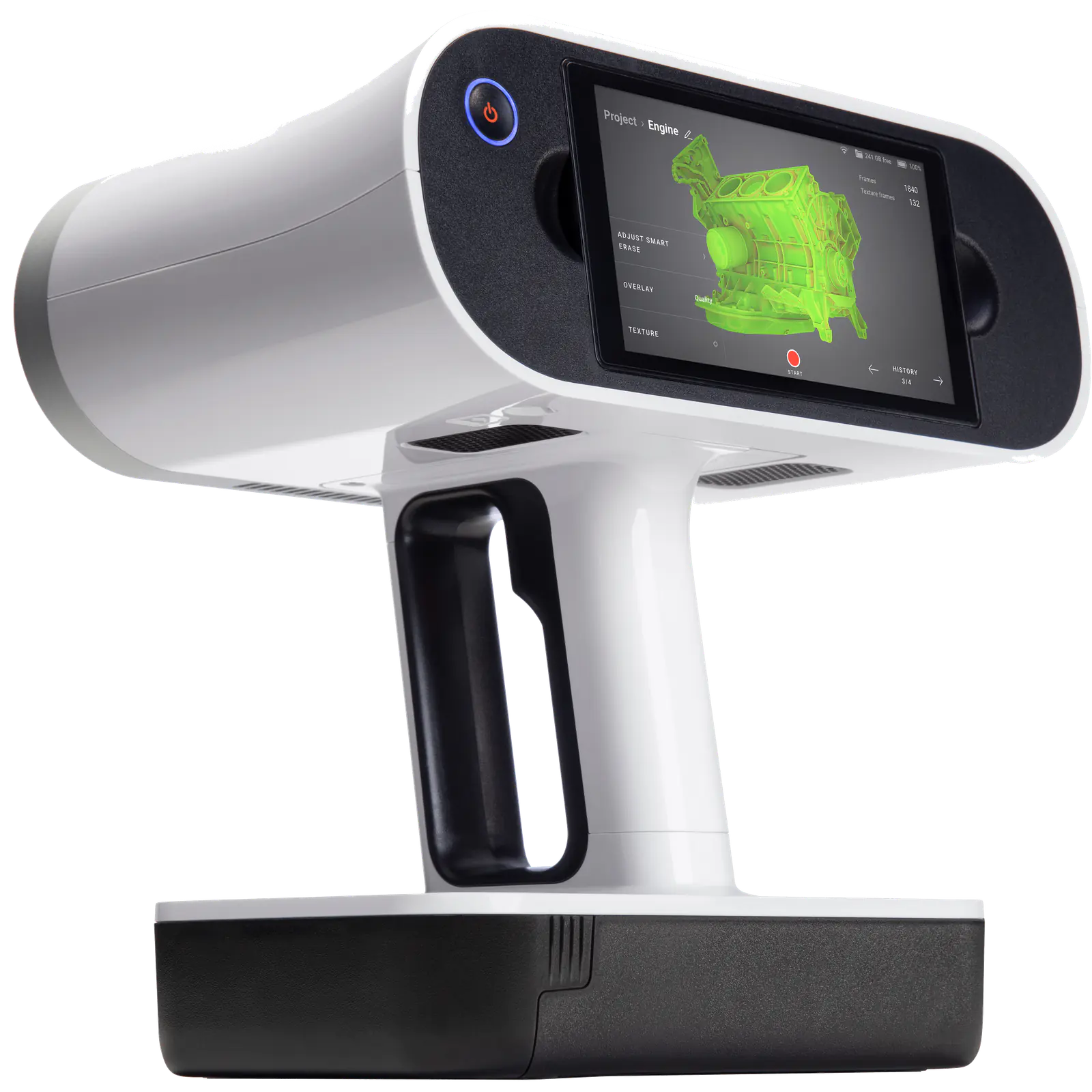
Rear view of the Artec Leo showing its built-in touchscreen with a green live scan of an engine block
The green model on the screen is already a 3D reconstruction, built on the scanner as the frames come in.

Real-time reconstruction on the scanner itself

An onboard NVIDIA Jetson TX2 rebuilds the model while you scan, so the live result on the screen is already a 3D reconstruction rather than raw frames. Quality indicators flag the areas that need more frames or another angle. On a large casting such as this engine block, you can check coverage of every face before you walk away, instead of finding a gap back at the office.

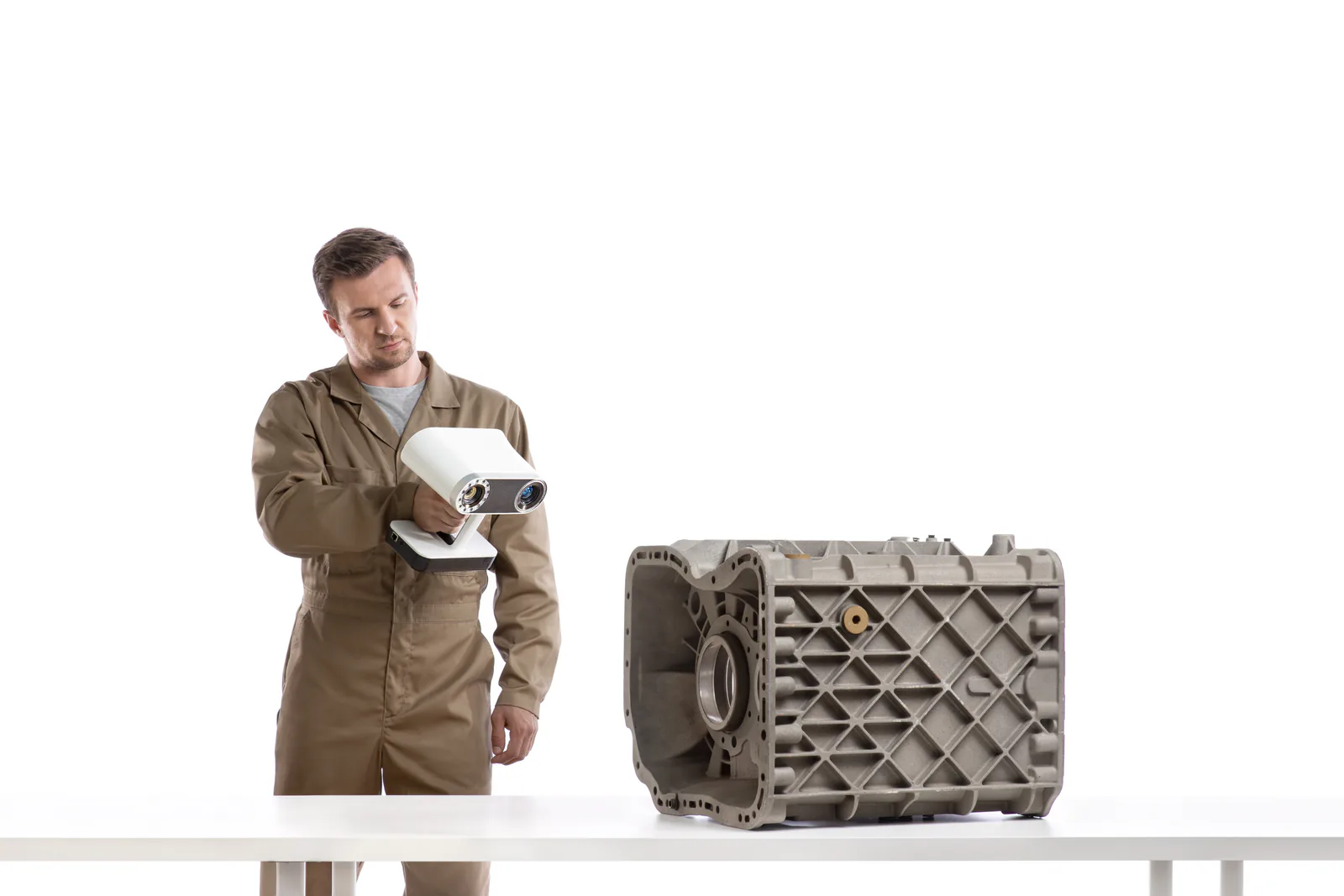
Man in overalls holding the Artec Leo beside a large cast gearbox housing on a white table
A cast gearbox housing this size sits well inside the range of objects the Leo is made for.

Medium and large parts, with HD detail

With a 160,000 cm³ capture zone and an 838 × 488 mm far field of view, the Leo covers a part like this gearbox housing in a few passes; Artec puts its range at objects from about 20 cm to 2 m. HD Mode, an AI-based reconstruction mode in Artec Studio, doubles the resolution of standard SD data to as fine as 0.2 mm, which sharpens thin ridges, sharp corners and black or shiny areas on ribbed castings.

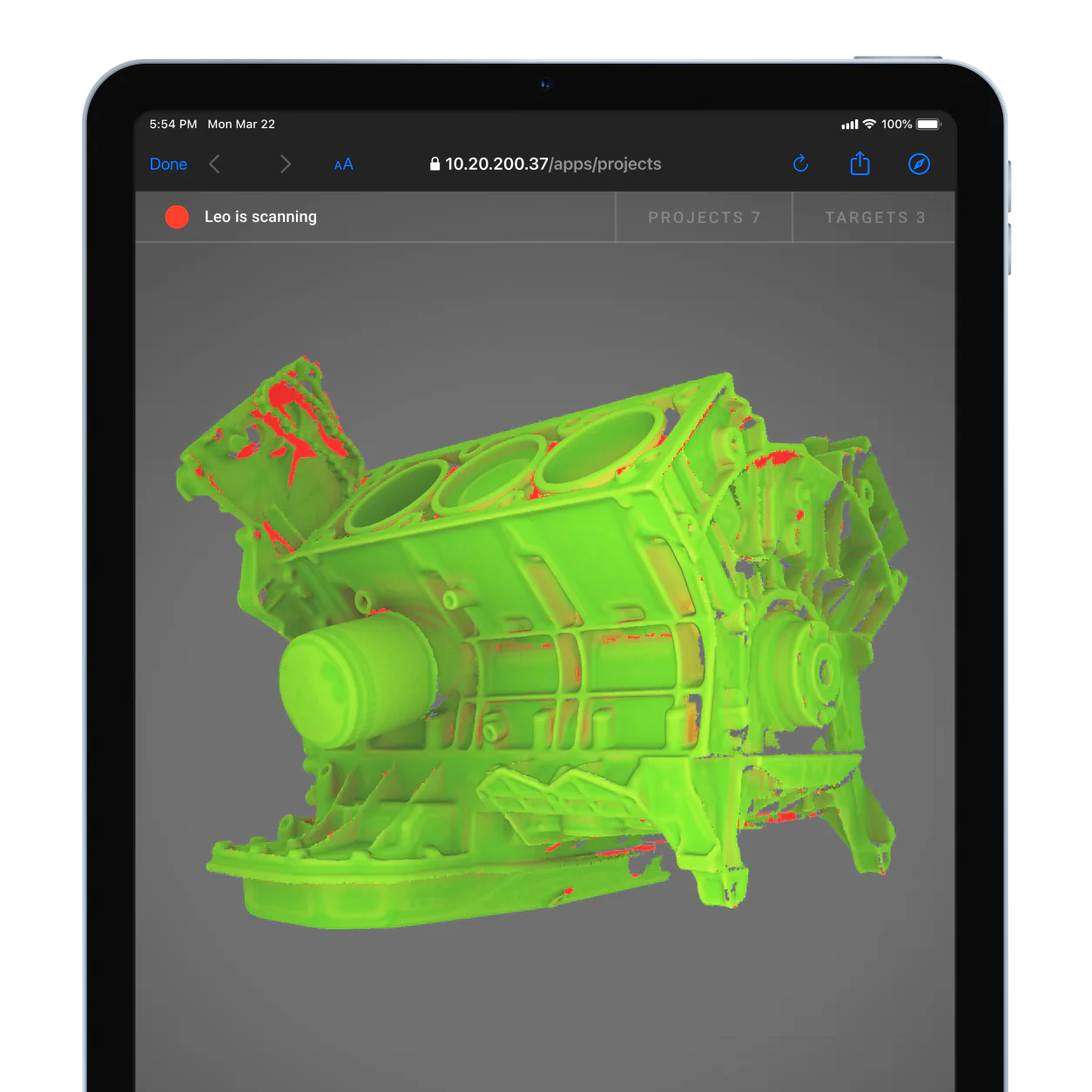
Tablet browser showing a green Artec Leo scan of an engine block under a 'Leo is scanning' status bar
Remote control runs in the browser, so a colleague can follow or run the scan from a tablet.

Monitor scans and share projects from any browser

The Leo connects over Wi-Fi, and browser-based remote control lets you monitor and run the scanner and manage target clouds from a tablet or laptop. Scans can go straight to Artec Cloud, where colleagues open, comment on and download a project in any browser, including on macOS, while the operator is still on the way back from the site. Full processing then happens in Artec Studio on a Windows computer.

What are the Artec Leo specifications?

Artec Leo specifications
3D point accuracyUp to 0.1 mm
3D accuracy over distanceUp to 0.1 mm + 0.3 mm/m
3D resolutionUp to 0.2 mm (HD mode)
Working distance0.35–1.2 m
Field of view (closest / furthest range)244 × 142 mm / 838 × 488 mm
Angular field of view38.5 × 23°
Volume capture zone160,000 cm³
3D reconstruction rateUp to 22 fps (real-time fusion), 44 fps (3D video recording), 80 fps (3D video streaming)
Data acquisition speedUp to 35,000,000 points/s (HD); 3,000,000 points/s (SD)
Texture resolution2.3 MP, 24 bpp color
3D light sourceVCSEL, laser class 1, 808 nm
DisplayIntegrated 5.5-inch touchscreen
Onboard processingNVIDIA Jetson TX2
Position sensorsBuilt-in 9 DoF inertial system
Internal storage512 GB SSD
InterfaceWi-Fi, Ethernet
Power sourceBuilt-in exchangeable battery, optional AC power
Dimensions (H × D × W)231 × 162 × 230 mm
Weight2.6 kg
Output formatsMesh: OBJ, PLY, WRL, STL, AOP, ASC, PTEX, E57, XYZRGB; CAD: STEP, IGES, X_T; measurements: CSV, DXF, XML

Specs checked:

What is the Artec Leo used for?

  • Reverse engineering vehicles and machinery

    Walk around cars, aircraft parts and machines without a cable, then fit primitives and export to CAD from Artec Studio.

  • Inspection of medium and large parts

    Capture castings, gearboxes and housings quickly and compare them with CAD.

  • Field and on-site scanning

    Scan in parking lots, plants or offshore rigs where there is no power outlet or room for a laptop.

  • Healthcare, art and forensics

    Capture people, statues, furniture, rooms and scenes in color without contact.

Industries

  • Automotive
  • Aerospace
  • Manufacturing
  • Healthcare
  • Forensics
  • Art and design
  • Science and education

What surfaces and part sizes does the Artec Leo handle?

Artec rates the Leo for medium (20 to 50 cm) and large (50 cm to 2 m) objects, and says it can take on bigger objects and whole rooms when paired with a powerful processing computer. Typical subjects are gearboxes, castings, car parts, turbines, ship propellers, small boats, statues, people, furniture and crime scenes. The working distance is 0.35 to 1.2 m, with a field of view from 244 × 142 mm up close to 838 × 488 mm at the far end. Hybrid geometry and texture tracking means no targets, and HD mode improves capture of thin ridges, sharp corners and black or shiny surfaces.

Part size
0.2–2 m
Positioning targets
Not needed
Color texture
Captured
Wireless
Yes

Compare sizes, materials and finishes across every scanner

What software does the Artec Leo use?

The Leo scans on its own and hands the data to Artec Studio on a Windows computer for processing, mesh-to-CAD analysis, primitive fitting and export. Scans can go straight to Artec Cloud over Wi-Fi, so a project can be processed or reviewed by colleagues in a browser while you travel back from the field. Browser-based remote control lets you monitor and run the scanner and manage target clouds, and a dedicated API and SDK let developers build their own functions. For modeling beyond Artec Studio, data exports to SOLIDWORKS and Geomagic Design X. The processing computer should have an Intel Core i7 or i9, 64 GB of RAM and an 8 GB NVIDIA GPU.

How does the Artec Leo compare?

Can I see the Artec Leo scan my own work?

Often, yes. Tell us you want to see the Artec Leo, and we will confirm whether we can show it at your location. Where we can, we bring the scanner to your facility and scan what you choose, so you see how it handles your surfaces, sizes and tolerances before you decide, instead of judging from a spec sheet. Pick the job that is hardest to measure today, such as a part with no CAD model or a shape you cannot measure by hand, and say what you need to check. On-site demos are available in most areas; ask when you request.

  1. Request a demo, name the model and tell us what you want scanned.
  2. We confirm whether we can show that model at your location.
  3. Where we can, we scan your own work and review the data with you.

What do buyers ask about the Artec Leo?

Does the Artec Leo need a computer to scan?

No. The Leo has an onboard NVIDIA Jetson TX2 processor, a 5.5-inch touchscreen, a swappable battery and a 512 GB SSD, so it captures and reconstructs scans without any computer or cable. A computer is needed only later, for processing in Artec Studio. The maker's recommended processing computer is an Intel Core i7 or i9 with 64 GB or more of RAM and an NVIDIA GPU with at least 8 GB of VRAM and CUDA 6.0+.

What objects is the Artec Leo best for?

The Leo works best on medium and large objects, about 20 cm to 2 m, where its wide 838 × 488 mm far field of view saves time. The maker lists gearboxes, castings, car parts, turbines, ship propellers, small boats, statues, the human body, furniture, room interiors and crime scenes. For detail finer than 0.1 mm, pair it with a higher-resolution scanner such as the Spider II or Neo and merge the data in Artec Studio.

What reverse engineering software works with Artec Leo data?

Leo scans are processed in Artec Studio, which has its own scan-to-CAD tools: primitive fitting, auto-surfacing, Boolean operations and deviation maps. From Artec Studio you can export to SOLIDWORKS and Geomagic Design X for CAD modeling, and to Geomagic Control X for inspection reports. Standard formats include STEP, IGES and X_T for CAD bodies and OBJ, PLY, STL and E57 for meshes.

Can the Artec Leo scan outdoors in sunlight?

Yes. The Leo projects its pattern with a Class 1 VCSEL light source at 808 nm, which is invisible to the eye, and the maker states that it can scan in sunlight. Combined with the battery and the lack of cables, that makes outdoor jobs such as vehicles, boats and building details practical without a generator or a laptop cart.

How does the Artec Leo work with Artec Cloud?

The Leo connects over Wi-Fi and can send scans directly to Artec Cloud. Team members then open the project in a browser from anywhere, comment on it and download it, and processing can run while the operator travels back from the site. Artec Cloud plans range from 5 GB to 1 TB of storage, and the service works in any browser, including on macOS.

How much does the Artec Leo cost?

A Leo quote covers more than the scanner. It includes the Leo itself, a wireless unit with its own screen, processor and battery, plus Artec Studio for processing, scan-to-CAD tools and export, and an Artec Cloud plan if your team shares projects. Because the Leo scans on its own but processes on a computer, plan a workstation that meets Artec's recommended specification. Training for the people who scan in the field and the people who process the data rounds it out. Send us a pricing request that describes the objects you scan, and after a brief conversation about them we quote the Leo package that fits.

Request pricing on the Artec Leo

See the Artec Leo scan your own work

Tell us what you want scanned, and we will confirm whether we can show it at your location. On-site demos are available in most areas. You can also start with a pricing request.

Call (816) 608-7745