Software comparison
Geomagic Wrap vs Artec Studio
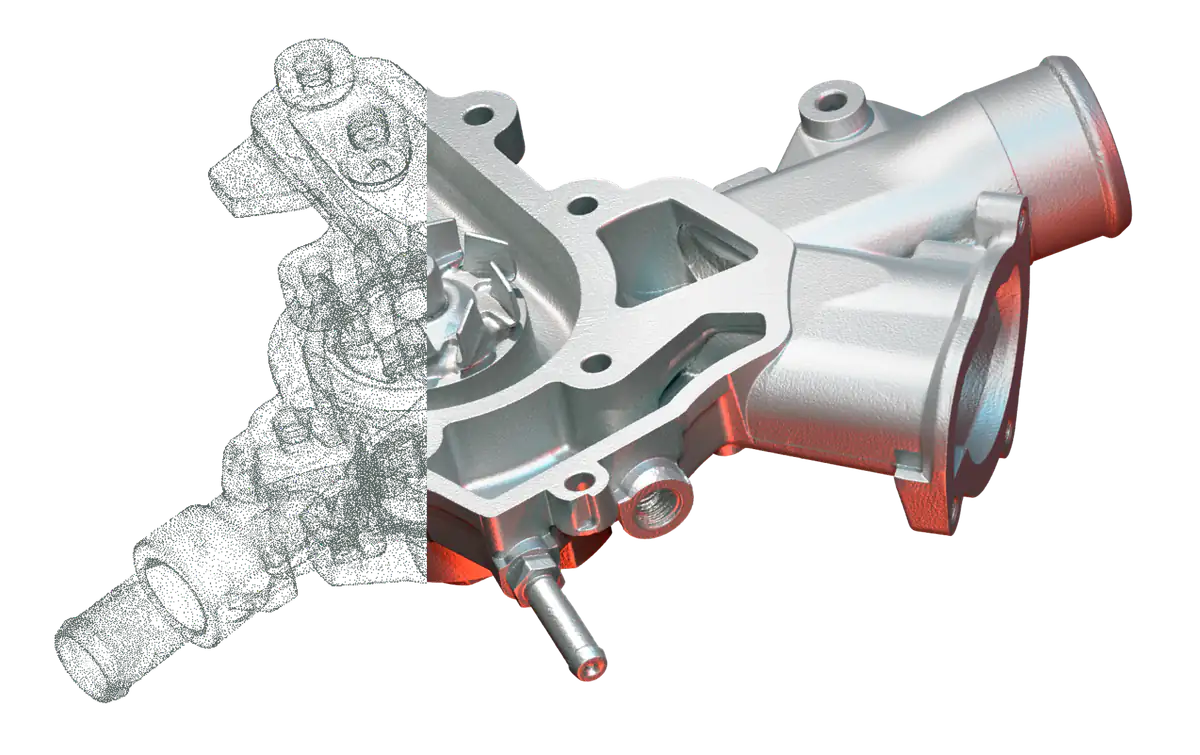
These two are not straight rivals. Artec Studio runs Artec scanners and turns their scans into finished meshes; Wrap takes scan data from many scanners and turns it into clean meshes and exact surfaces. The question is whether you need one, the other or both.
Key takeaways
- Artec Studio captures and processes scans from Artec scanners, from the Micro II to the Ray II; Wrap processes raw scan data from any device.
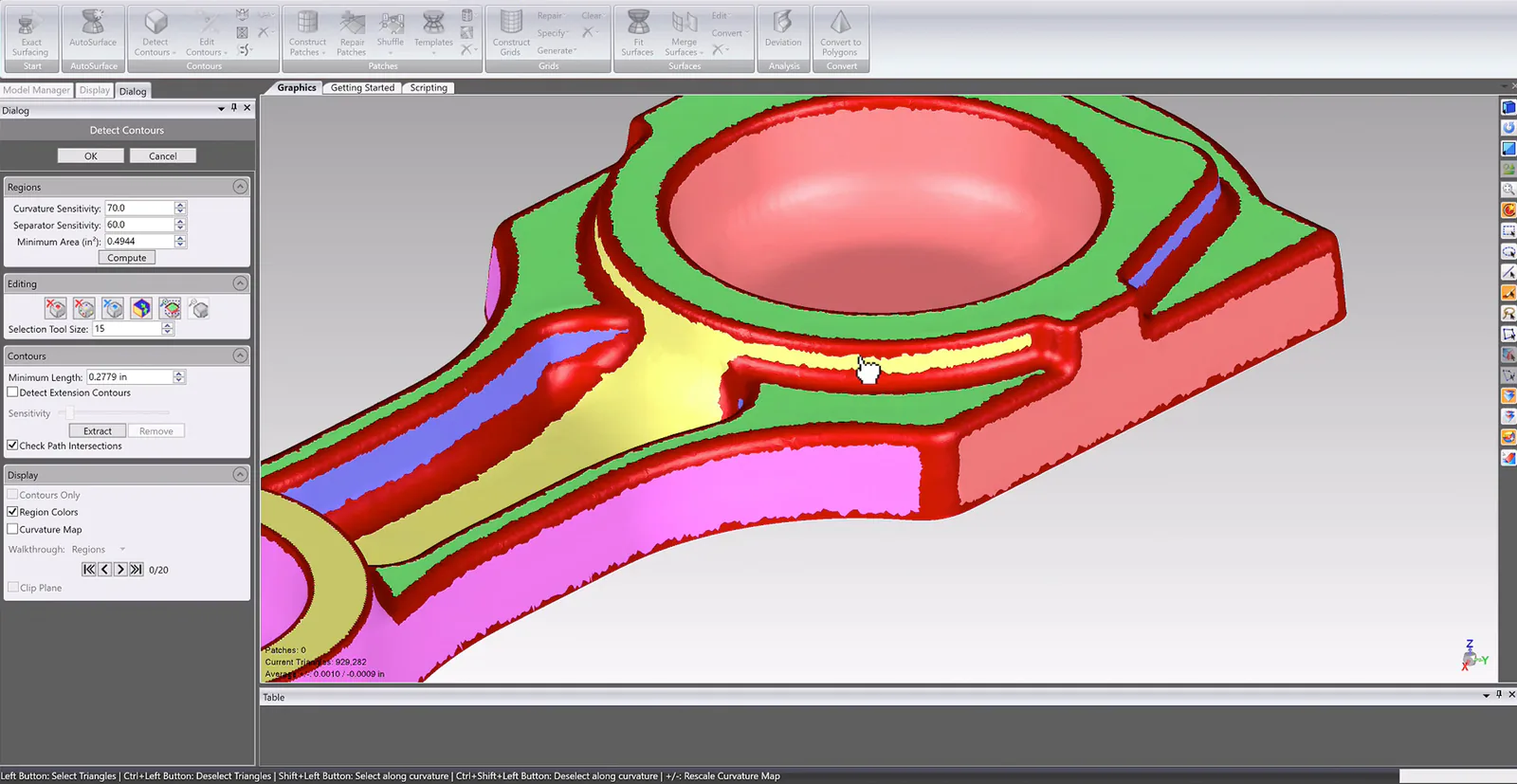
- Artec Studio fits cylinders, spheres, cones, planes, tori and boxes and auto-surfaces meshes; Wrap's Exact Surfacing fits NURBS patches with control of their layout and continuity.
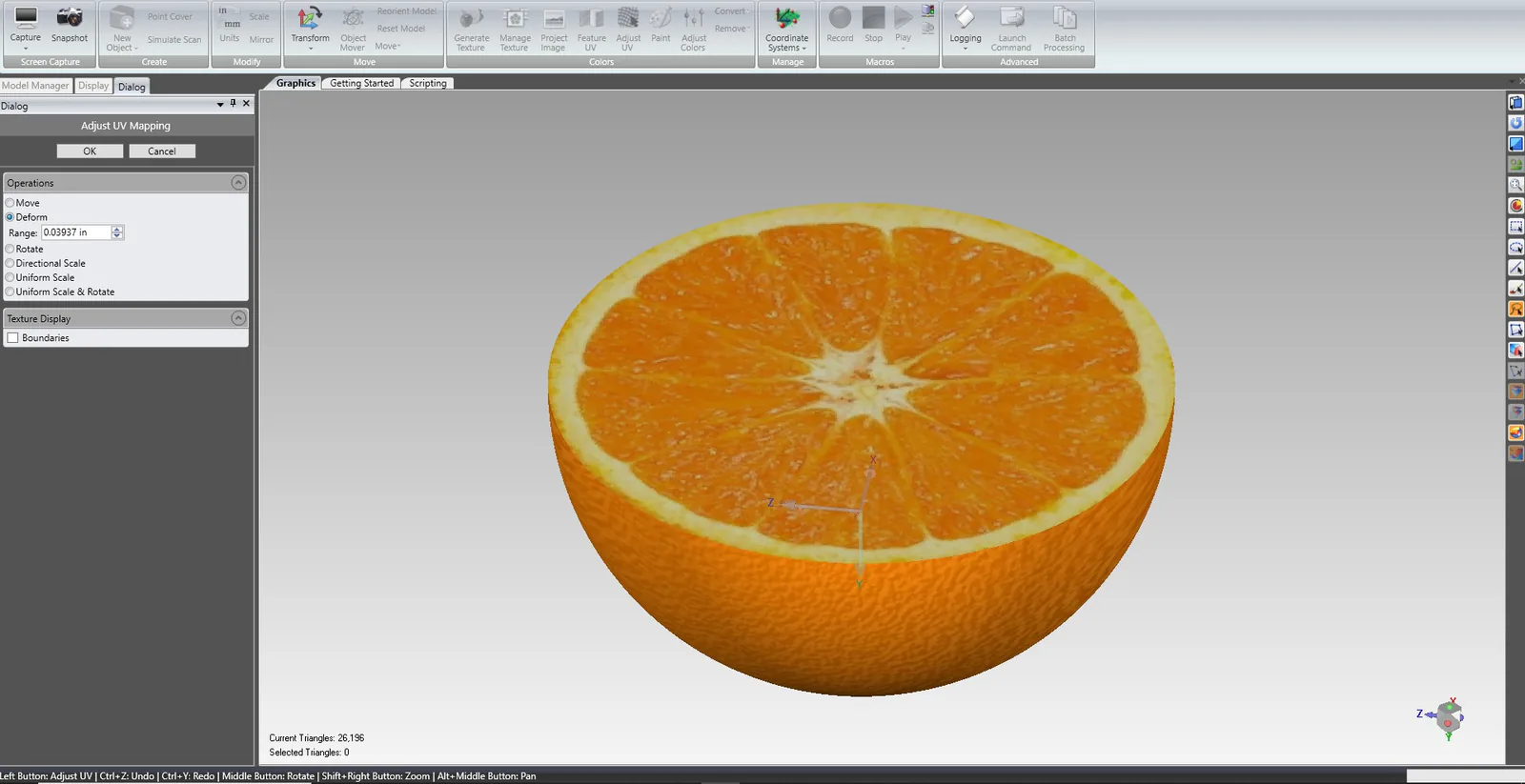
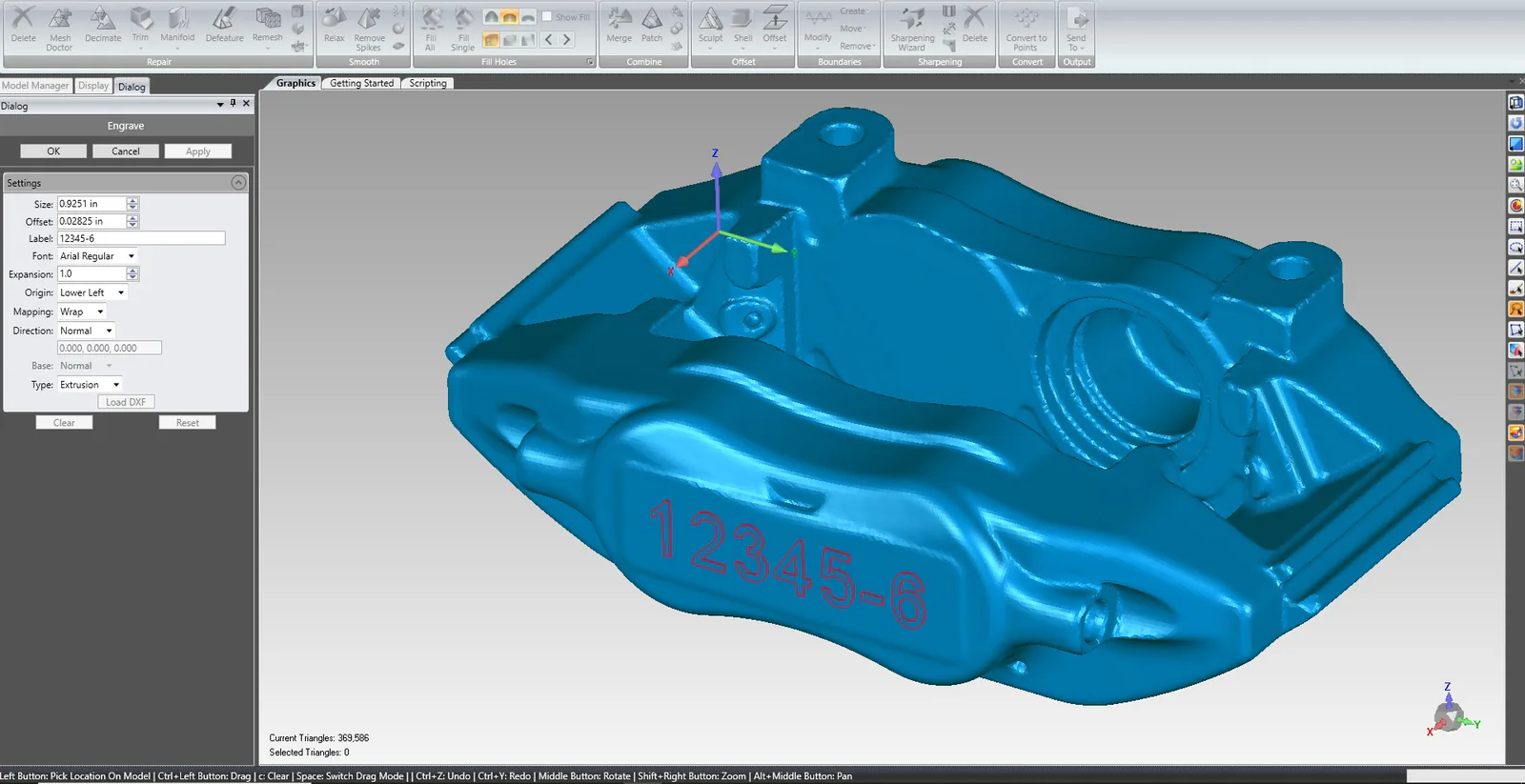
- Wrap edits color texture, engraves lettering, unrolls cylindrical scans and feeds FEA, CFD and animation tools; Artec Studio adds AI Photogrammetry and CAD deviation maps.
- Both run on Windows; Artec Studio 20 is current, and the latest Wrap release is 2024.3.2.
- Artec pairs Wrap with the Eva and the Leo, alongside Artec Studio, for teams that need both.
Which should you choose: Geomagic Wrap or Artec Studio?
Choose Artec Studio when you scan with Artec hardware: it is the program that captures the scans, then registers, fuses and textures them into watertight meshes, with primitive fitting, auto-surfacing and CAD comparison maps built in, and Artec states that many tasks can be completed in it alone. Choose Geomagic Wrap when scan data from any device must become a clean mesh or an exact NURBS surface model: it adds Exact Surfacing with control of patch layout and continuity, Mesh Doctor, texture painting, engraving and unrolling. If you scan with an Artec Eva or Leo and also deliver precise organic surfaces, you may want both: Artec itself pairs Wrap with those two scanners, alongside Artec Studio.
Choose Geomagic Wrap if…
- Your scans come from a scanner other than Artec, or from several kinds of scanner.
- You need exact NURBS surfaces over organic shapes, with control of patch layout and continuity.
- Your work includes color texture edits, engraved part numbers or unrolled tires and pipes.
- Your models go on to FEA, CFD or animation tools such as Maya and 3ds Max.
Choose Artec Studio if…
- You own or plan to buy an Artec scanner, from the Micro II to the Ray II.
- You want capture, fusion, texture and export in one program.
- Primitive fitting, auto-surfacing and deviation maps cover your CAD and inspection needs.
- You also want to build models from photos or video with AI Photogrammetry.
What does each program cover, from raw scan to export?
Because the two overlap only in the middle, the table is easiest to read in three parts. The top rows show the scans each program takes in: Artec Studio lists Artec's own scanners, while Wrap drives a scanner directly or reads raw data from any device. The middle rows show how each builds and repairs the mesh and fits surfaces for CAD. The bottom rows show where the result goes, from SOLIDWORKS and the other Geomagic programs to FEA, CFD and animation tools, and what each needs to run. Every cell is taken from our record for that program.
| Specification | Geomagic Wrap | Artec Studio |
|---|---|---|
| What it does | Point cloud, mesh and surfacing software for 3D scan data | 3D scan capture and processing software |
| Scanners and scan data | Drive a scanner directly in Wrap, or bring in raw scan data from any device | Artec Eva, Eva Lite, Leo, Metrology Kit, Micro II, Point, Ray II, Spider II; discontinued Micro, Ray, Spider and Space Spider |
| Files it imports | Common scan files such as STL, OBJ and PLY come in as meshes; E57 import; LAS and LAZ import | Scans and meshes: PLY, STL, WRL, OBJ, PTX, E57, USD; CAD: STEP, IGES, SAT, X_T, X_B; photos and video: JPG, PNG, TIF, BMP, MOV, MP4, AVI |
| Mesh building and repair | Remesh, hole filling, smoothing, patching, watertight models, curve and hard-feature extraction | Register, fuse and texture raw scans into clean, watertight meshes |
| Surfaces for CAD | NURBS surfaces with control of patch layout and continuity | Fit primitives, cut 2D sections, auto-surface meshes and export CAD |
| Checking against a reference | Compare a surfaced body with its scan | Mesh-to-CAD and datum alignment, deviation mapping, thickness mapping, Tolerance Check mode, 2D section analysis |
| Other tools | Texture editing, engraving, unrolling, scripting and macros | Autopilot, AI-powered HD Mode, Real-time Fusion, Workflows, AI Photogrammetry |
| Where the data goes next | FEA and CFD models; animation tools such as Maya and 3ds Max | Direct links send data to SOLIDWORKS, Geomagic Design X and Geomagic Control X |
| Export formats | WRP, IGES, X_T, SAT, PRC, STEP, VDA, NEU, 3ds, DXF, OOGL, IV, PLY, STL, WRL, OBJ | Meshes: OBJ, PLY, WRL, STL, AOP, ASC, PTEX, E57, XYZRGB, USD, USDZ; point clouds: PTX, BTX, XYZ, RCP; CAD: STEP, IGES, X_T; measurements: CSV, DXF, XML |
| Operating system | Minimum Windows 10 64-bit or later; recommended Windows 11 64-bit | Windows 10 x64, Windows 11 |
| Current version | 2024.3.2 | Artec Studio 20 (Pro and Lite editions) |
Geomagic Wrap vs Artec Studio: side by side
What it does
- Geomagic Wrap
- Point cloud, mesh and surfacing software for 3D scan data
- Artec Studio
- 3D scan capture and processing software
Scanners and scan data
- Geomagic Wrap
- Drive a scanner directly in Wrap, or bring in raw scan data from any device
- Artec Studio
- Artec Eva, Eva Lite, Leo, Metrology Kit, Micro II, Point, Ray II, Spider II; discontinued Micro, Ray, Spider and Space Spider
Files it imports
- Geomagic Wrap
- Common scan files such as STL, OBJ and PLY come in as meshes; E57 import; LAS and LAZ import
- Artec Studio
- Scans and meshes: PLY, STL, WRL, OBJ, PTX, E57, USD; CAD: STEP, IGES, SAT, X_T, X_B; photos and video: JPG, PNG, TIF, BMP, MOV, MP4, AVI
Mesh building and repair
- Geomagic Wrap
- Remesh, hole filling, smoothing, patching, watertight models, curve and hard-feature extraction
- Artec Studio
- Register, fuse and texture raw scans into clean, watertight meshes
Surfaces for CAD
- Geomagic Wrap
- NURBS surfaces with control of patch layout and continuity
- Artec Studio
- Fit primitives, cut 2D sections, auto-surface meshes and export CAD
Checking against a reference
- Geomagic Wrap
- Compare a surfaced body with its scan
- Artec Studio
- Mesh-to-CAD and datum alignment, deviation mapping, thickness mapping, Tolerance Check mode, 2D section analysis
Other tools
- Geomagic Wrap
- Texture editing, engraving, unrolling, scripting and macros
- Artec Studio
- Autopilot, AI-powered HD Mode, Real-time Fusion, Workflows, AI Photogrammetry
Where the data goes next
- Geomagic Wrap
- FEA and CFD models; animation tools such as Maya and 3ds Max
- Artec Studio
- Direct links send data to SOLIDWORKS, Geomagic Design X and Geomagic Control X
Export formats
- Geomagic Wrap
- WRP, IGES, X_T, SAT, PRC, STEP, VDA, NEU, 3ds, DXF, OOGL, IV, PLY, STL, WRL, OBJ
- Artec Studio
- Meshes: OBJ, PLY, WRL, STL, AOP, ASC, PTEX, E57, XYZRGB, USD, USDZ; point clouds: PTX, BTX, XYZ, RCP; CAD: STEP, IGES, X_T; measurements: CSV, DXF, XML
Operating system
- Geomagic Wrap
- Minimum Windows 10 64-bit or later; recommended Windows 11 64-bit
- Artec Studio
- Windows 10 x64, Windows 11
Current version
- Geomagic Wrap
- 2024.3.2
- Artec Studio
- Artec Studio 20 (Pro and Lite editions)
Specs checked:
What does each program look like at work?
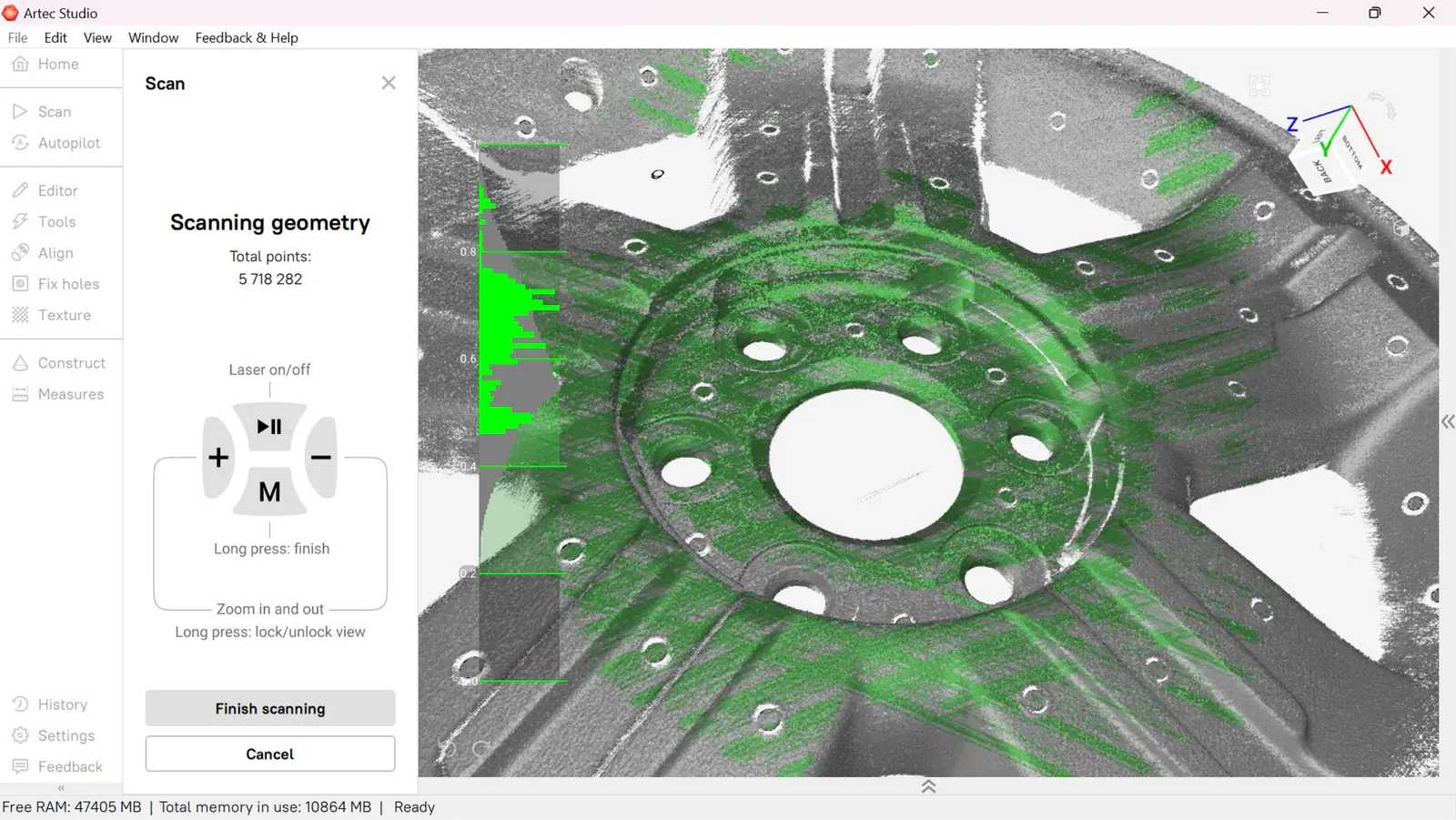
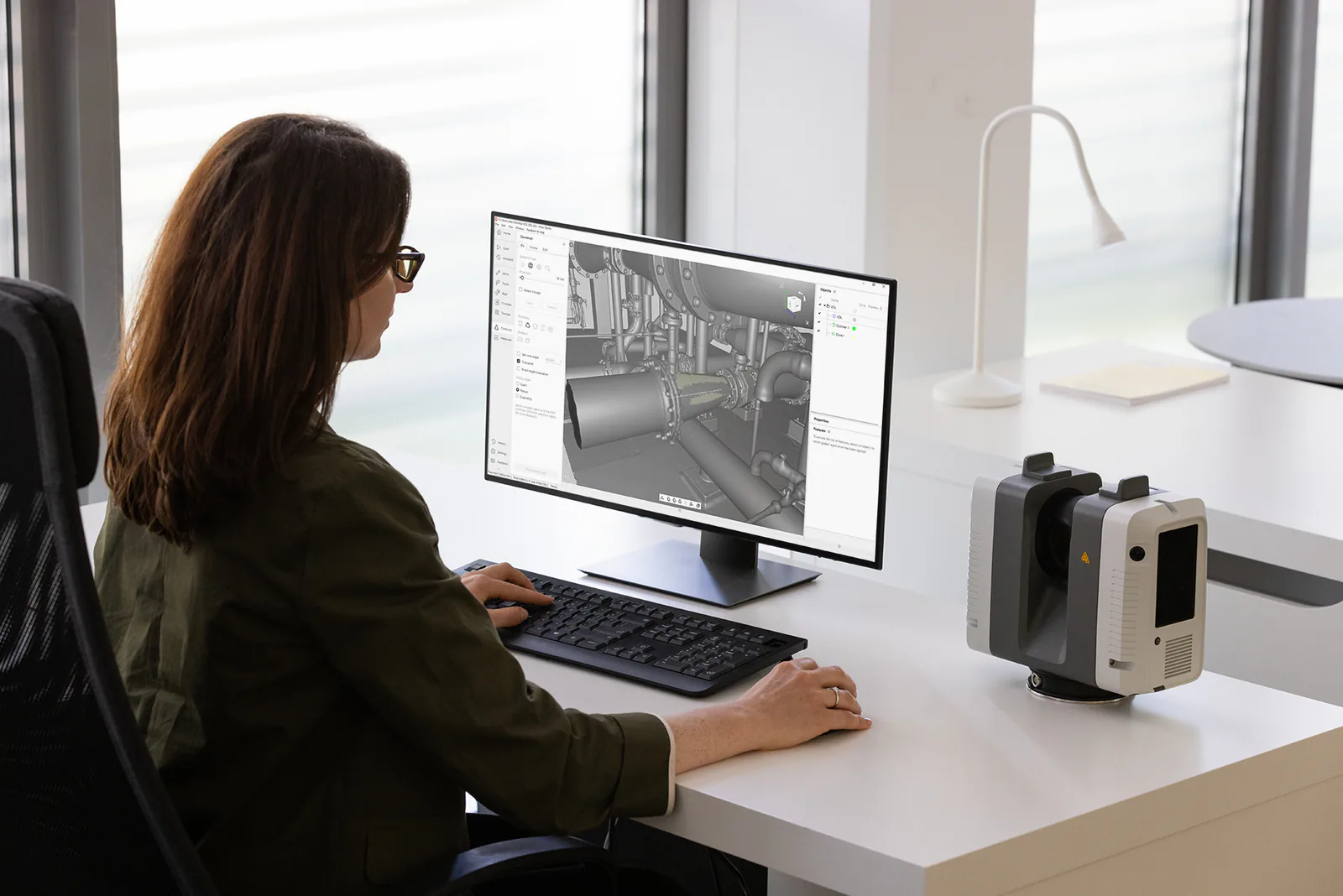
The Artec Studio screens come from the scanner side of the job: a dark wheel fitted with ring targets being scanned with an Artec Point II, green patches marking the current pass, and a scanned piping model having cylinders and cones fitted to it at a desk beside an Artec Ray II. The Wrap screens come from the finishing side: a color-textured scan of half an orange with its UV mapping open, and a raised part number engraved onto the side of a scanned brake caliper. Capture lives in Artec Studio; texture work and lettering are where Wrap adds its tools.
Geomagic Wrap
Artec Studio
Do Wrap and Artec Studio do the same job?
Only in the middle of the workflow. Artec Studio is where an Artec scan starts: it runs the scanner with live feedback, then registers, fuses and textures the frames into a watertight mesh, for every current Artec scanner except the Jet, whose data goes to Artec Twins. Wrap starts later, from point clouds and meshes, and can drive supported scanners itself. Both clean meshes and fit surfaces for CAD. Of the two, Wrap alone lists Exact Surfacing, Mesh Doctor, engraving and unrolling, and Artec Studio alone lists AI Photogrammetry and Tolerance Check mode. Think of Artec Studio as the scanner's own software and Wrap as a finishing toolbox for scans from anywhere.
When is Artec Studio enough on its own?
When you scan with Artec hardware and the deliverable is a mesh, a simple CAD body or a deviation check. Artec Studio fits cylinders, spheres, cones, planes, tori and boxes, cuts 2D sections, auto-surfaces meshes and exports STEP, IGES or X_T bodies. It aligns scans to CAD, maps deviation and thickness, and runs Tolerance Check mode. Version 20 added Workflows, which chain processing steps into one-click pipelines. Artec states that users can complete many tasks in Artec Studio alone, and it links directly to SOLIDWORKS, Geomagic Design X and Geomagic Control X when a job needs more.
When does Wrap earn its place?
When the shape itself is the deliverable and it must be exact, or when the scans come from other scanners. Wrap is built for complex, organic shapes, such as sculptures, anatomy, dental models and styled products, and its Exact Surfacing fits NURBS patches whose layout and continuity you control, as surfaces or solids for CAD. It repairs meshes with Mesh Doctor, keeps and repaints color texture, engraves part numbers or a DXF logo, and unrolls tires or pipes into flat strips. Its exports reach FEA and CFD models, animation tools such as Maya and 3ds Max, and 3D printers through STL, OBJ, PLY or 3MF.
What computer does each one need?
Both run on Windows. Artec Studio needs 64-bit Windows 10 or Windows 11, and Artec's recommended machine pairs a 13th or 14th Gen Intel Core i7 or i9 with an NVIDIA RTX 4070 8 GB; its minimum is a 12th Gen Core i9 and an RTX 4060 8 GB. Wrap's 2024.3.2 guide sets a floor of Windows 10 64-bit, 8 GB of RAM and an NVIDIA card with OpenGL 4.0 and 2 GB of video memory, and recommends Windows 11, 32 GB or more and an RTX with 4 GB, plus a three-button or 3D mouse. A workstation built to Artec's recommendation covers Wrap's graphics advice as well.
How do teams use Wrap and Artec Studio together?
Artec's own pairing points to the split: Wrap with the Eva or the Leo, alongside Artec Studio. The scanner captures, Artec Studio registers and fuses the frames into a textured mesh, and the mesh leaves as OBJ, PLY or STL. Wrap opens it, Mesh Doctor fixes what remains, and Exact Surfacing lays NURBS patches over the organic areas before the model goes to CAD as STEP or IGES, or to a printer as 3MF. Heritage and art teams can keep the color texture and edit it in Wrap. Tell us what you deliver, and we show the hand-off on one of your own scans.
What else do buyers ask about Geomagic Wrap and Artec Studio?
Do I need Wrap if I already have Artec Studio?
Not always. If your deliverables are watertight meshes, primitive-based CAD bodies or deviation maps, Artec Studio may cover them, and Artec states that many tasks can be finished in it alone. Wrap becomes worth adding when organic shapes need exact NURBS surfaces with controlled patch layout and continuity, when you edit or paint color texture, engrave lettering or unroll a scan, or when scans from other scanners arrive too. Show us an example of the surface you need, and we show where each program stops.
Can Wrap open scans from an Artec scanner?
Yes. Wrap brings in raw scan data from any device, and Artec Studio exports meshes as OBJ, PLY and STL among other formats, which Wrap opens as meshes. Artec itself pairs Wrap with the Eva and the Leo, together with Artec Studio, so capture and fusion stay in Artec Studio and the mesh moves on to Wrap for surfacing, repair or texture work. Point clouds can travel as E57, which both programs handle.
Which one makes surfaces for CAD?
Both do, at different depths. Artec Studio fits primitives such as cylinders, cones and planes, auto-surfaces a mesh and exports the body as STEP, IGES or X_T, or sends it straight to SOLIDWORKS or Geomagic Design X. Wrap offers Auto and Exact Surfacing; Exact Surfacing fits NURBS patches whose layout and continuity you control, and the result leaves as STEP, IGES, X_T or SAT. For editable, feature-based CAD with a history tree, both makers point to Geomagic Design X.
Which one works from photos and video?
Artec Studio. Its AI Photogrammetry builds textured 3D models from photos or video taken with a smartphone, camera, drone or microscope, and it imports JPG, PNG, TIF and BMP images and MOV, MP4 and AVI video. Wrap starts from point clouds and meshes, including E57, LAS and LAZ point clouds, so a model built from photos reaches it after Artec Studio has reconstructed it. Artec describes photogrammetry as less accurate than professional 3D scanning, so use it for context and texture.
See Geomagic Wrap and Artec Studio on your own scans
Tell us what you capture and what you hand over at the end: a print, an archive model, an animation asset or a surface model for CAD. We scan it where you work, process it in Artec Studio and finish it in Wrap, so you see where each program does the work. Mention Wrap and Artec Studio when you write, and we check that both can be shown near you. On-site demos are available in most areas; ask when you request.