Software comparison
Geomagic Wrap vs Creaform Scan-to-CAD
Both clean scan meshes and fit NURBS surfaces, so they look alike on a feature list. They part ways on two questions: which scanner you own, and whether you need an organic surface model or a mechanical part rebuilt in your CAD program.
Key takeaways
- Scan-to-CAD works on meshes captured in Creaform.OS; Wrap drives supported scanners or reads raw scan data from any device.
- Scan-to-CAD sends entities straight to SOLIDWORKS, Autodesk Inventor, Autodesk Fusion 360 and Solid Edge; Wrap exports surfaces and solids as STEP, IGES, X_T or SAT.
- Wrap's Exact Surfacing controls NURBS patch layout and continuity; Scan-to-CAD fits NURBS surfaces automatically or by hand and extracts entities for regular shapes.
- Wrap adds texture editing, engraving, unrolling and exports for FEA, CFD and animation; Scan-to-CAD Pro adds sketching and extrude, revolve and cut.
- Scan-to-CAD Pro is included with the HandySCAN 3D PRO Series; Artec pairs Wrap with the Eva and the Leo.
Which should you choose: Geomagic Wrap or Creaform Scan-to-CAD?
Choose Creaform Scan-to-CAD when you scan with Creaform hardware and the goal is a part rebuilt in your CAD program: it aligns and cleans the mesh, extracts geometric entities, curves and cross-sections, covers freeform areas with NURBS surfaces, and sends entities straight to SOLIDWORKS, Autodesk Inventor, Autodesk Fusion 360 or Solid Edge; the Pro version adds sketches and extrude, revolve and cut. Choose Geomagic Wrap when scans come from any device, or when the goal is the shape itself: a watertight mesh, a textured model or exact NURBS surfaces with control of patch layout and continuity, for CAD, printing, simulation or animation. Your scanner and your deliverable point the way.
Choose Geomagic Wrap if…
- Your scans come from any device, Creaform or not.
- You need exact NURBS surfaces over organic shapes, with control of patch layout and continuity.
- Color texture, engraving or unrolling is part of the job.
- Your model goes on to FEA, CFD, animation, or 3D printing as 3MF.
Choose Creaform Scan-to-CAD if…
- You scan with Creaform hardware and capture in Creaform.OS.
- You rebuild mechanical parts in SOLIDWORKS, Inventor, Fusion 360 or Solid Edge.
- You want entities, curves and cross-sections sent to CAD with a right-click.
- Your new HandySCAN 3D PRO Series already includes Scan-to-CAD Pro.
How do Wrap and Scan-to-CAD compare on the same scan?
The first rows answer the scanner question: Scan-to-CAD reads meshes captured in Creaform.OS and its Pro version ships with the HandySCAN 3D PRO Series, while Wrap reads raw data from any device and is paired by Artec with the Eva and the Leo. The middle rows show the shared ground, mesh repair and NURBS surfacing, and where each goes further: entities, cross-sections, sketches and extrude, revolve and cut in Scan-to-CAD, exact patch control in Wrap. The last rows answer the model question by showing how the result reaches CAD and which formats leave. Each cell is drawn from our product records.
| Specification | Geomagic Wrap | Creaform Scan-to-CAD |
|---|---|---|
| What it does | Point cloud, mesh and surfacing software for 3D scan data | Reverse-engineering software module for 3D scan data |
| Scan data it takes | Drive a scanner directly in Wrap, or bring in raw scan data from any device | Mesh data from Creaform scanners; data captured in Creaform.OS |
| Paired with scanners | Artec pairs Wrap with the Eva and the Leo, together with Artec Studio | HandySCAN 3D PRO Series (Scan-to-CAD Pro) |
| Files it reads | Common scan files such as STL, OBJ and PLY come in as meshes; E57 import; LAS and LAZ import | Both versions import and export IGES and STEP |
| Mesh repair | Remesh, hole filling, smoothing, patching, watertight models, curve and hard-feature extraction | Mesh tools fill holes, merge, decimate and make meshes watertight |
| Features and sections | Curve and hard-feature extraction | Extracts geometric entities, curves and cross-sections |
| Surfacing | Auto and Exact Surfacing; NURBS surfaces with control of patch layout and continuity | NURBS surfaces using automatic or manual surfacing |
| Solids | Exact NURBS surfaces or solids that CAD software can use | Scan-to-CAD Pro adds 2D sketching and 3D modeling with extrude, revolve and cut |
| Sending to CAD | Surfaces or solids go to CAD as STEP, IGES, X_T or SAT | SOLIDWORKS, Autodesk Inventor, Autodesk Fusion 360, Solid Edge |
| Export formats | WRP, IGES, X_T, SAT, PRC, STEP, VDA, NEU, 3ds, DXF, OOGL, IV, PLY, STL, WRL, OBJ | .iges, .step, .dxf |
Geomagic Wrap vs Creaform Scan-to-CAD: side by side
What it does
- Geomagic Wrap
- Point cloud, mesh and surfacing software for 3D scan data
- Creaform Scan-to-CAD
- Reverse-engineering software module for 3D scan data
Scan data it takes
- Geomagic Wrap
- Drive a scanner directly in Wrap, or bring in raw scan data from any device
- Creaform Scan-to-CAD
- Mesh data from Creaform scanners; data captured in Creaform.OS
Paired with scanners
- Geomagic Wrap
- Artec pairs Wrap with the Eva and the Leo, together with Artec Studio
- Creaform Scan-to-CAD
- HandySCAN 3D PRO Series (Scan-to-CAD Pro)
Files it reads
- Geomagic Wrap
- Common scan files such as STL, OBJ and PLY come in as meshes; E57 import; LAS and LAZ import
- Creaform Scan-to-CAD
- Both versions import and export IGES and STEP
Mesh repair
- Geomagic Wrap
- Remesh, hole filling, smoothing, patching, watertight models, curve and hard-feature extraction
- Creaform Scan-to-CAD
- Mesh tools fill holes, merge, decimate and make meshes watertight
Features and sections
- Geomagic Wrap
- Curve and hard-feature extraction
- Creaform Scan-to-CAD
- Extracts geometric entities, curves and cross-sections
Surfacing
- Geomagic Wrap
- Auto and Exact Surfacing; NURBS surfaces with control of patch layout and continuity
- Creaform Scan-to-CAD
- NURBS surfaces using automatic or manual surfacing
Solids
- Geomagic Wrap
- Exact NURBS surfaces or solids that CAD software can use
- Creaform Scan-to-CAD
- Scan-to-CAD Pro adds 2D sketching and 3D modeling with extrude, revolve and cut
Sending to CAD
- Geomagic Wrap
- Surfaces or solids go to CAD as STEP, IGES, X_T or SAT
- Creaform Scan-to-CAD
- SOLIDWORKS, Autodesk Inventor, Autodesk Fusion 360, Solid Edge
Export formats
- Geomagic Wrap
- WRP, IGES, X_T, SAT, PRC, STEP, VDA, NEU, 3ds, DXF, OOGL, IV, PLY, STL, WRL, OBJ
- Creaform Scan-to-CAD
- .iges, .step, .dxf
Specs checked:
How does each program surface a scan?
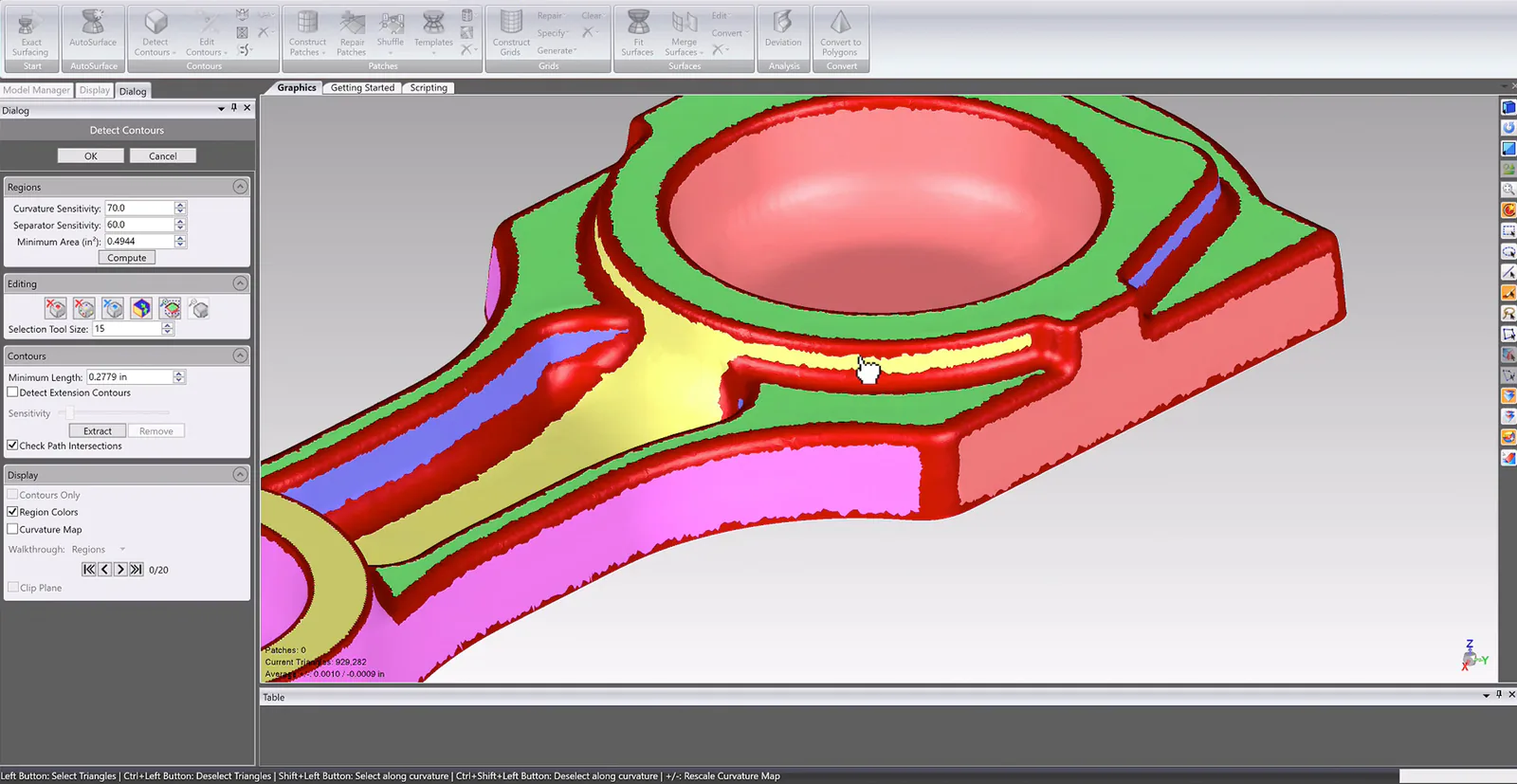
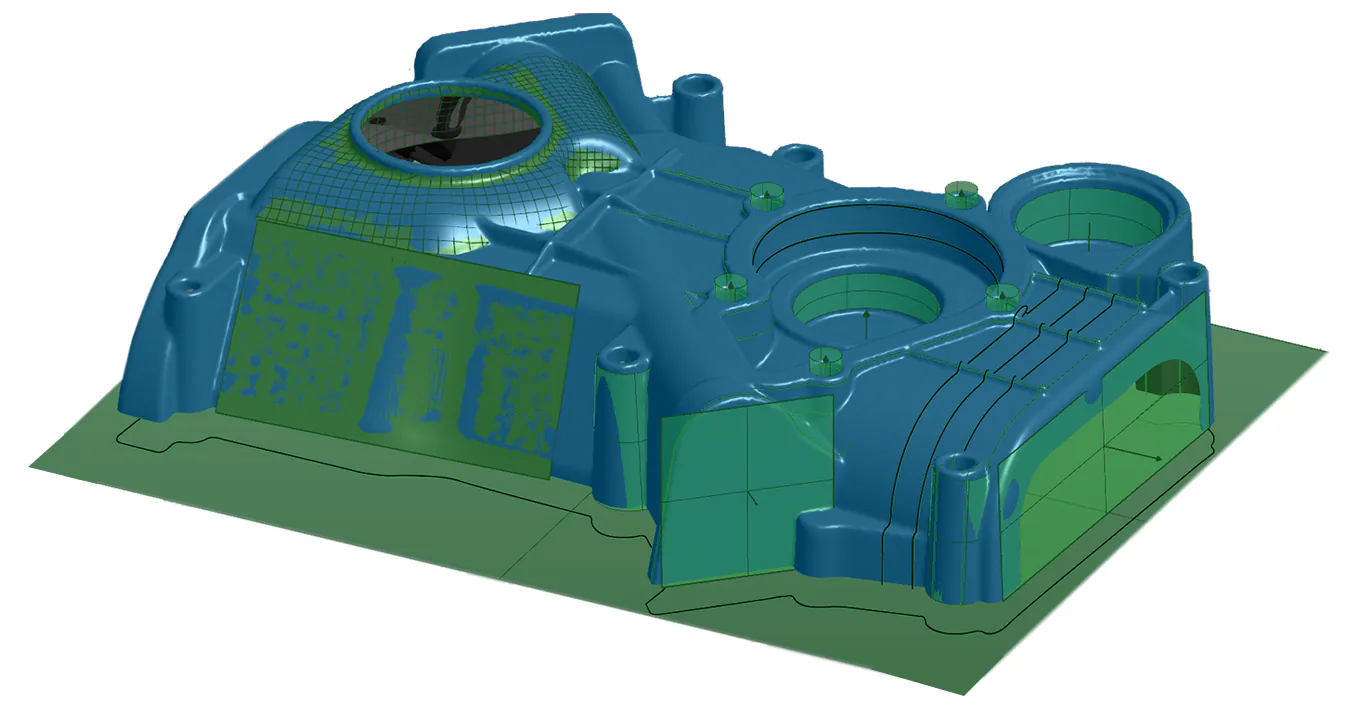
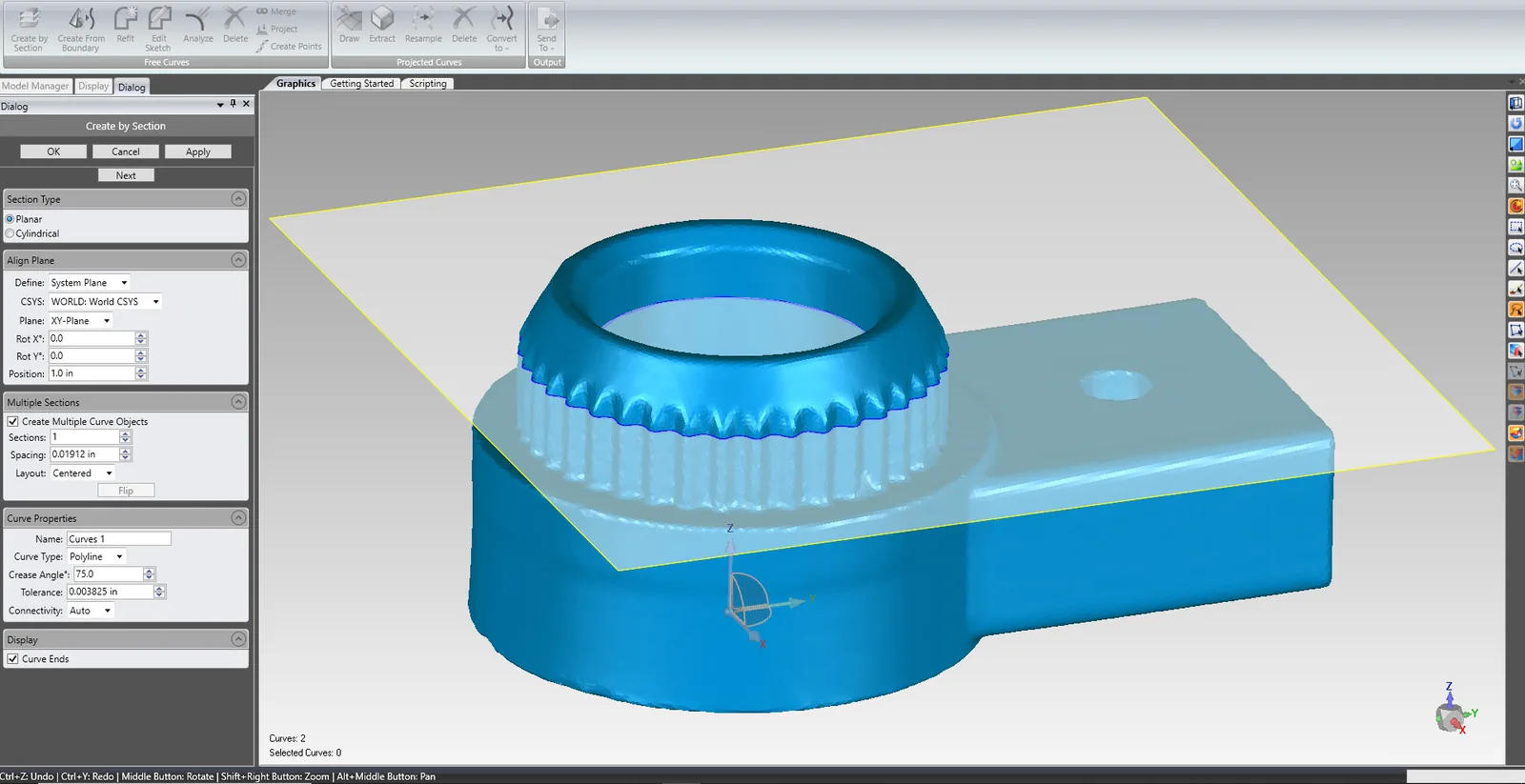
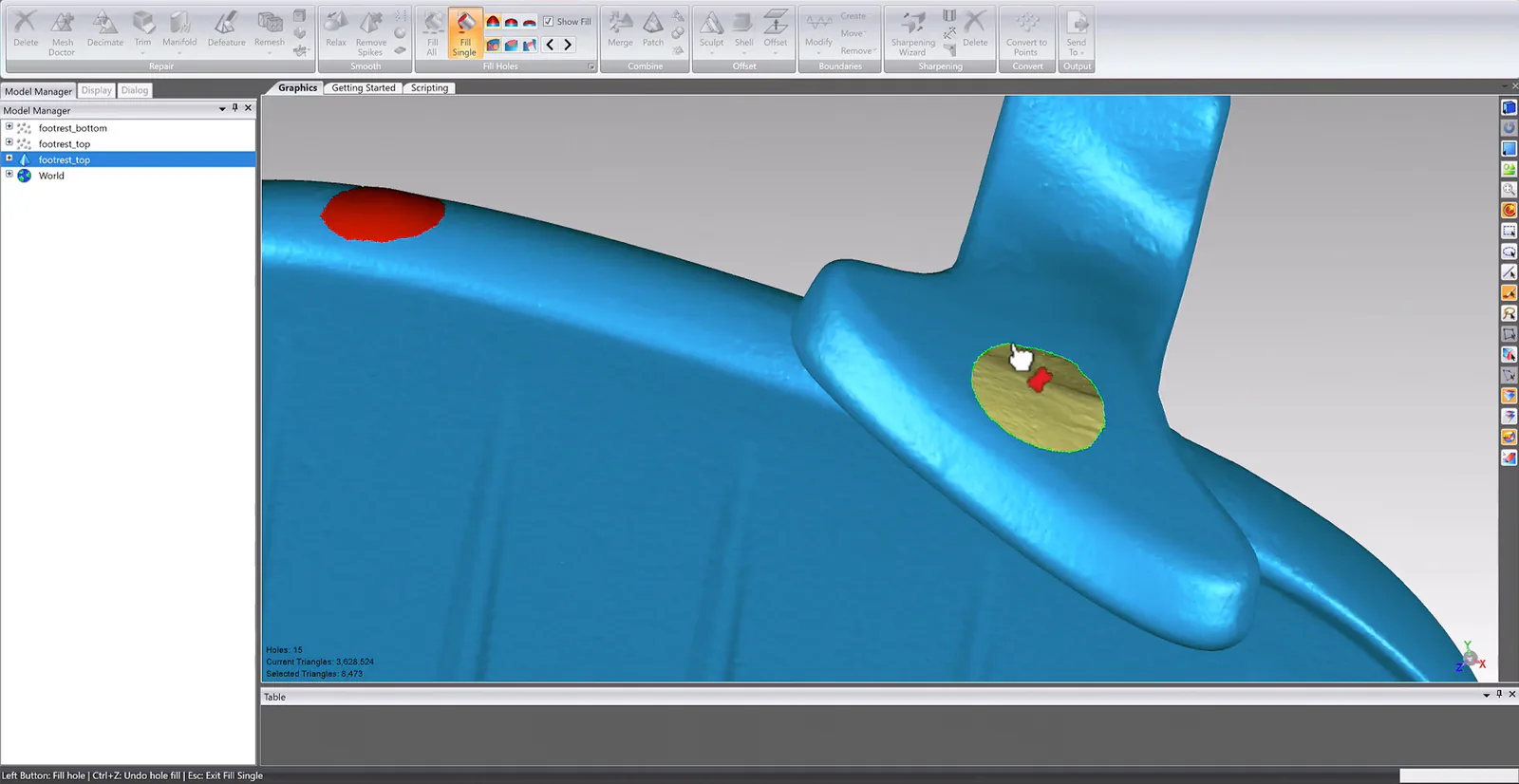
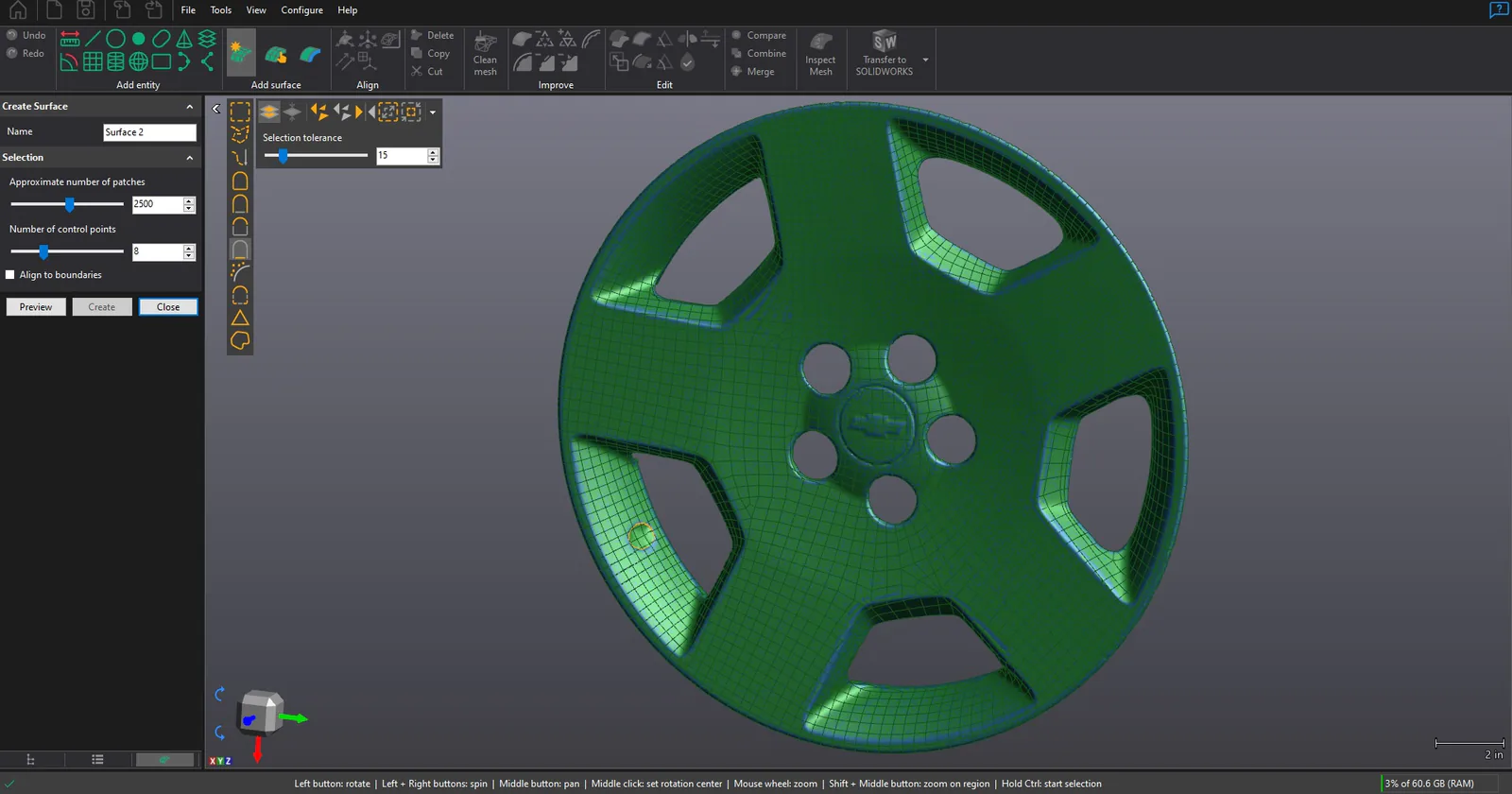
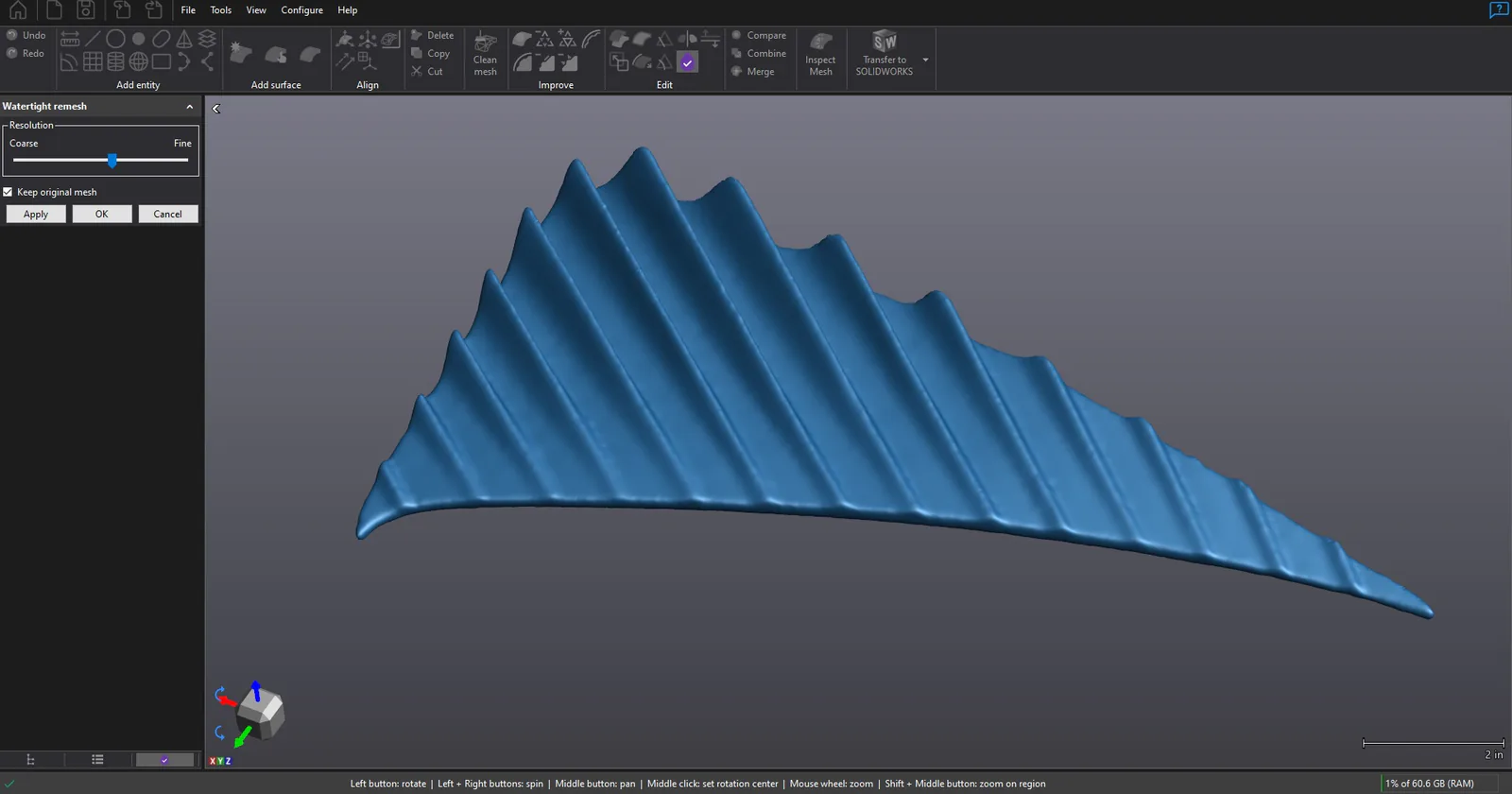
Both programs cover freeform shapes with NURBS patches, and the screens show how each prepares for it. In Scan-to-CAD, Auto Surface lays a green patch network over a scanned wheel cover, and Watertight Remesh closes a ribbed, fin-shaped scan into one surface ready to slice for printing. In Wrap, Create by Section cuts a profile through every tooth of a knurled ring, and Fill Single closes the holes in a scanned footrest one by one, so the surfaces that follow start from a complete mesh. The steps look similar; the scanners they start from do not.
Geomagic Wrap
Creaform Scan-to-CAD
Which scanner do you own?
Start there, because it narrows the choice fast. Scan-to-CAD is a module of the Creaform Metrology Suite and works on meshes captured in Creaform.OS, from small parts scanned with a HandySCAN to large tooling scanned with a HandySCAN MAX EVO; Scan-to-CAD Pro comes with the HandySCAN 3D PRO Series. Wrap is not tied to a brand: it drives supported scanners directly or brings in raw scan data from any device, including E57, LAS and LAZ point clouds, and Artec pairs it with the Eva and the Leo. A Creaform owner can run either; for other scanners, Scan-to-CAD is built around Creaform data.
What kind of model do you need at the end?
If the end product is a mechanical part rebuilt in SOLIDWORKS, Autodesk Inventor, Autodesk Fusion 360 or Solid Edge, Scan-to-CAD is shaped for that: it extracts entities, curves and cross-sections that hold the design intent, transfers them with a right-click, and in the Pro version builds solids with extrude, revolve and cut. If the end product is the shape itself, Wrap is shaped for that: a watertight mesh for printing, a textured model for an archive, a model for FEA, CFD or animation, or exact NURBS surfaces over an organic form, exported as STEP, IGES, X_T or SAT.
How do their surfacing tools differ?
Both fit NURBS surfaces, but they aim at different shapes. Scan-to-CAD treats a scan as a mix: regular shapes become geometric entities that transfer to CAD as construction features, and freeform areas such as castings or molded surfaces get NURBS patches by automatic or manual surfacing. Wrap treats the whole scan as a shape to surface: Auto Surfacing covers it, and Exact Surfacing lets you control the patch layout and the continuity between patches, which matters on sculpted, anatomical and styled forms. Parts with many flat faces and holes lean one way; sculpted forms lean the other.
Which one prepares a scan for 3D printing?
Both can. The Scan-to-CAD mesh tools fill holes, merge, decimate and make a mesh watertight, which may be all a reproduction needs. Wrap brings a larger toolbox for the same job: it merges scans, fills holes to follow the surrounding curvature, removes spikes, runs Mesh Doctor to find remaining faults and, since version 2024.3, exports 3MF beside STL, OBJ and PLY. Wrap can also engrave a part number onto the mesh so it prints with it. If printing is a side task, Scan-to-CAD covers it; if it is the main task, compare the two on your own scan.
Can a Creaform owner use both?
Yes. Wrap reads raw scan data from any device, and Creaform names Geomagic among the programs that take its exported .stl, .obj and .ply meshes. A Creaform shop can rebuild brackets, housings and tooling in Scan-to-CAD and send them to SOLIDWORKS with a right-click, then take sculpted or anatomical scans, or color work for an archive, into Wrap. We can quote Wrap on its own if you already scan, or together with the scanner.
What else do buyers ask about Geomagic Wrap and Creaform Scan-to-CAD?
Can I use Geomagic Wrap with a Creaform scanner?
Yes. Creaform.OS exports standard mesh files such as .stl, .obj and .ply, and Creaform lists Geomagic among the compatible programs. Wrap brings in raw scan data from any device and opens STL, OBJ and PLY scans as meshes, so a HandySCAN, Go!SCAN or MetraSCAN scan can be surfaced in Wrap. Ask us to confirm the route for your exact scanner before you order.
Which one sends geometry straight into SOLIDWORKS?
Scan-to-CAD. With a right-click, its entities transfer directly into SOLIDWORKS, and also into Autodesk Inventor, Autodesk Fusion 360 and Solid Edge. Wrap works through files: its surfaces and solids go to SOLIDWORKS or any other system as STEP, IGES, X_T or SAT. If your designers want reference geometry inside their SOLIDWORKS part, the Scan-to-CAD transfer is the shorter path; if they want a finished surface model, a Wrap export does the job.
Do I get Scan-to-CAD with my Creaform scanner?
It depends on the scanner. The HandySCAN 3D PRO Series comes with Scan-to-CAD Pro. Creaform.OS is included with every Creaform-branded scanner, but the Metrology Suite modules, Scan-to-CAD among them, are separate products, and some bundles include one. Wrap is quoted on its own if you already scan, or together with a scanner. Ask which modules a configuration includes when you request a quote.
Which one suits organic shapes such as anatomy or sculpture?
Wrap is built for them. Its maker describes it for complex, organic shapes, and its point cloud tools, HD mesh construction and Exact Surfacing turn sculptures, anatomy, dental models and styled products into clean meshes or controlled NURBS surfaces, color texture included. Scan-to-CAD handles freeform areas too, covering castings and molded surfaces with NURBS patches, but it is organized around parts that mix regular shapes with freeform areas, the typical reverse-engineering job.
See Geomagic Wrap and Creaform Scan-to-CAD on your own scans
Tell us which scanner you own and pick two scans: a mechanical part and an organic shape. We take both through Scan-to-CAD and Wrap where you work, so you see which program fits each kind of model. Name the two programs in your request, and we check which ones we can show in your area. On-site demos are available in most areas; ask when you request.