On-site demo
See a 3D scanner at work on your own job
We bring a Creaform or Artec scanner to your facility or site and scan what you need to measure, from a machined part to a vehicle, a person or a room. Our specialist shows you the result on screen, so you see how the scanner handles your surfaces, your accuracy needs and your conditions before you decide.
On-site demos are available in most areas. Ask when you send your request.
Can I see a 3D scanner demo at my facility?
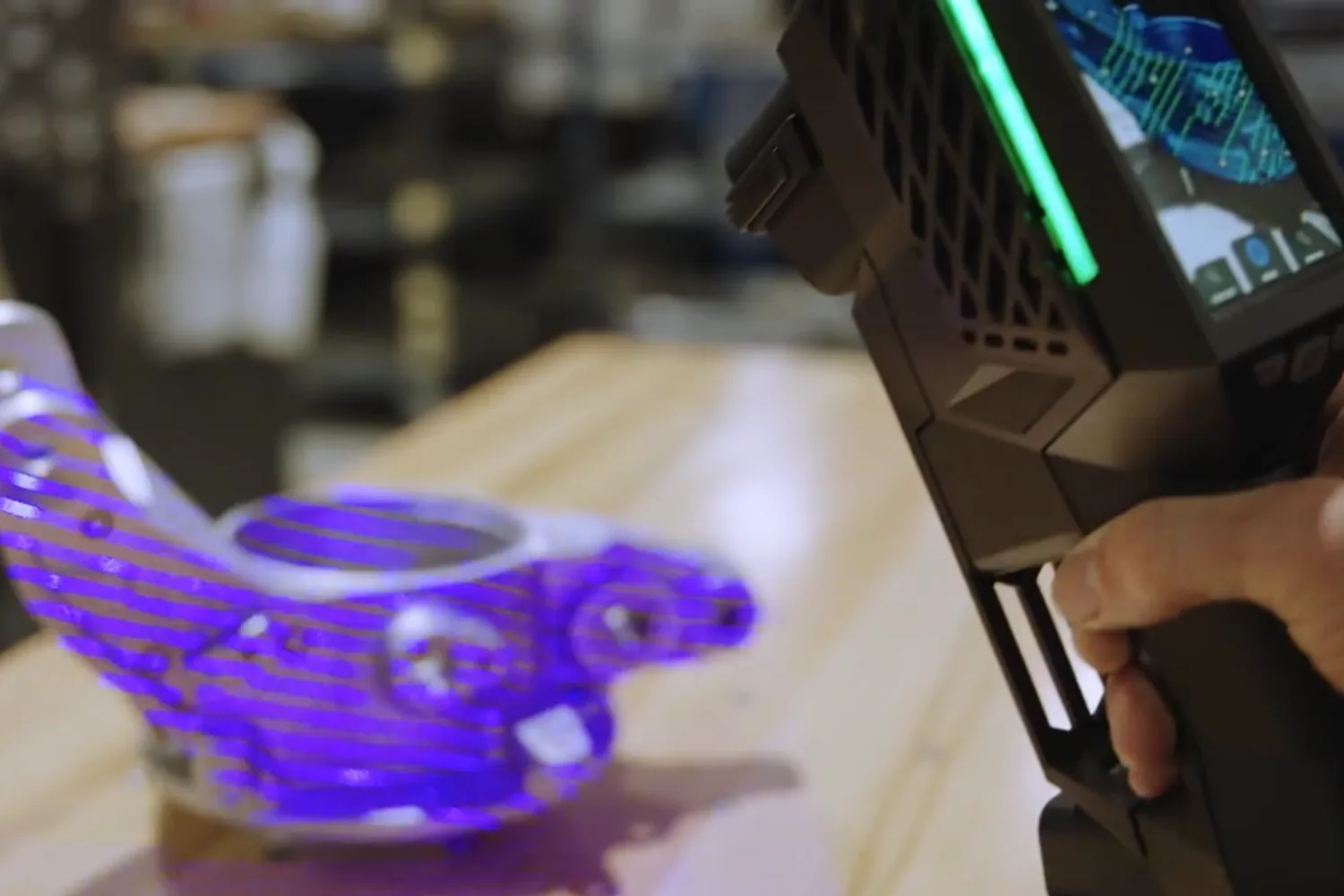
In most areas, yes. We bring a scanner to your facility or site and scan your own work there, with one of our specialists running it. It is the clearest way to judge a scanner, because you watch it deal with your materials, your finishes and your tolerances instead of a sample chosen to look good. Use the form on this page to ask, and tell us what you want scanned.
What happens during an on-site demo?
Our specialist sets up the scanner next to what you want scanned, scans it while you watch, and walks you through the result on a laptop. If you have a CAD model, you see a color deviation map that shows where the surface sits above or below nominal. If you have no CAD, you see the path from the scan to usable geometry, or a color 3D model where that is the goal. Along the way you can ask about software, training and how the scanner would fit your process.
Step 1: Set up where the work is
We bring the scanner to the part, the vehicle or the room, so nothing heavy or fixed has to move.
Step 2: Scan what you chose
You watch the data build up live and see how the scanner copes with your surfaces.
Step 3: Compare with CAD or build the model
With CAD you see the color deviation map. Without it, you see the scan turn into a model you can edit.
Step 4: Talk through the fit
Software, training, support and which configuration suits the work you do.
Who is an on-site demo for?
It suits teams that already know the problem they want solved and want to see it solved on their own work. Typical hosts are quality managers weighing a scanner against CMM time, engineers who must recreate parts that have no CAD, plants whose parts are too large, heavy or delicate to send out, and teams who record scenes, people, boats or buildings. It also helps when several people must agree on a purchase, since everyone sees the same result at the same time.
- Quality and inspection teams comparing scanning with a CMM or hand gauges
- Engineers who need CAD for legacy, worn or discontinued parts
- Plants with large, heavy or fixtured parts that cannot travel
- Teams deciding between buying a scanner and sending parts out for scanning
- Investigators, studios, boatyards and building teams who need a scene, a person, a hull or a site in 3D
How should I prepare for the demo?
A little preparation makes the visit far more useful. Pick the job that causes the most trouble today, not the easiest thing to scan. Know the tolerance or the question you need answered, and have the CAD file ready if one exists. Clear a table, or the space around a larger subject, and invite the people who would run the scanner or sign off on the purchase, so their questions get answered on the spot.
- The job that is costing you time, scrap or rework
- Clear space around what we will scan
- The tolerance or the question you care about
- The CAD file, if you have one
- The people who would run the scanner or approve the purchase
What will I know after the demo?
You leave with evidence instead of a brochure. You will have watched the scanner work on your own job and seen the color map, the 3D model or the rebuilt geometry it produced. You will know how the scan went on your surfaces and features, which model and software suit your work, and what training would look like. We, in turn, have what we need to prepare an accurate quote for you.
- How the scanner handled your surfaces and features
- The color map, 3D model or rebuilt geometry from your own scan
- Which model and software fit the work
- What goes into an accurate quote for your setup
Which scanners can be shown at a demo?
We demo scanners from both Creaform and Artec, chosen to suit what you scan and the job you describe. Our specialist picks the models that make sense for your accuracy needs, the size of the subject and its surfaces. If you want to see a particular model, tell us which model you want to see and we will confirm whether we can show it at your location. You can read the specs of each model on the brand pages before the visit.
How do I book an on-site demo?
Send the form below with the on-site demo option selected. Tell us what you want scanned, where you are, and the problem you want solved; the optional questions about what you are scanning help our specialist prepare. One of our specialists then contacts you to arrange the visit. On-site demos are available in most areas. Ask when you send your request.
Choose the products you want to see, or pick Not sure yet. The questions about what you are scanning are optional, but they help our specialist plan the visit.
What else do people ask about on-site demos?
What should I have ready for an on-site demo?
Have the job that causes the most trouble ready, with the tolerance or question you care about and the CAD file if one exists. Clear a table, or the space around a larger subject, so our specialist can move around it. It also helps to invite the people who would run the scanner or approve the purchase, so everyone sees the same result and can ask questions on the spot.
Do I need a CAD model for the demo?
No. With a CAD model, our specialist aligns the scan to it and shows a color deviation map of the whole surface. Without one, the demo shows how the scan becomes usable geometry that you can bring into your CAD software. Say in your request which case applies to you, so we bring the software that fits.
Can something large or heavy be scanned where it sits?
In many cases, yes. Handheld and portable scanners are built to go to the work, whether that is a casting, a vehicle or a hull, which is one reason buyers ask to see them where they work. Describe the size, weight and location of what you want scanned in your request. We can then plan the visit and bring equipment suited to it, such as positioning targets or a tracked system.
Which Creaform and Artec models can be demonstrated?
Our specialist chooses scanners from both brands that suit what you scan and the job you describe. If you have a particular model in mind, tell us which model you want to see and we will confirm whether we can show it at your location. You can read the specs of each model on our Creaform and Artec pages before the visit, so the time is spent on your own work.
Is an on-site demo available where I am?
On-site demos are available in most areas. Ask when you send your request. We serve customers across the United States, and the request form asks for your state so one of our specialists who covers your area can reply. If we cannot arrange a visit, we will tell you what other options there are to see the scanner work on your own job.
What happens after the demo?
We follow up with a quote for the system that suited your work, along with the software and training options that go with it. We offer training self-paced, online, on-site or in a classroom, and technical support after you buy. There is no need to decide on the day; use what you saw to compare options with your team.