Skip to content
(816) 608-7745Get pricingBook a demo

Artec3D scan capture and processing software

Artec Studio

The capture and processing software for current Artec scanners, with scan-to-CAD and inspection tools built in.

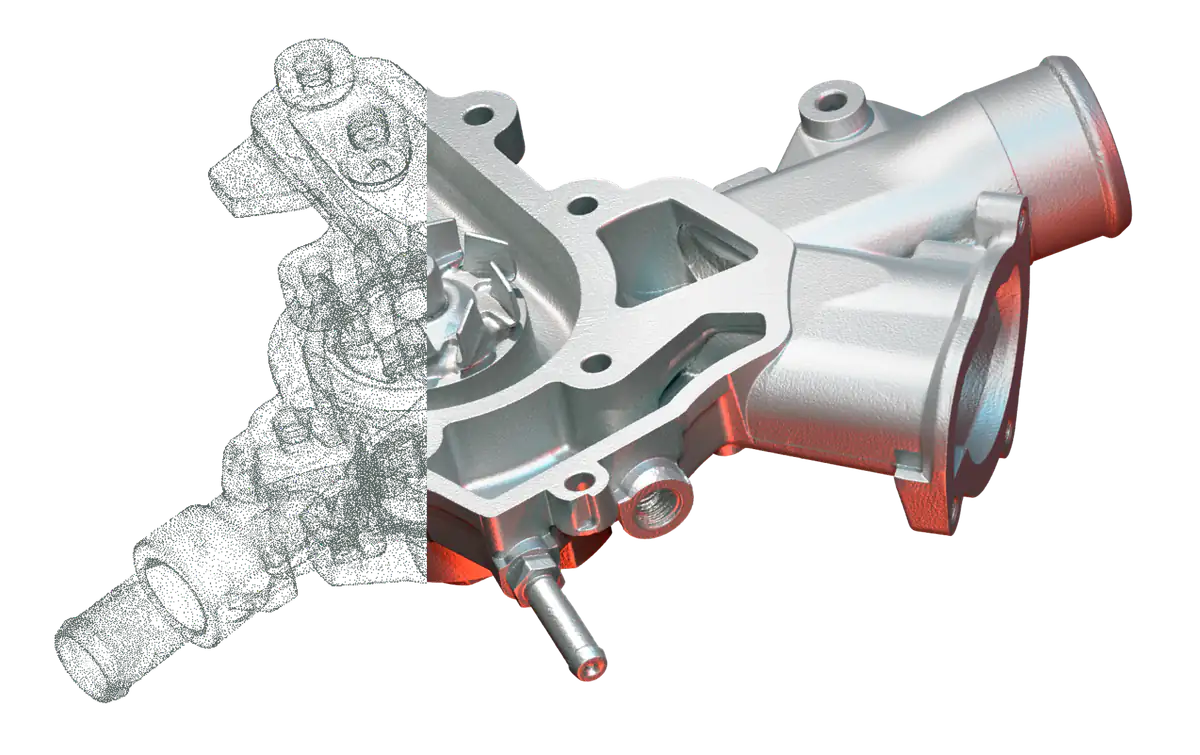
Artec Studio render of a scanned water pump housing, half shown as a raw point cloud and half as a shaded mesh

Key takeaways

  • Artec Studio 20 supports the Eva, Eva Lite, Leo, Micro II, Point, Ray II, Spider II and Metrology Kit, and the Neo runs in it natively.
  • Scan-to-CAD tools fit cylinders, spheres, cones, planes and tori, auto-surface meshes and export STEP, IGES or X_T.
  • Inspection tools include mesh-to-CAD and datum alignment, deviation and thickness maps, and Tolerance Check mode.
  • Workflows, added in version 20, chain processing steps into one-click pipelines and support scripting.
  • Artec Cloud stores and shares projects in a browser, with plans from 5 GB to 1 TB.

What is Artec Studio?

Artec Studio is the software that runs current Artec 3D scanners, from the Micro II desktop unit to the Ray II LiDAR. It captures scans with live feedback, then registers, fuses and textures them into watertight meshes. Version 20 is current. Beyond processing, it includes reverse engineering tools such as primitive fitting, auto-surfacing and Boolean operations, and inspection tools such as mesh-to-CAD deviation maps and Tolerance Check mode. It also builds 3D models from photos and video with AI Photogrammetry. Artec Studio runs on Windows 10 or 11, and it syncs projects to Artec Cloud, Artec's browser-based service for storage and sharing.

What can Artec Studio do?

Scan capture and processing software for Artec scanners

Artec Studio runs current Artec scanners, from the Micro II desktop unit to the Ray II LiDAR, and the Neo runs in it natively. It captures scans with live feedback, then registers, fuses and textures them into watertight meshes, either by hand or with Autopilot choosing the settings. Smart Fusion merges data from different Artec scanners into one model. Version 20 is current, and it runs on Windows 10 or 11.

Scan-to-CAD and inspection tools built in

Many jobs finish inside Artec Studio without a second program. Its reverse engineering and inspection tools work directly on the mesh, and when a project needs full parametric modeling or formal reporting, the data goes straight to the specialist software your team already uses. Where we can show it at your location, we run these tools on a scan of your own work.

  • Primitive fitting for cylinders, spheres, cones, planes, tori and boxes, plus 2D sections, auto-surfacing and Boolean operations.
  • Mesh-to-CAD and datum alignment, deviation and thickness maps, and Tolerance Check mode for inspection.
  • Workflows, added in version 20, chain processing steps into one-click pipelines and support scripting.
  • Direct export to SOLIDWORKS, Geomagic Design X and Geomagic Control X; version 20.3 added PolyWorks support.
  • Exports STEP, IGES and X_T bodies, OBJ, PLY, STL, E57, USD and USDZ meshes, and PTX, XYZ or RCP point clouds.

Photogrammetry add-ons and Artec Cloud

Artec Studio can grow with two photogrammetry options and a cloud service. One builds models from ordinary photos and video, the other adds a measuring camera that holds scanner accuracy across very large parts, and Artec Cloud keeps projects backed up and easy to share. Each one is optional, so you add only what your work and your team call for.

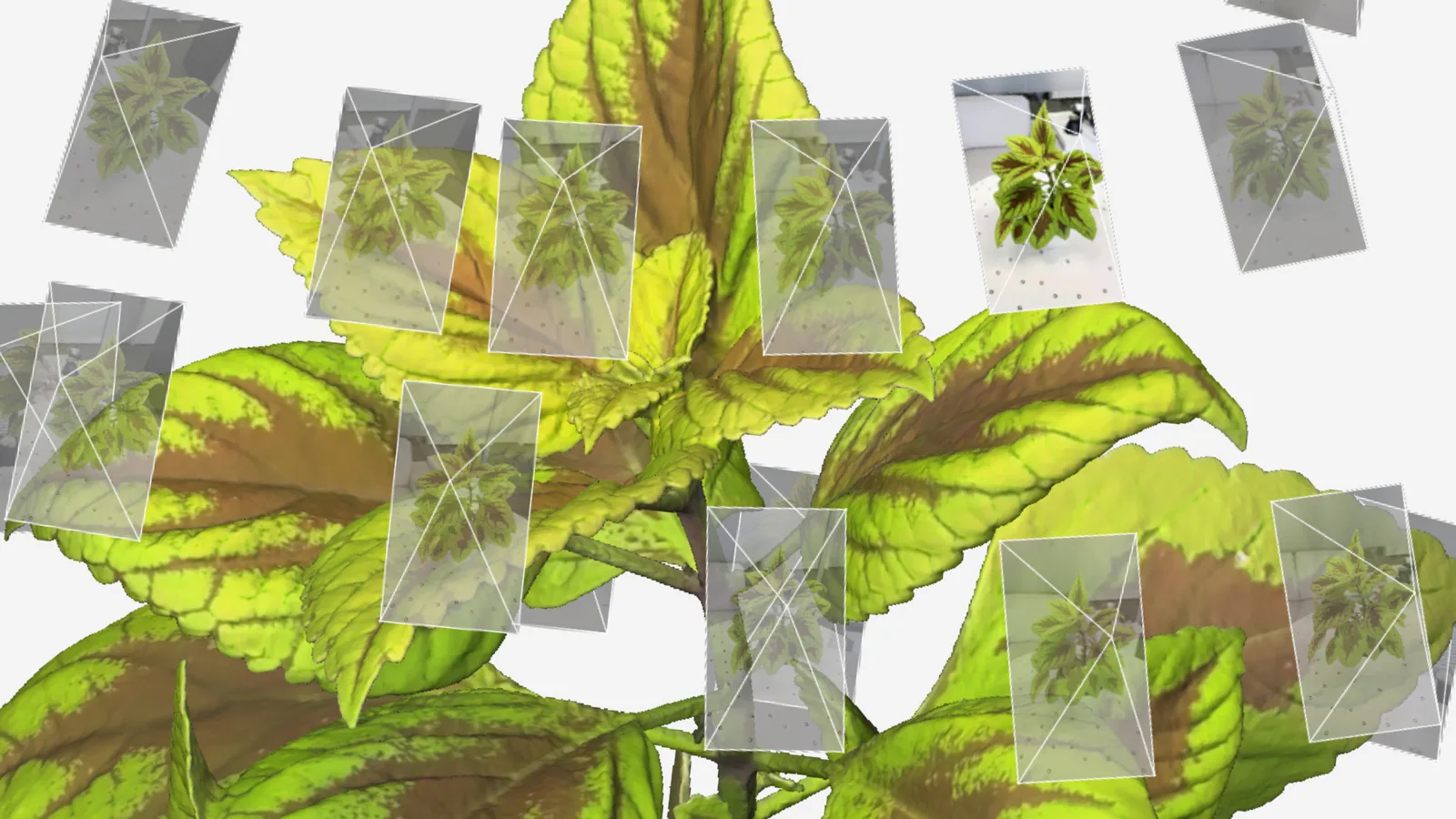
  • AI Photogrammetry builds textured 3D models from photos or video taken with a phone, camera, drone or microscope.
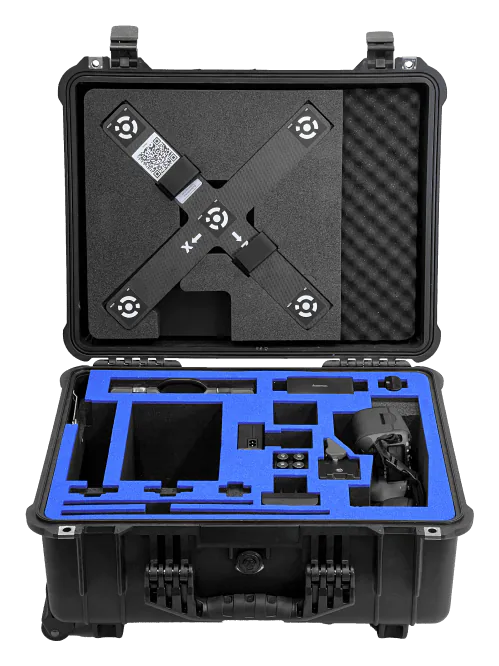
  • The Artec Metrology Kit adds a calibrated camera, targets and scale bars, plus a plugin that computes a reference target cloud for large parts.
  • Artec Cloud syncs projects for backup and sharing, with plans from 5 GB to 1 TB and projects up to 200 GB.

What are the key facts about Artec Studio?

Artec Studio key facts
Current versionArtec Studio 20 (Pro and Lite editions)
Runs onWindows 10 x64, Windows 11
Recommended computer13th or 14th Gen Intel Core i7 or i9, NVIDIA RTX 4070 8 GB
Minimum computer12th Gen Intel Core i9, NVIDIA RTX 4060 8 GB
Works with (scanners)Artec Eva, Eva Lite, Leo, Metrology Kit, Micro II, Point, Ray II, Spider II; discontinued Micro, Ray, Spider and Space Spider
Artec Neo supportNative in Artec Studio
Import formatsScans and meshes: PLY, STL, WRL, OBJ, PTX, E57, USD; CAD: STEP, IGES, SAT, X_T, X_B; photos and video: JPG, PNG, TIF, BMP, MOV, MP4, AVI
Export formatsMeshes: OBJ, PLY, WRL, STL, AOP, ASC, PTEX, E57, XYZRGB, USD, USDZ; point clouds: PTX, BTX, XYZ, RCP; CAD: STEP, IGES, X_T; measurements: CSV, DXF, XML
Key modesAutopilot, AI-powered HD Mode, Real-time Fusion, Workflows, AI Photogrammetry
Scan-to-CAD primitivesCylinder, sphere, cone, plane, torus, box
Inspection toolsMesh-to-CAD and datum alignment, deviation mapping, thickness mapping, Tolerance Check mode, 2D section analysis
CAD export targetsSOLIDWORKS, Geomagic Design X
Inspection export targetGeomagic Control X
Interface languages16
Artec Cloud storage plans5 GB, 200 GB, 1 TB
Artec Cloud project sizeUp to 200 GB per project
Artec Cloud accessAny browser and operating system, desktop use

Specs checked:

What is Artec Studio used for?

  • Scan processing

    Register, fuse and texture raw scans into clean, watertight meshes, by hand or with Autopilot.

  • Reverse engineering

    Fit primitives, cut 2D sections, auto-surface meshes and export CAD to SOLIDWORKS or Geomagic Design X.

  • Quality inspection

    Align scans to STEP, IGES or X_T models and map deviation, thickness and tolerance compliance, or hand off to Geomagic Control X.

  • Multi-scanner projects

    Merge data from different Artec scanners into one model with Smart Fusion, using the best resolution from each.

  • Sharing projects through Artec Cloud

    Sync projects to the cloud, send colleagues or clients a share link, and embed an interactive 3D viewer.

Industries

  • Manufacturing
  • Automotive
  • Aerospace
  • Healthcare
  • Heritage preservation
  • CGI and media

What parts and surfaces can Artec Studio handle?

Artec Studio handles whatever the connected scanner can capture, from small parts on the Micro II to buildings scanned with the Ray II. For dark, shiny and finely detailed objects it offers automated sensitivity settings and AI-based HD Mode for the Leo, Eva and Micro II. Multi-scanner Smart Fusion combines a large object captured with one scanner and fine features captured with another into one mesh. With AI Photogrammetry, photos and video add things no scanner can reach, such as drone footage of a site. On the storage side, Artec Cloud supports individual projects up to 200 GB, which covers most Eva, Space Spider, Leo and Ray II projects.

What does Artec Studio work with?

Artec Studio works alongside the main engineering tools rather than replacing them. It imports STEP, IGES, SAT and Parasolid CAD files for comparison. It exports meshes as OBJ, PLY, STL, E57, USD and USDZ, point clouds as PTX, XYZ or RCP for Autodesk tools such as Revit, CAD bodies as STEP, IGES or X_T, and measurements as CSV, DXF or XML. Direct links send data to SOLIDWORKS, Geomagic Design X and Geomagic Control X, and version 20.3 added PolyWorks support. Artec Cloud, a separate browser service, syncs Artec Studio projects for backup, sharing and an embeddable 3D viewer, and it also works without Artec Studio.

How does Artec Studio compare?

Can I see Artec Studio work on my own scans?

Often, yes. Tell us you want to see Artec Studio, and we will confirm whether we can show it at your location. Where we can, our specialist runs it on scans of your own work, so you see how it fits your workflow, from raw scan data to the result you need, before you decide. Pick something you measure often, or a part that has no CAD model, and say what you need to check, rebuild or deliver. On-site demos are available in most areas; ask when you request.

  1. Request a demo and tell us what you scan and which results matter to you.
  2. Where we can show the software at your location, our specialist runs it on scans of that work.
  3. You review the results with us and talk through how it fits your workflow.

What do buyers ask about Artec Studio?

Which scanners work with Artec Studio?

The maker's compatibility list covers the Artec Eva, Eva Lite, Leo, Metrology Kit, Micro II, Point, Ray II and Spider II, plus discontinued models such as the Micro, Ray, Spider and Space Spider. The Artec Neo also runs natively in Artec Studio. The Artec Jet mobile LiDAR is the exception: its data is processed in Artec Twins, a separate platform for large-scale point clouds.

What computer does Artec Studio need?

Artec Studio runs on 64-bit Windows 10 or Windows 11 only. The maker recommends a 13th or 14th Gen Intel Core i7 or i9 with an NVIDIA RTX 4070 8 GB, and lists a 12th Gen Intel Core i9 with an RTX 4060 8 GB as the minimum. Requirements vary by capture device, so check the figures for the scanner you plan to use before you buy the workstation.

What is Artec Cloud, and do I need it?

Artec Cloud is Artec's browser-based storage for scans and projects. It syncs with Artec Studio in one click, keeps a project history, lets you share a link with comments and attachments, and embeds models in an interactive 3D viewer. Plans run from 5 GB to 1 TB, and projects up to 200 GB are supported. It is optional: Artec Studio works without it, and Artec Cloud also works on its own in any browser, including on macOS.

What is the difference between Artec Studio Pro and Artec Studio Lite?

Artec Studio Pro is the full package: 3D scan capture and processing, AI Photogrammetry, reverse engineering and inspection tools, wider export options and, on annual plans, scripting. Artec Studio Lite does not support 3D scanning; it builds models from photos and video with AI Photogrammetry and includes the Pro editing and analysis tools. Lite comes as an Individual license for personal, non-commercial projects and a Business license for paid work.

Can Artec Studio replace dedicated reverse engineering or inspection software?

For many jobs, yes. The maker states that users can complete many tasks in Artec Studio alone, including primitive fitting, auto-surfacing, mesh-to-CAD comparison and tolerance checks. For full parametric modeling or formal inspection reporting, Artec Studio exports directly to SOLIDWORKS, Geomagic Design X and Geomagic Control X, and version 20.3 added PolyWorks support.

See Artec Studio work on your own scans

Our specialists can show it on scans of your own work, at your facility. On-site demos are available in most areas; ask when you request. You can also start with a pricing request.

Call (816) 608-7745