Skip to content
(816) 608-7745Get pricingBook a demo

CreaformAdd-ons for Creaform scanners, optical CMMs and R-Series cells

Creaform accessories

Add-ons that make Creaform scanners wireless, automated, easier to move around a plant, or more accurate on large parts.

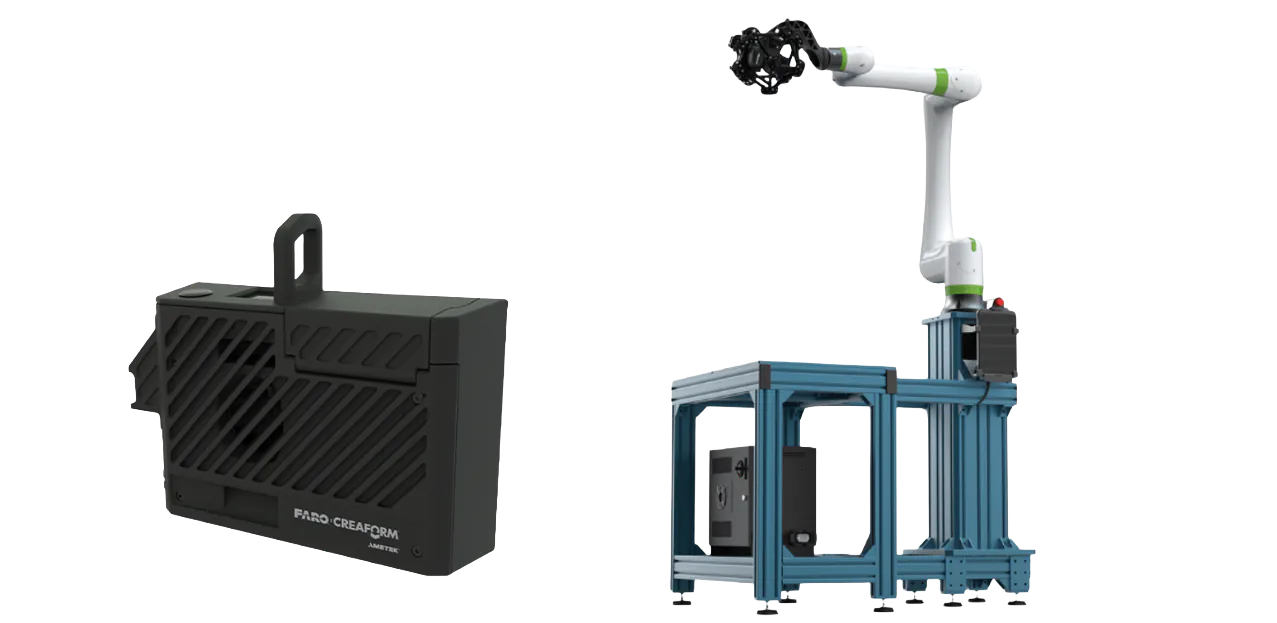
Creaform Mobility Kit belt module on the left, and the Automation Kit, a scanner on a collaborative robot over a blue table, on the right
Mobility Kit: weight
644 g
Mobility Kit: dimensions
129 × 205 × 76 mm

Key takeaways

  • The Mobility Kit weighs 644 g, clips to a belt and makes the HandySCAN EVO and MAX Series wireless.
  • The Automation Kit uses a FANUC CRX-5iA or CRX-10iA/L cobot and takes parts up to 1.5 m and 100 kg.
  • The portable workstation is a 27 kg, IP54 rolling case for a HandySCAN 3D or Go!SCAN 3D, a laptop and accessories.
  • Accu+ Kit scale bars bring HandySCAN EVO Plus and EVO Elite volumetric accuracy to 0.020 mm + 0.015 mm/m.
  • CUBE-R options include removable mounting plates, a secure remote access kit, Virtek Iris positioning and a Productivity Kit.

What do Creaform accessories do?

Creaform offers a set of accessories that change how its scanners and optical CMMs are used rather than what they measure. The Mobility Kit makes the HandySCAN EVO and MAX Series wireless. The Automation Kit puts a HandySCAN 3D or MetraSCAN 3D on a FANUC collaborative robot for automated scanning. The portable workstation and the C-Track shop-floor stand make Creaform systems easier to move and set up across a plant. Scale bars in the Accu+ Kit tighten volumetric accuracy on EVO scanners, and CUBE-R options extend the R-Series cells. Each entry below says what the accessory does and which hardware it fits.

What can Creaform accessories do?

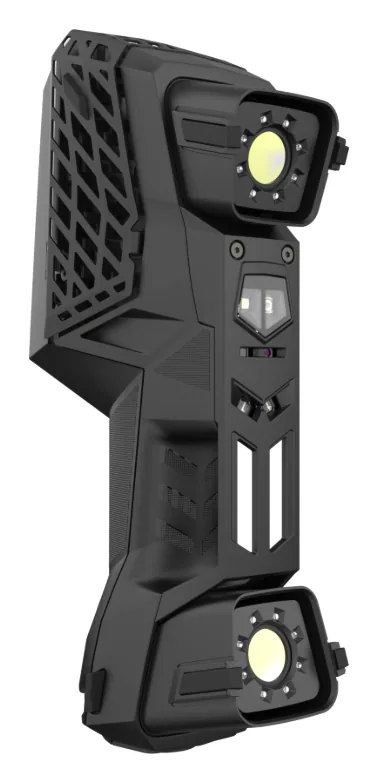
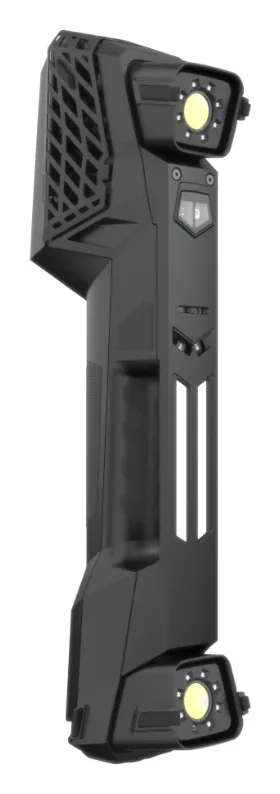
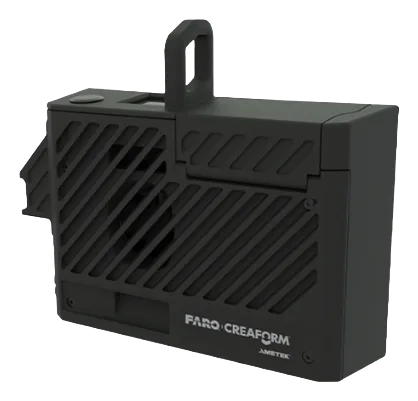
Creaform Mobility Kit, a black wireless module with a carry loop on top and a vented front, on white
At 644 g, the kit clips to a belt and takes the cable to the computer out of the setup.

Wireless HandySCAN scanning with the Mobility Kit

The Mobility Kit makes the HandySCAN 3D EVO Series and MAX Series wireless. It clips to your belt and links the scanner to the computer without a cable, router or external power, and Creaform states it gives the same accuracy as a wired connection. That freedom counts on large assemblies, awkward geometry and hard-to-reach installations, and on field sites such as plants, refineries and aircraft, where cable length would otherwise limit how far you can walk from the workstation.

  • Fits the HandySCAN 3D EVO Series and HandySCAN 3D MAX Series.
  • Belt-mounted module, 644 g and 129 × 205 × 76 mm.
  • Swappable batteries with built-in protection against overheating.
  • No external router or power supply needed.
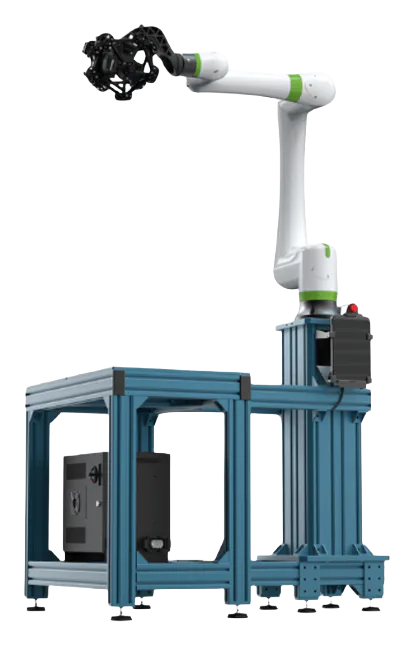
Creaform Automation Kit: a scanner on a white collaborative robot arm standing on a blue frame table with a controller box
Robot, robot base and threaded fixture table make up the kit, with the scanner at the end of the arm.

Automation Kit: put a handheld scanner on a cobot

The Automation Kit turns a handheld Creaform scanner into an automated inspection station, with no separate robot integration project. It suits quality teams that need to measure more parts without giving up handheld scanning, because a quick-release mount lets you lift the scanner off for manual work. Robot paths are programmed offline in the Automation module of the Creaform Metrology Suite, or recorded by guiding the robot by hand or with the teach pendant.

  • FANUC CRX-5iA version: carries a HandySCAN 3D, for parts up to 0.75 m.
  • FANUC CRX-10iA/L version: carries a HandySCAN 3D or MetraSCAN 3D, for parts up to 1.5 m.
  • Both versions: collaborative robot, robot base and threaded fixture table, for parts up to 100 kg.
  • Quick-release mount to switch back to handheld scanning.
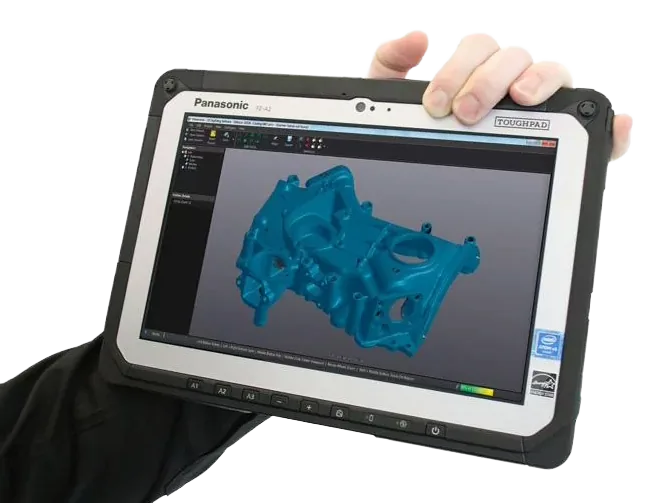
VXremote showing a blue scan of an engine cover on a rugged tablet held up in one hand
The tablet brings the live scan view to wherever the operator stands, out of sight of the laptop.

VXremote tablet for confined scanning areas

VXremote is a tablet app that shows the scanning software on a rugged 7-inch or 10-inch tablet, so you can watch live scan data and change settings inside a confined area or a hard-to-reach spot where the laptop screen is out of view. It dates from 2014 and connects to VXelements, the former name of Creaform.OS. The HandySCAN EVO and MAX EVO now show this view on the scanner's own 4.3-inch screen, so ask us whether VXremote still fits your hardware.

Which Creaform accessories are available?

  • Mobility Kit

    A belt-mounted wireless module with swappable batteries that links the scanner to the computer with no cable, router or external power, at the same accuracy as a wired connection. Fits the HandySCAN 3D EVO Series and MAX Series.

  • Automation Kit

    A FANUC collaborative robot, robot base and threaded fixture table that automate a handheld scanner, with a quick-release mount to switch back to handheld use. The CRX-5iA version fits the HandySCAN 3D; the CRX-10iA/L version fits the HandySCAN 3D and MetraSCAN 3D.

  • Portable workstation

    An all-in-one rolling case with a desk unit, multi-terrain wheels and room for the scanner, a laptop, cables and the calibration plate, rated IP54. Fits the HandySCAN 3D and Go!SCAN 3D.

  • C-Track shop-floor stand

    A shop-floor stand for the C-Track optical tracker that, with the portable workstation, adds flexibility and mobility to Creaform systems across a plant. Fits the MetraSCAN 3D and HandyPROBE, which both use the C-Track.

  • Accu+ Kit scale bars

    Scale bars used to reach the best volumetric accuracy of the HandySCAN EVO Plus and EVO Elite: 0.020 mm + 0.015 mm/m. Fits the HandySCAN 3D EVO Series.

  • CUBE-R options

    Removable mounting plates (forklift-compatible pallets for preloading parts and jigs), a Secure Remote Access Kit for remote troubleshooting, Virtek Iris laser-guided part positioning and a Productivity Kit that runs scanning and data processing in parallel. Fit the CUBE-R cells of the R-Series.

  • R-Series Autocalibration Kit

    Robotized field calibration for MetraSCAN 3D-R systems, introduced in 2018 so accuracy does not drift over time and cells can run continuously. Fits the R-Series.

  • VXremote tablet app

    Remote-access software on Creaform-certified rugged 7-inch or 10-inch tablets, launched in 2014 to view live scan data and change settings away from the laptop. The EVO and MAX EVO now show this on the scanner's own 4.3-inch screen, so ask whether VXremote still applies to your hardware.

Used in

  • Manufacturing
  • Automotive
  • Aerospace
  • Oil and gas
  • Heavy industry

What are the specifications of Creaform accessories?

Specifications of Creaform accessories
Mobility Kit: compatible scannersHandySCAN 3D EVO Series, HandySCAN 3D MAX Series
Mobility Kit: weight644 g
Mobility Kit: dimensions129 × 205 × 76 mm
Automation Kit: robotFANUC CRX-5iA or CRX-10iA/L collaborative robot
Automation Kit: compatible scannersHandySCAN 3D (CRX-5iA); HandySCAN 3D and MetraSCAN 3D (CRX-10iA/L)
Automation Kit: part sizeUp to 0.75 m (CRX-5iA); up to 1.5 m (CRX-10iA/L)
Automation Kit: maximum part weightUp to 100 kg
Automation Kit: base and table (L × W × H)1.1 × 0.9 × 1.2 m (CRX-5iA); 1.3 × 0.9 × 1.2 m (CRX-10iA/L)
Portable workstation: dimensions864 × 458 × 610 mm
Portable workstation: weight27 kg
Portable workstation: compatible scannersHandySCAN 3D, Go!SCAN 3D
Portable workstation: certificationsEC compliance, IP54, WEEE
Accu+ Kit: volumetric accuracy (EVO Plus, EVO Elite)0.020 mm + 0.015 mm/m
CUBE-R optionsRemovable Mounting Plate, Secure Remote Access Kit, Virtek Iris 3D positioning system, Productivity Kit

Specs checked:

Do the accessories change part size or surfaces?

Accessories do not change which surfaces a scanner can measure, but several of them set part-size limits. The Automation Kit takes parts up to 0.75 m with the CRX-5iA robot and up to 1.5 m with the CRX-10iA/L, both up to 100 kg, because robot reach sets the limit. CUBE-R cells take parts up to 2, 3 or 4 m, with part weights up to 2,000 kg on the M3 and 4,500 kg on the M4. The Mobility Kit and the portable workstation remove cable and setup limits instead, which matters most on large parts and on field sites such as pipelines, plants, refineries and aircraft.

What software do the accessories work with?

Most accessories work through the same software as the device they serve. Creaform states that the Mobility Kit performs the same as a wired connection, so scanning in Creaform.OS works as usual. The Automation Kit is programmed in the Automation module of the Creaform Metrology Suite, which plans robot paths offline; with collaborative robots you can also record sweeps by guiding the robot by hand or with the teach pendant. On CUBE-R cells, the Productivity Kit runs data processing in parallel with scanning to remove processing downtime. VXremote, an older tablet app, gave remote access to VXelements, the former name of Creaform.OS.

Can I see a scanner with these accessories at my facility?

Often, yes. When you request a demo, we can bring a Creaform scanner to your facility and show how the accessories you are considering change the job, such as scanning without a cable or loading parts onto a robot. Have the work you measure most ready and describe where it is measured today. On-site demos are available in most areas; tell us which accessories you want to see and we will confirm whether we can show them at your location.

  1. Request a demo and name the accessories and the work you are interested in.
  2. Where we can show the kit at your location, our specialist runs it with a scanner on your own work.
  3. You review the results with us and talk through your setup.

What do buyers ask about Creaform accessories?

Which Creaform scanners can work wirelessly?

The HandySCAN 3D EVO Series and the HandySCAN 3D MAX Series, using the Mobility Kit. The kit is a 644 g belt-mounted module, 129 × 205 × 76 mm, with swappable batteries and built-in protection against overheating. It needs no external router or power, and Creaform states it gives the same accuracy and reliability as a wired connection. Other Creaform scanners, such as the BLACK Elite, PRO and Go!SCAN SPARK, connect over USB 3.0.

Can I automate a handheld Creaform scanner?

Yes, with the Automation Kit. It combines a FANUC collaborative robot, a robot base and a threaded fixture table, and needs no separate robot integration. The CRX-5iA version carries a HandySCAN 3D for parts up to 0.75 m; the CRX-10iA/L version carries a HandySCAN 3D or MetraSCAN 3D for parts up to 1.5 m, both up to 100 kg. A quick-release mount lets you take the scanner back to handheld work, and robot paths are programmed offline in the Automation module.

What is the Creaform portable workstation for?

It turns a Creaform scanner into a mobile measuring station. The 27 kg rolling case holds the scanner, a laptop, cables and the calibration plate, opens into a desk at a comfortable working height, and rolls on multi-terrain wheels. It is rated IP54 and fits the HandySCAN 3D and Go!SCAN 3D. Creaform aims it at shop-floor quality control and at field crews who assess pipelines, plants, refineries and aircraft.

What options are available for a CUBE-R cell?

Creaform lists four: removable mounting plates, which are forklift-compatible pallets for loading parts and jigs outside the cell; a Secure Remote Access Kit, with cameras and connectivity for remote troubleshooting that can only be switched on at the site; the Virtek Iris 3D positioning system, which projects laser patterns to place parts and jigs; and a Productivity Kit that runs scanning and data processing in parallel.

See Creaform accessories at work in your facility

We can bring a scanner and the kits you are considering to your facility. On-site demos are available in most areas; ask when you request. You can also start with a pricing request.

Call (816) 608-7745