Buyer's guide
Best 3D scanner for large parts
Inspect large parts where they sit, without moving them to a CMM room, and keep accuracy across the whole length.
Key takeaways
- The HandySCAN MAX EVO covers frames up to 2.0 × 2.4 m and parts up to 15 m on its Elite model.
- The MetraSCAN 3D scans parts up to 10 m (BLACK2) without targets, using the C-Track optical tracker.
- The Artec Leo covers medium and large objects quickly with no cable; the Artec Ray II captures whole large objects from up to 130 m away.
- Photogrammetry, Creaform's MaxSHOT NEXT or Artec's Metrology Kit, holds accuracy across the length of large parts.
What makes large parts hard to scan?
Two things: coverage and accumulated error. A big part takes many frames to cover, so a small field of view means a long session. And every frame is aligned to the last, so small errors build up along the length unless something holds them in check. The scanners that do well on large parts answer both: a wide field of view or long working distance for coverage, and a way to hold accuracy over distance, such as an optical tracker that sees the whole part, positioning targets, or a photogrammetry frame measured first. Look at volumetric accuracy, which tells you how error grows with length.
Which jobs does a scanner for large parts do most often?
These are the six jobs we see most often in large parts: mold and tooling verification, weldment and frame distortion, castings before machining, wing and fuselage sections, vehicle bodies and chassis and tanks and pressure vessels. Each card says what is scanned and what the scan is used for, so you can match your own work to the scanners recommended on this page. If your job is not listed, describe it when you request a demo, with what you would want scanned.
Mold and tooling verification
Scan large molds, dies and tooling in place and compare them with CAD before and after repair.
Weldment and frame distortion
Capture welded frames and fabrications and measure how far heat has pulled them from nominal.
Castings before machining
Check machining stock on large castings before the first cut, while a bad casting is still cheap to reject.
Wing and fuselage sections
Inspect large aerospace structures where they stand, inside a photogrammetry frame that holds accuracy over the length.
Vehicle bodies and chassis
Scan a whole body or frame for inspection, repair or aftermarket design without moving it to a lab.
Tanks and pressure vessels
Capture corrosion, dents and deformation on large vessels and structures for integrity assessment.
Which scanners are best for large parts?
For large parts, these four scanners are the strongest fits across the Creaform and Artec ranges, listed in the order we recommend them: HandySCAN MAX EVO, MetraSCAN 3D, Leo and Ray II. Each card says why it earns its place and shows one headline fact taken from the maker's published specifications. We rank them for the jobs described on this page; the size of what you scan, the accuracy you need and your surfaces can move a lower pick to the top. Compare them side by side in the table, then see the one you favor scan your own work before you decide.
Creaform
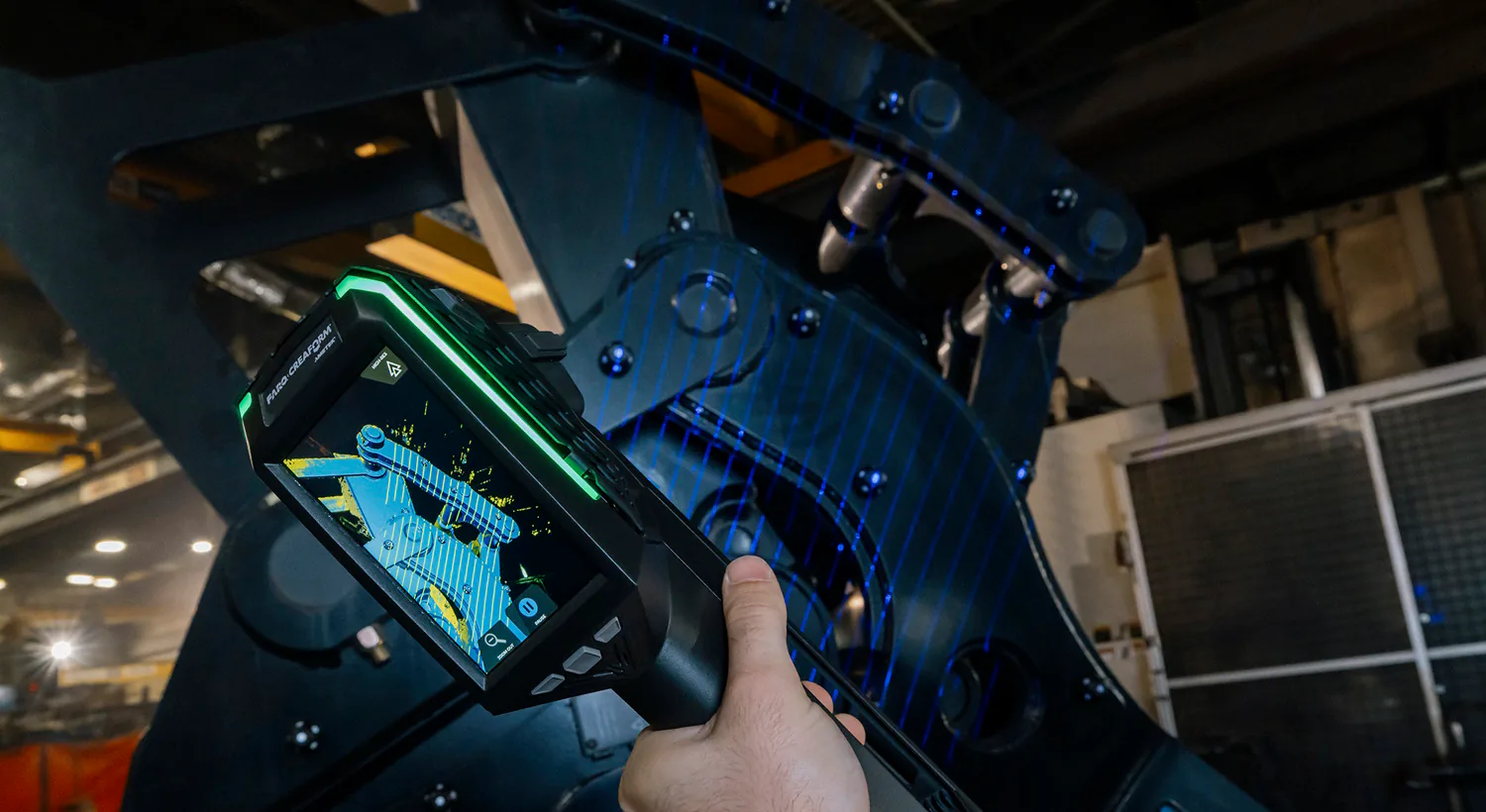
HandySCAN MAX EVO
Handheld blue-laser 3D scanner for large parts
Creaform's handheld for big parts: a very large frame, long working distance, fewer targets than a standard HandySCAN, and no surface preparation. Wireless with the Mobility Kit.
- Recommended part size
- 1–10 m (MAX EVO); 1–15 m (MAX EVO Elite)
Creaform
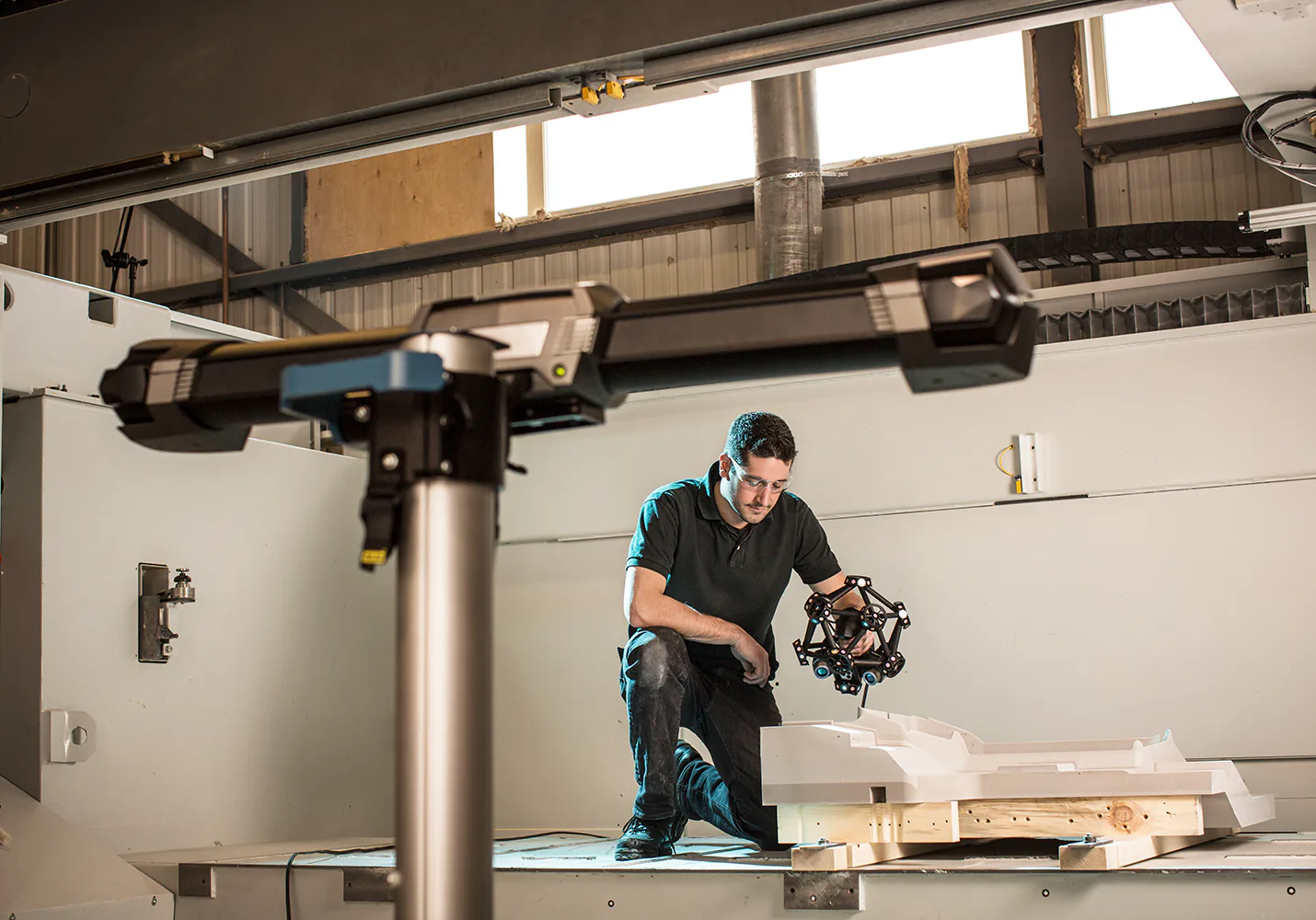
MetraSCAN 3D
Optical CMM 3D scanner with C-Track optical tracker
Target-free metrology on large parts and assemblies: the C-Track sees the whole setup, automatic volume extension moves it around the part, and the BLACK2 reaches 6.0 m from the tracker.
- Recommended part size
- 0.2–6 m (BLACK+, BLACK+ Elite); 0.2–10 m (BLACK2)
Artec
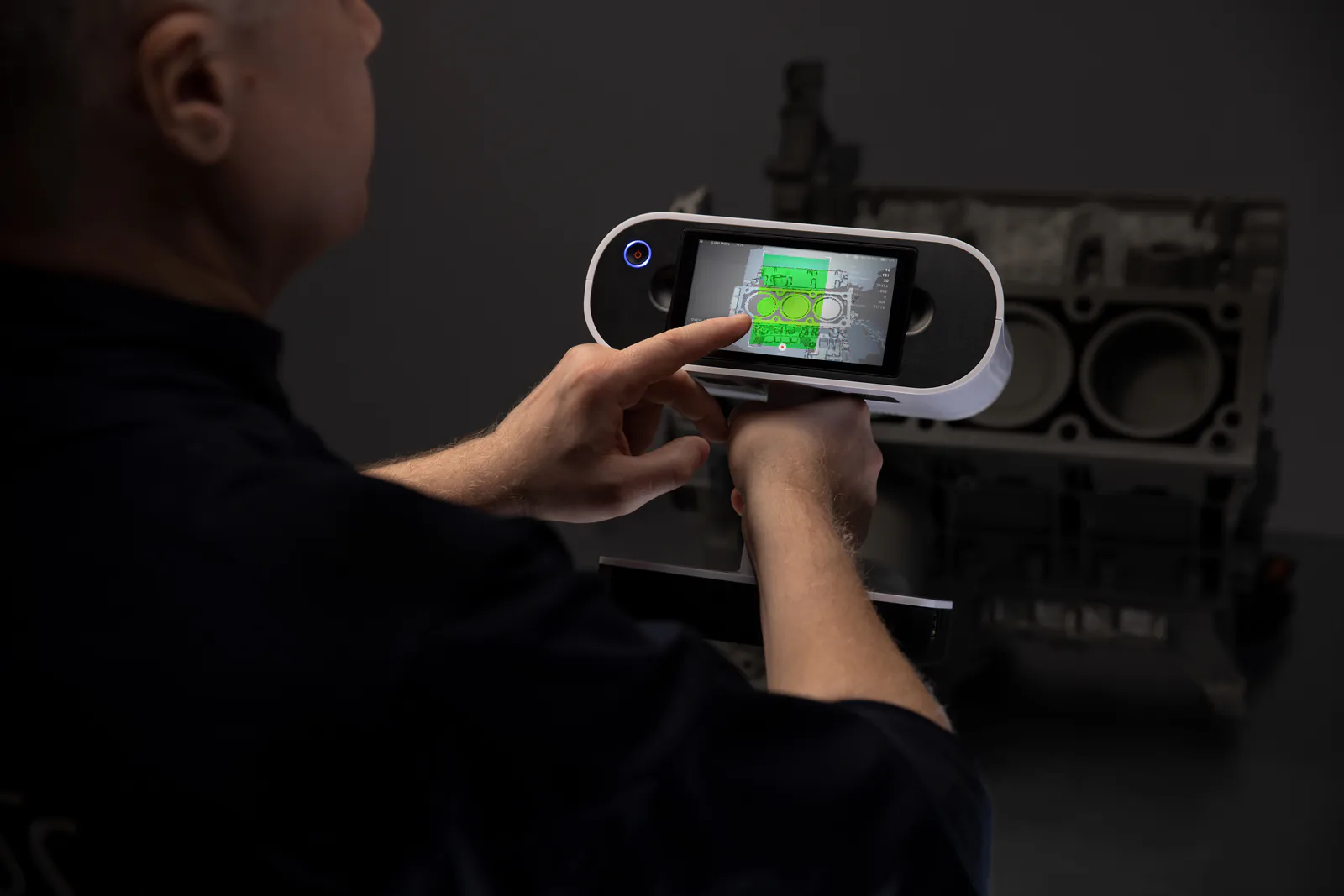
Leo
Wireless handheld 3D scanner with onboard processing
Fast capture of large objects in color with no laptop or cable. A wide far field of view means few passes around vehicles, machinery and large castings.
- Field of view
- 244 × 142 mm / 838 × 488 mm
Artec
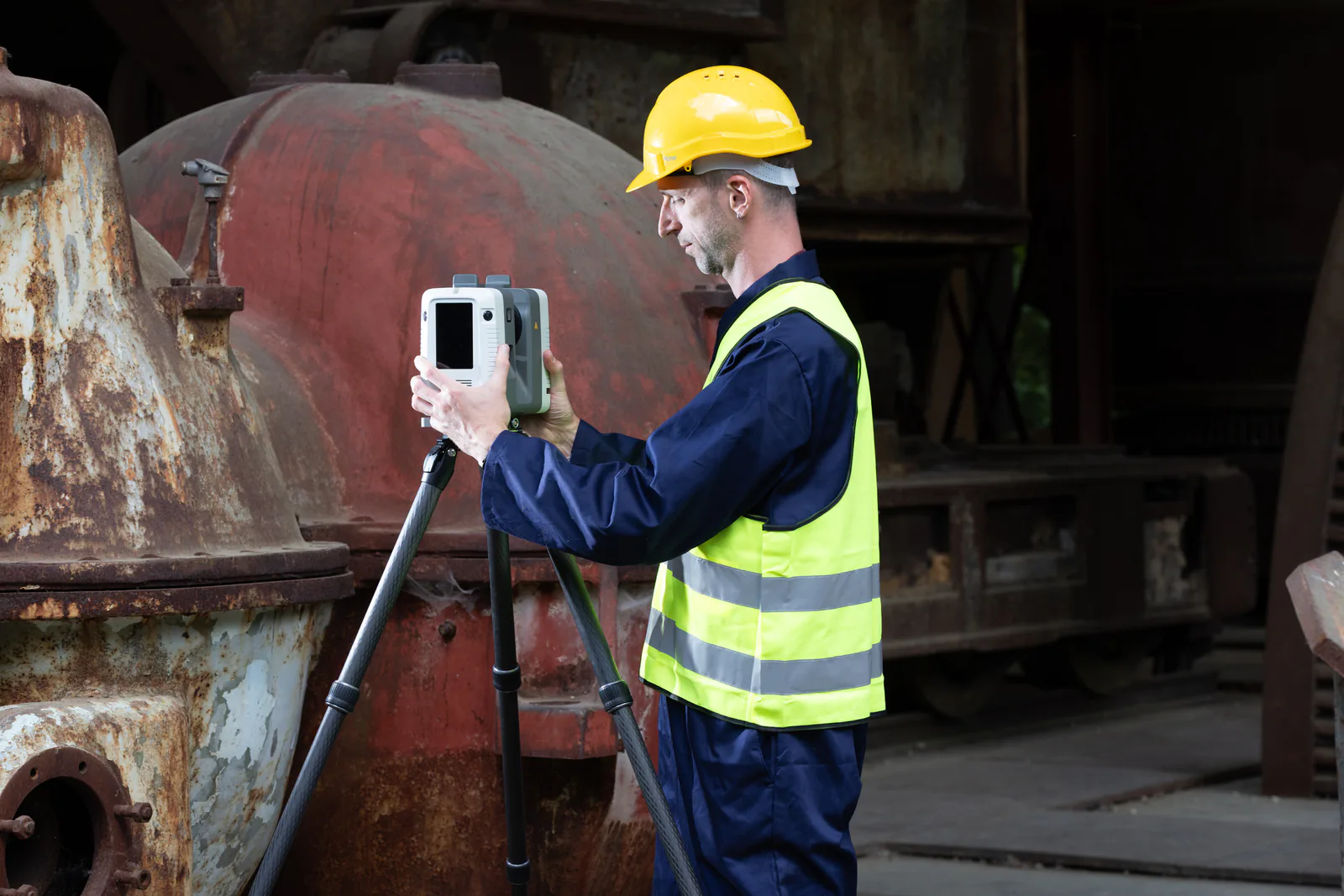
Ray II
Tripod-mounted long-range LiDAR scanner
For objects too big to walk around with a handheld: aircraft, wind turbine blades, ship propellers and factory equipment, captured from a tripod with color and no targets.
- Accuracy
- 1.9 mm @ 10 m; 2.9 mm @ 20 m; 5.3 mm @ 40 m
| Specification | HandySCAN MAX EVO | MetraSCAN 3D | Leo | Ray II |
|---|---|---|---|---|
| Technology | Blue laser triangulation | Blue laser triangulation with optical tracking | Structured light (VCSEL) | LiDAR, time of flight with Waveform Digitizing |
| Accuracy | 0.075–0.150 mm (by model) | 0.025–0.035 mm (by model) | Up to 0.1 mm | 1.9 mm @ 10 m; 2.9 mm @ 20 m; 5.3 mm @ 40 m |
| Volumetric accuracy | 0.150 mm + 0.020 mm/m (MAX EVO); 0.075 mm + 0.010 mm/m (MAX EVO Elite) | 0.064–0.075 mm, over 9.1 m³ (by model) | Up to 0.1 mm + 0.3 mm/m | Not published |
| Recommended part size | 1–10 m (MAX EVO); 1–15 m (MAX EVO Elite) | 0.2–6 m (BLACK+, BLACK+ Elite); 0.2–10 m (BLACK2) | 0.2–2 m | Range 0.5–130 m (LiDAR) |
| Field of view | Up to 1.4 × 1.5 m (MAX EVO); Up to 2.0 × 2.4 m (MAX EVO Elite) | 310 × 350 mm | 244 × 142 mm / 838 × 488 mm | 360° (horizontal) × 300° (vertical) |
| Positioning targets | Required | Not needed | Not needed | Not needed |
| Wireless operation | With the Mobility Kit (accessory) | No (cable) | Yes | Yes |
| Weight | 1.28 kg | Scanner 1.49 kg; C-Track 5.7 kg | 2.6 kg | 5.35 kg (nominal, without batteries) |
Specs checked:
How do I keep accuracy across a large part?
Read the volumetric accuracy, written as a fixed term plus a term per meter, and work it out for your part length. On the HandySCAN MAX EVO Elite, 0.075 mm + 0.010 mm/m works out to 0.175 mm over a 10 m part by Creaform's own formula. To tighten that, use an optical tracker that sees the whole part, as the MetraSCAN does, or measure a photogrammetry frame first: the Creaform MaxSHOT NEXT Elite brings a HandySCAN BLACK or EVO to 0.020 mm + 0.015 mm/m, and the Artec Metrology Kit brings the Point II to 0.015 mm + 0.015 mm/m.
Should the scanner be handheld, tracked or on a tripod?
Each suits a different large part. A handheld scanner like the HandySCAN MAX EVO or Artec Leo goes anywhere a person can walk and suits molds, castings, vehicles and structures. A tracked system like the MetraSCAN keeps accuracy on a moving or vibrating part, with the C-Track working up to 6.0 m away on the BLACK2. A tripod LiDAR like the Artec Ray II captures objects too big to walk around, from 0.5 to 130 m, with less accuracy but far more reach. Many large-part teams combine two: a long-range or tracked capture plus a handheld for detail.
Does a large-part scanner need targets?
Some do, fewer than you might think. The HandySCAN MAX EVO uses positioning targets but, Creaform says, fewer than the BLACK Series. The MetraSCAN needs none because the C-Track follows the scanner and the part. The Artec Leo and Ray II need none: the Leo tracks on geometry and texture, and the Ray II aligns each tripod position automatically. Photogrammetry workflows such as the MaxSHOT NEXT rely on targets by design, since they are the reference points that hold accuracy across the part.
What else do buyers ask about scanners for large parts?
What is the largest part a handheld 3D scanner can measure?
Creaform recommends the HandySCAN MAX EVO Elite for parts from 1 to 15 m, and the MetraSCAN BLACK2 and HandyPROBE Next+ Elite for parts up to 10 m. Artec rates the Leo for objects up to about 2 m, and says it can take on bigger objects and whole rooms with a powerful processing computer. Beyond that, the Artec Ray II captures objects and spaces from 0.5 to 130 m.
Can I scan a large part where it is installed?
Yes; that is a main reason to choose a portable scanner. Handheld scanners and the C-Track systems come to the part, so tooling, molds, pressure vessels and assemblies are measured in place. The HandySCAN MAX EVO and HandySCAN EVO work wirelessly with the Mobility Kit, the Artec Leo needs no cable or laptop, and the Ray II runs on internal batteries.
Do I need photogrammetry for large parts?
Only when accuracy must stay tight over the length. Photogrammetry measures a precise frame of reference points across the part first, so the scanner's small errors cannot build up. Creaform's MaxSHOT NEXT does this for its HandySCAN, Go!SCAN, MetraSCAN and HandyPROBE, and Artec's Metrology Kit does it for the Point II and other Artec scanners. For shape capture or visual checks, a scanner alone is often enough.
Is the Artec Ray II accurate enough to inspect large parts?
For structures, layouts and deformation checks, often yes; for machined tolerances, no. Artec rates the Ray II at 1.9 mm at 10 m, 2.9 mm at 20 m and 5.3 mm at 40 m. Keep it close to the surfaces that matter most, and pair it with a handheld scanner such as the Leo for detailed areas, merging both in Artec Studio.
See these scanners on your own work
Choose the job that matters most, whether that is a part, a person or a whole building. We scan it where it is with the scanner you choose and show you the result. On-site demos are available in most areas; ask when you request.