Skip to content
(816) 608-7745Get pricingBook a demo

CreaformHandheld blue-laser 3D scanner for large parts

Creaform HandySCAN 3D MAX Series

Handheld blue-laser scanner with a very large field of view, for parts and structures from 1 to 15 m.

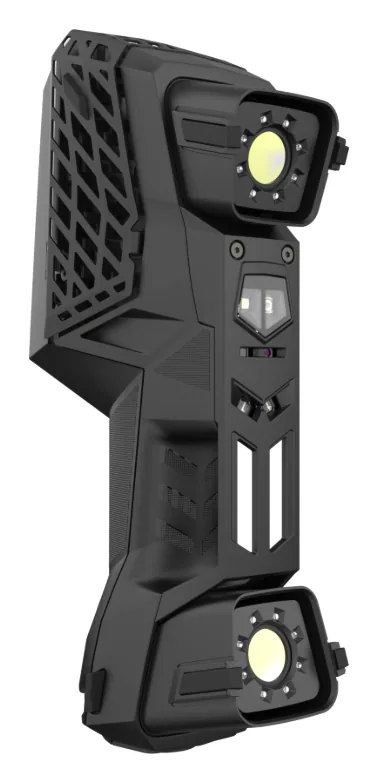
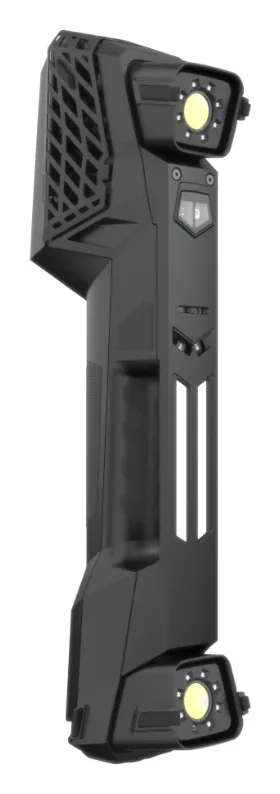
Creaform HandySCAN MAX handheld 3D scanner for large parts, front view of the long black body with a camera pod at each end
Best accuracy
0.075 mm
Part size
1–15 m

Key takeaways

  • The MAX EVO Elite is rated at 0.075 mm accuracy and 0.075 mm + 0.010 mm/m volumetric accuracy; the MAX EVO at 0.150 mm and 0.150 mm + 0.020 mm/m.
  • A single frame covers up to 2.0 × 2.4 m on the Elite, with a working distance from 0.30 to 2.50 m.
  • Recommended part size is 1–10 m for the MAX EVO and 1–15 m for the MAX EVO Elite.
  • Both models record 2,250,000 measurements/s with 38 blue laser lines and weigh 1.28 kg.
  • Creaform says the MAX Series needs fewer positioning targets than the BLACK Series.

What is the HandySCAN MAX EVO?

The HandySCAN 3D MAX Series is Creaform's handheld laser scanner for big parts. The current models, MAX EVO and MAX EVO Elite, carry the EVO platform's 4.3-inch touchscreen and 12 MP AR camera, and project 38 blue laser lines plus a laser pointer. Each frame covers up to 1.4 × 1.5 m (MAX EVO) or 2.0 × 2.4 m (MAX EVO Elite), and the scanner records 2,250,000 measurements per second. Accuracy is 0.150 mm or 0.075 mm, with volumetric accuracy of 0.150 mm + 0.020 mm/m or 0.075 mm + 0.010 mm/m. Creaform recommends it for parts from 1 to 10 m or 1 to 15 m, with no surface preparation.

What can the HandySCAN MAX EVO do?

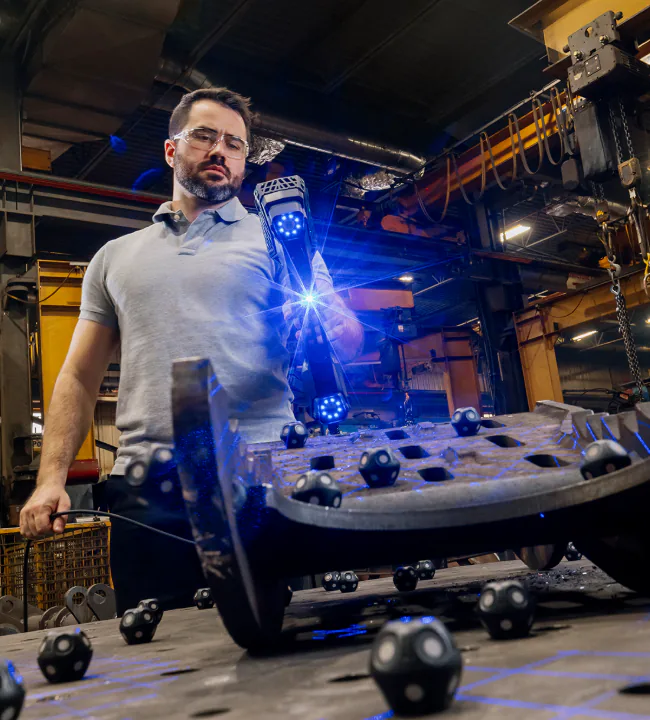
Man scanning a large dark machine part dotted with round positioning targets, using a Creaform HandySCAN MAX with blue lasers on
Round targets spread across the part keep a scan this size aligned from one side to the other.

Handheld laser scanner for large parts

The HandySCAN 3D MAX Series is Creaform's handheld laser scanner for big parts and structures. The current models, MAX EVO and MAX EVO Elite, project 38 blue laser lines plus a laser pointer and record 2,250,000 measurements per second. A single frame covers up to 2.0 × 2.4 m on the Elite, so large surfaces like this one need fewer passes. Creaform recommends the MAX EVO for parts from 1 to 10 m and the Elite for parts up to 15 m.
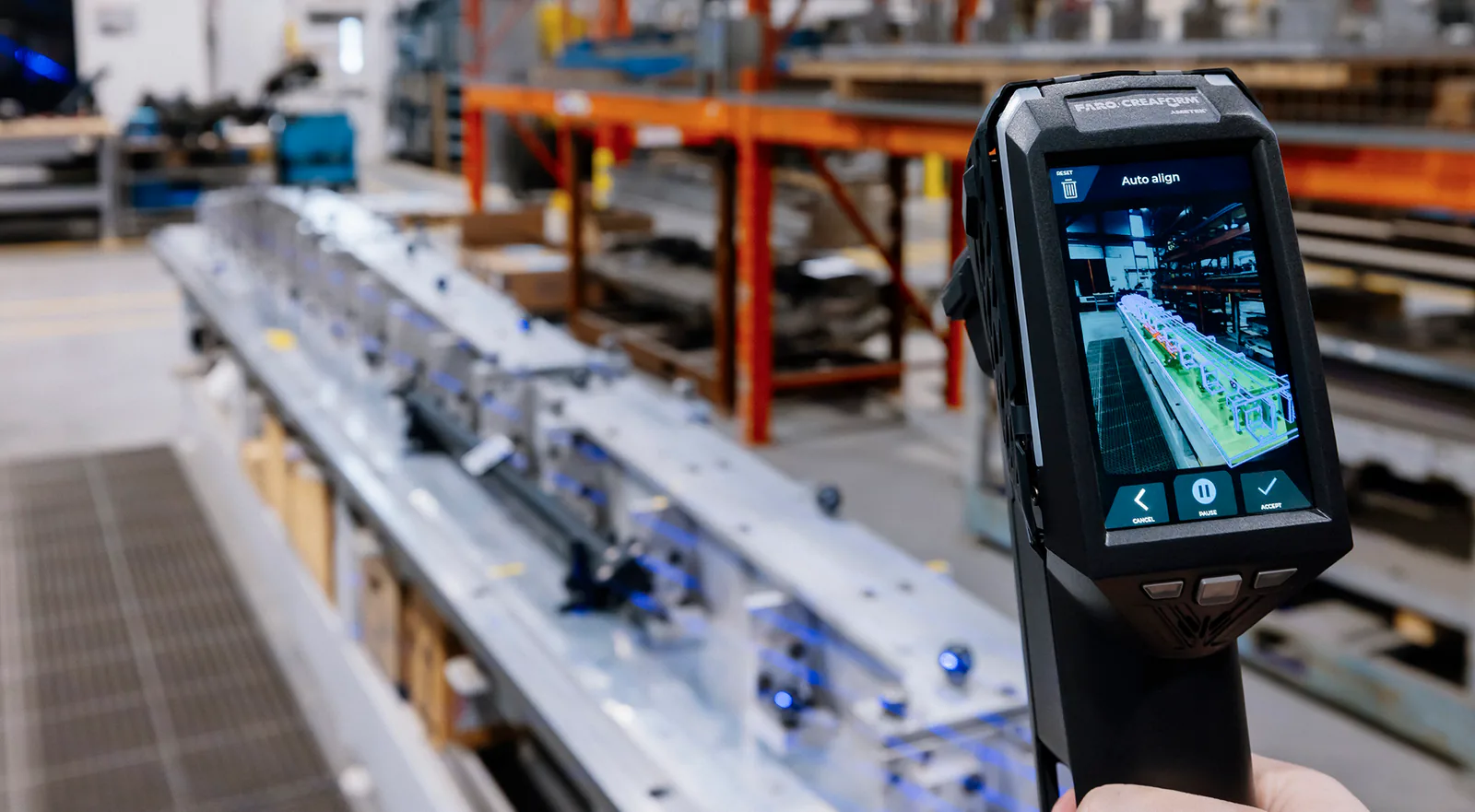
Creaform HandySCAN MAX screen running Auto align, a CAD model overlaid on a long aluminum frame lying on a shop floor
Accept and cancel buttons on the screen let the operator confirm the alignment without going back to the computer.

Metrology-grade accuracy on large parts

The MAX brings the HandySCAN line's metrology focus to parts measured in meters. The MAX EVO Elite is rated at 0.075 mm accuracy and 0.075 mm + 0.010 mm/m volumetric accuracy, and the MAX EVO at 0.150 mm and 0.150 mm + 0.020 mm/m, both tested in Creaform's ISO 17025-accredited lab. Checking a long frame like this one starts on the scanner screen: Auto align lines the scan up with its CAD model, and the cleanup that follows is automatic.

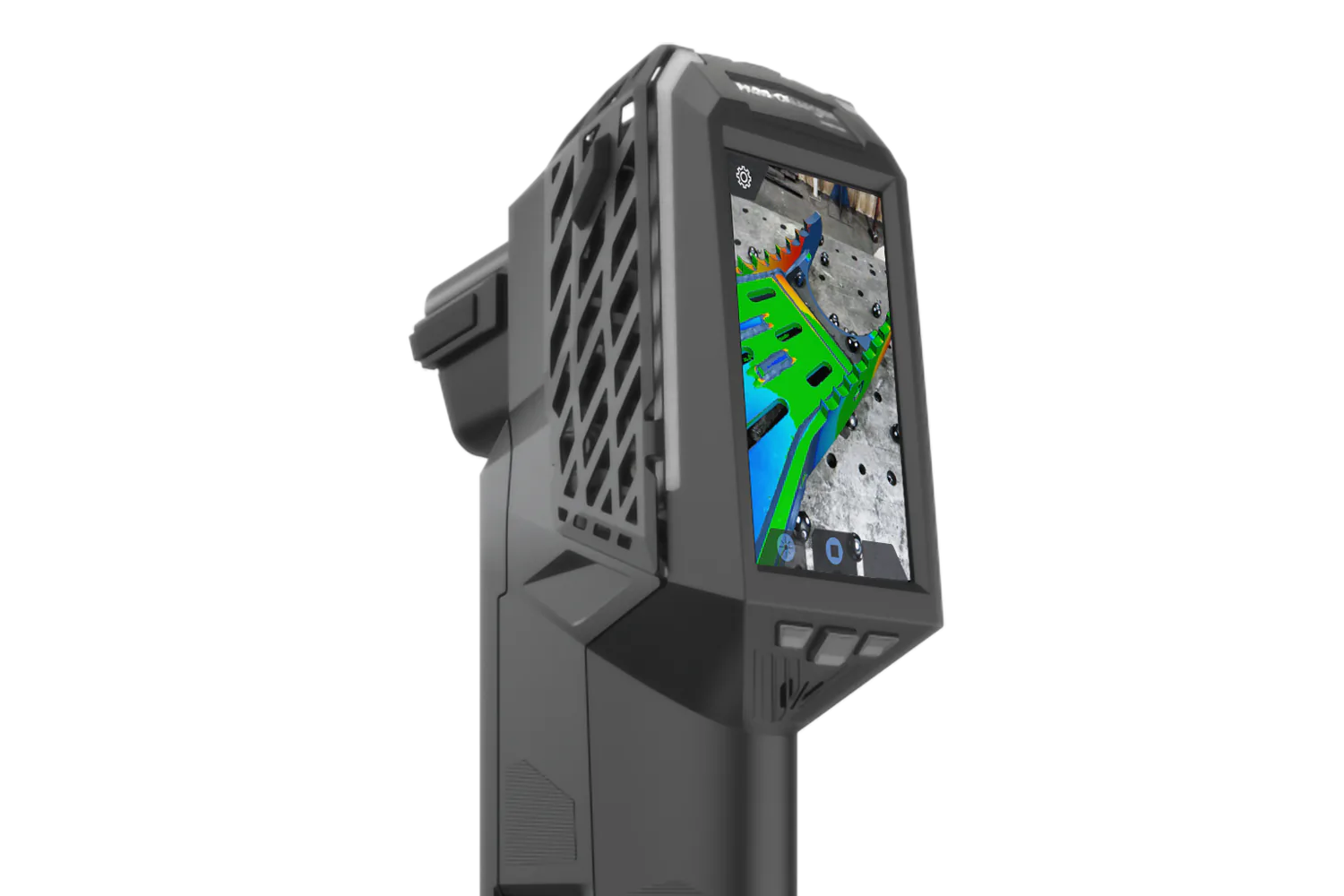
Creaform HandySCAN MAX rear touchscreen showing a color deviation map laid over a camera view of a large part
A deviation colormap shown on the part through the camera is one of the on-scanner tools the MAX EVO Elite adds.

Large-part 3D scanner with a built-in touchscreen

Both MAX models carry a 4.3-inch touchscreen and physical buttons on the scanner body. The live mesh and guided workflow sit in front of the operator, which helps in tight spots around large fixtures and tooling where a laptop is hard to keep in view. The MAX EVO Elite adds AR deviation colormaps, like the one on this part, and QR code reading on the same screen.

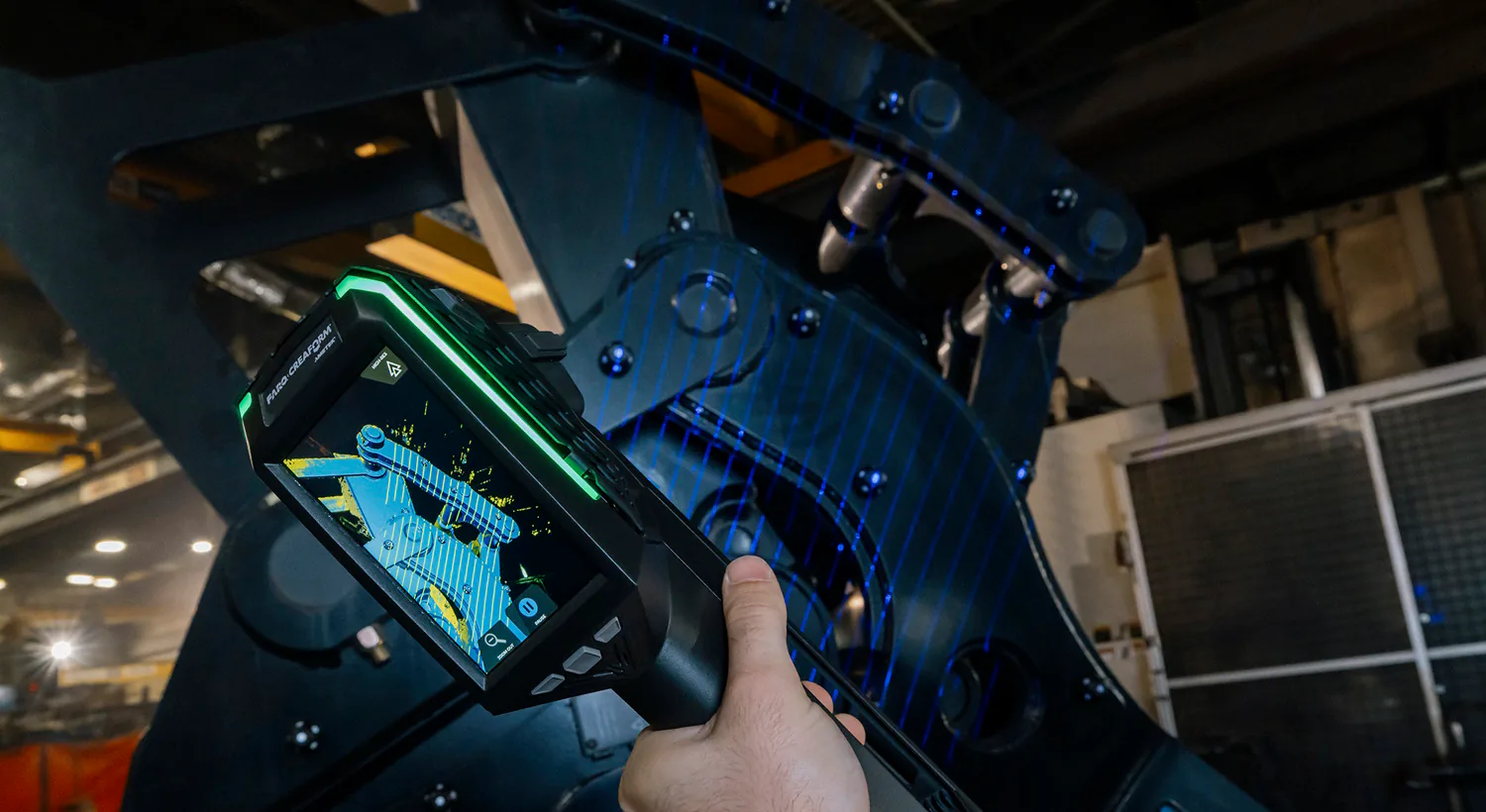
Hand holding a Creaform HandySCAN MAX whose screen shows a live mesh of the large dark machine part it is scanning
The mesh fills in on screen while blue laser lines and round targets cover the part behind it.

Fast capture on big, difficult surfaces

At 2,250,000 measurements per second, the MAX covers large surfaces quickly, and Creaform states that no surface preparation is needed, even on difficult materials. Creaform.OS meshes the data in seconds and shows the model as it builds. Integrated photogrammetry and AI-driven target detection keep big scans aligned, and the MAX needs fewer targets than the BLACK Series. On a casting this size, the live mesh on the scanner screen shows which faces still need a pass.

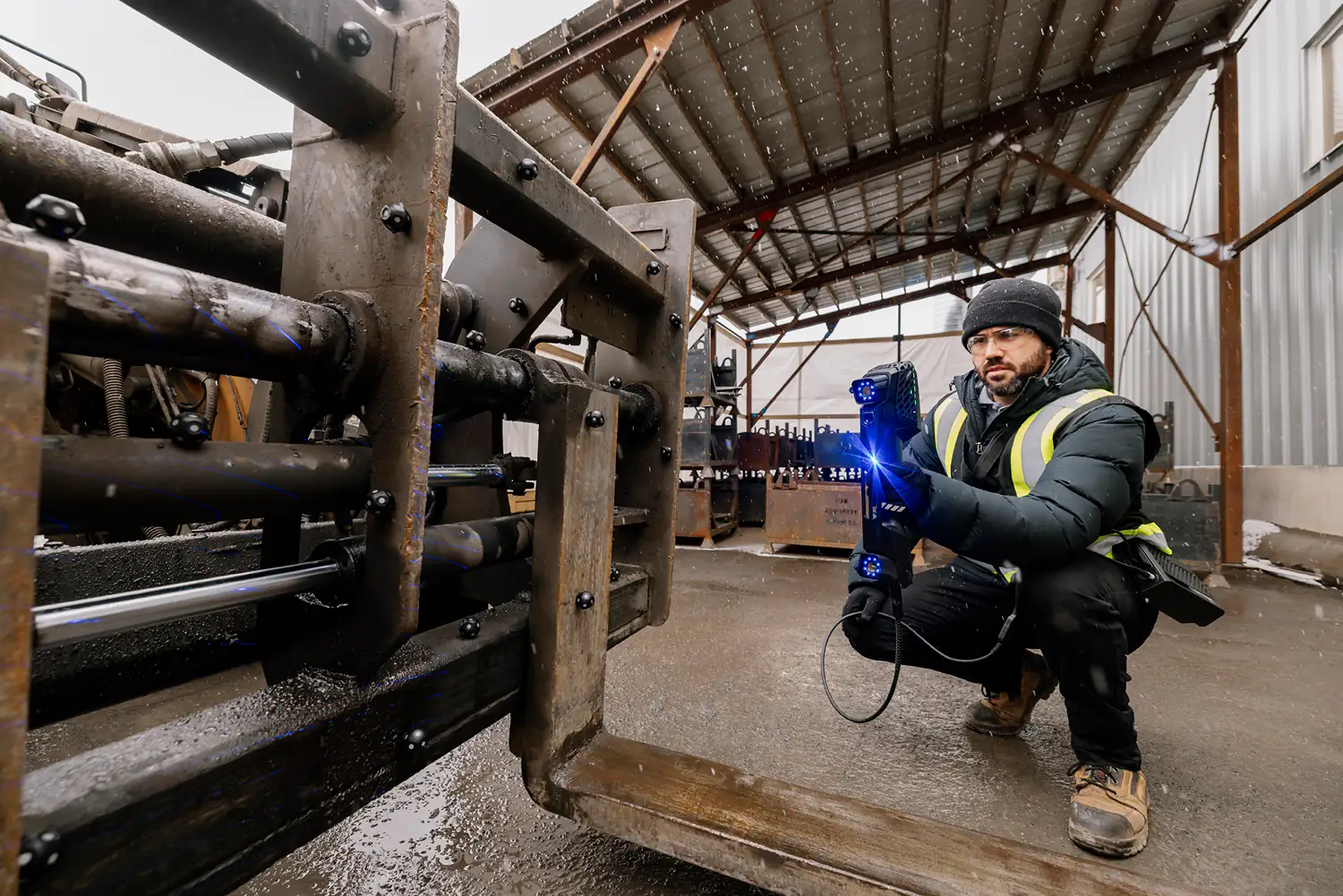
Technician in a snowy industrial yard scanning a rusty steel frame with a Creaform HandySCAN MAX, a module clipped to his belt
The scanner's cable runs only to the module on his belt, so there is no cart or laptop to drag across the yard.

Wireless large-part scanning with the Mobility Kit

Large parts rarely sit on a bench, so the MAX can leave its computer cable behind. The optional Mobility Kit, a 644 g belt-mounted module with swappable batteries, links the scanner to the computer wirelessly with no external router or power supply. Creaform states there is no loss of accuracy compared with the wired connection. Operators walk around oversized assemblies and structures, in the lab or out in the yard, with no cart trailing behind.

What are the HandySCAN MAX EVO specifications?

HandySCAN MAX EVO specifications
SpecificationMAX EVOMAX EVO Elite
Accuracy0.150 mm0.075 mm
Volumetric accuracy0.150 mm + 0.020 mm/m0.075 mm + 0.010 mm/m
Acceptance testBased on VDI/VDE 2634 part 3 (ISO 17025 accredited)Based on VDI/VDE 2634 part 3 (ISO 17025 accredited)
Measurement resolution0.04 mm0.04 mm
Mesh resolution0.4 mm0.4 mm
Measurement rate2,250,000 measurements/s2,250,000 measurements/s
Light source38 blue laser lines + laser pointer38 blue laser lines + laser pointer
Scanner controls4.3-inch touchscreen + physical buttons4.3-inch touchscreen + physical buttons
Photo camera12 MP, AR-enabled12 MP, AR-enabled
Scanning areaUp to 1.4 × 1.5 mUp to 2.0 × 2.4 m
Working distance0.45 to 1.60 m0.30 to 2.50 m
Depth of field1.15 m2.20 m
Part size range (recommended)1–10 m1–15 m
Weight1.28 kg1.28 kg
Dimensions (L × W × H)86 × 121 × 419 mm86 × 121 × 419 mm
Connection1 × USB 3.01 × USB 3.0
Output formats.dae, .fbx, .ma, .obj, .ply, .stl, .txt, .wrl, .x3d, .x3dz, .zpr, .3mf.dae, .fbx, .ma, .obj, .ply, .stl, .txt, .wrl, .x3d, .x3dz, .zpr, .3mf
Operating temperature5–40 °C5–40 °C

Specs checked:

What is the HandySCAN MAX EVO used for?

  • Large-part inspection

    Check castings, molds, tooling and weldments against CAD from one handheld setup instead of many scanner positions.

  • Structures and pressure equipment

    Measure tanks, pressure vessels and large structures. Creaform pairs the MAX Series with its Integrity Suite NDT software for this work.

  • Reverse engineering of large assets

    Capture large tooling, molds and assemblies that have no CAD model, for redesign or replacement.

  • Maintenance, repair and overhaul

    Record worn or damaged assets and compare them with nominal CAD before repair, to plan the work and cut downtime.

Industries

  • Automotive
  • Transportation
  • Heavy equipment
  • Energy
  • Shipbuilding
  • Rail
  • Manufacturing

What surfaces and part sizes does the HandySCAN MAX EVO handle?

The MAX Series is built for size rather than fine detail. Its mesh resolution is 0.4 mm and its measurement resolution 0.04 mm, and at a 0.5 m working distance it resolves 2.50 mm pins, 3.50 mm holes, 2.00 mm walls and 0.04 mm steps. In exchange, the Elite works from 0.30 to 2.50 m with a 2.20 m depth of field, so you can stand back from a large panel or reach into a deep cavity. Creaform states that no surface preparation is needed, even on difficult materials. For small parts with fine features, the standard EVO Series or the BLACK Elite is the better fit.

Part size
1–15 m
Positioning targets
Required
Color texture
Not captured
Wireless
With the Mobility Kit (accessory)

Compare sizes, materials and finishes across every scanner

What software does the HandySCAN MAX EVO use?

The MAX Series runs on Creaform.OS, included with every Creaform-branded scanner (the peel 3 uses its own Peel.OS), which meshes scans in seconds and shows the model as it builds. Integrated photogrammetry and AI-driven target detection help keep large scans aligned. The MAX EVO Elite adds AR colormap deviation display and QR code reading on the scanner. Downstream, the Inspection module produces dimensional reports and Scan-to-CAD rebuilds CAD entities, while the Pipeline and Aircraft modules of the Creaform Integrity Suite handle NDT damage assessment. Meshes also export as .stl, .obj, .ply and other formats for third-party metrology and CAD software.

How does the HandySCAN MAX EVO compare?

Can I see the HandySCAN MAX EVO scan my own work?

Often, yes. Tell us you want to see the HandySCAN MAX EVO, and we will confirm whether we can show it at your location. Where we can, we bring the scanner to your facility and scan what you choose, so you see how it handles your surfaces, sizes and tolerances before you decide, instead of judging from a spec sheet. Pick the job that is hardest to measure today, such as a part with no CAD model or a shape you cannot measure by hand, and say what you need to check. On-site demos are available in most areas; ask when you request.

  1. Request a demo, name the model and tell us what you want scanned.
  2. We confirm whether we can show that model at your location.
  3. Where we can, we scan your own work and review the data with you.

What do buyers ask about the HandySCAN MAX EVO?

When should I choose the HandySCAN MAX instead of a regular HandySCAN?

Pick the MAX Series when the parts are big. Creaform recommends 1–10 m for the MAX EVO and 1–15 m for the MAX EVO Elite, against 0.05–4 m for the EVO and BLACK models. Its frame of up to 2.0 × 2.4 m covers large surfaces quickly with fewer setups. The trade-off is detail: mesh resolution is 0.4 mm instead of 0.100 mm, so small, intricate parts belong on a standard HandySCAN.

Is the HandySCAN MAX wireless?

Yes, with the Mobility Kit. The MAX EVO connects over USB 3.0 by default, and the Mobility Kit, a 644 g belt-mounted module with swappable batteries, links it to the computer without a cable. Creaform states there is no loss of accuracy or reliability compared with the wired connection, and no external router or power supply is needed. That freedom matters most when you walk around a large part or structure.

Does the HandySCAN MAX need positioning targets?

It uses them, but fewer than a standard scanner: Creaform states that the MAX Series requires fewer targets than the BLACK Series. Creaform.OS detects and tracks the targets automatically, and integrated photogrammetry helps hold accuracy over large volumes. Creaform also says no surface preparation is needed on difficult materials, so the targets are the main setup step before you scan.

How accurate is the HandySCAN MAX on a 10 m part?

Volumetric accuracy grows with part length. Using Creaform's formulas, the MAX EVO Elite (0.075 mm + 0.010 mm/m) works out to 0.175 mm over a 10 m part, and the MAX EVO (0.150 mm + 0.020 mm/m) to 0.350 mm. Both figures come from Creaform's VDI/VDE 2634 part 3 tests in its ISO 17025-accredited lab. If your tolerance is tighter than that, discuss the setup with our specialists before you buy.

What does the MAX EVO Elite add over the MAX EVO?

The Elite halves both accuracy figures: 0.075 mm instead of 0.150 mm, and a length term of 0.010 mm/m instead of 0.020 mm/m. It also has a larger frame (up to 2.0 × 2.4 m against 1.4 × 1.5 m), a longer working range (0.30–2.50 m against 0.45–1.60 m), a recommended part range up to 15 m instead of 10 m, and on-scanner AR colormaps and QR code reading. Weight and measurement rate are the same.

How much does the Creaform HandySCAN MAX EVO cost?

Two choices shape a MAX Series quote. The first is the model: the MAX EVO, or the MAX EVO Elite, with tighter accuracy figures, a larger frame and a recommended range for bigger parts. The second is how you work on large structures: the Mobility Kit for walking around a part without a cable, the positioning targets the scanner uses, and Creaform modules such as Inspection, Scan-to-CAD, or the Pipeline and Aircraft modules for damage assessment. Training for the people who scan on site completes it. Describe your largest parts and the tolerance you check, and we will quote the MAX setup that fits after a short conversation.

Request pricing on the Creaform HandySCAN MAX EVO

See the HandySCAN MAX EVO scan your own work

Tell us what you want scanned, and we will confirm whether we can show it at your location. On-site demos are available in most areas. You can also start with a pricing request.

Call (816) 608-7745