Skip to content
(816) 608-7745Get pricingBook a demo

ArtecPhotogrammetry software for 3D models from photos and video

Artec Studio AI Photogrammetry

Build 3D models from photos or video taken with any camera, inside Artec Studio Pro or the scan-free Lite edition.

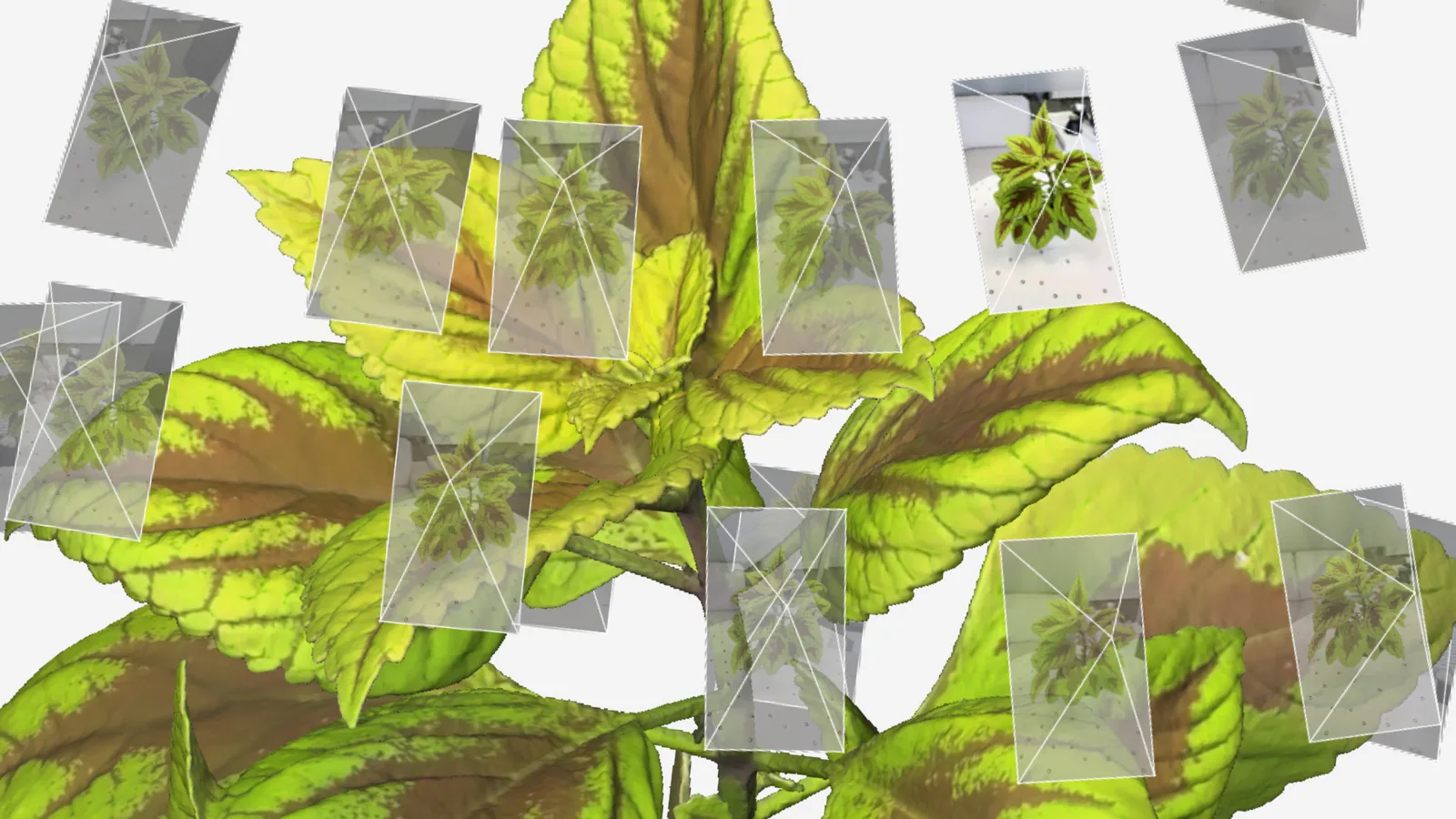
Textured 3D model of a variegated coleus plant surrounded by the floating photo frames it was built from

Key takeaways

  • AI Photogrammetry builds 3D models from photos or video taken with smartphones, digital cameras, drones or microscopes.
  • Three reconstruction modes are available: AI without masks, AI with masks, and Classic scene capture for large areas.
  • Built-in scale bars assign real dimensions, so you can measure distance, area and volume.
  • It is included in Artec Studio Pro and sold alone as Artec Studio Lite, which does not support 3D scanning.
  • It imports JPG, PNG, TIF and BMP photos and MOV, MP4 and AVI video, among other formats.

What is Artec Studio AI Photogrammetry?

AI Photogrammetry is the image-based modeling feature of Artec Studio, introduced in version 19. You photograph or film an object or scene from all sides with any camera-equipped device, from a smartphone to a drone or a microscope, and Artec Studio reconstructs a textured 3D mesh. An in-house neural engine handles surfaces that classic photogrammetry struggles with, such as shiny, transparent and featureless objects. Built-in scale bars give the model real dimensions for distance, area and volume. It is part of Artec Studio Pro for scanner owners, and Artec Studio Lite offers it on its own, without 3D scanning, for teams that have no scanner.

What can Artec Studio AI Photogrammetry do?

Artec Studio AI Photogrammetry: scans and photos to CADA short Artec Studio workflow video. A large lattice bracket is scanned with a handheld Artec scanner and a fire hydrant is photographed outdoors, then Artec Studio screens show four stages: import images, scans or video, generate a lightweight watertight model, refine and smooth it, and convert it to CAD data for engineering.
What the video shows

On-screen cards walk through uploading image sets, scans or video, generating a watertight 3D model, refining the geometry for CAD and converting it to engineering CAD data. The footage pairs a handheld scan of a lattice bracket with photos of a fire hydrant.

Build 3D models from photos and video

AI Photogrammetry is the image-based modeling feature of Artec Studio, first released in version 19. You photograph or film an object or scene from all sides with any camera-equipped device, from a smartphone to a drone or a microscope, and Artec Studio reconstructs a textured 3D mesh. An in-house neural engine copes with shiny, transparent and featureless surfaces that classic photogrammetry struggles with, and built-in scale bars give the model real dimensions. Scanner owners get it in Artec Studio Pro; Artec Studio Lite offers it on its own, without 3D scanning.
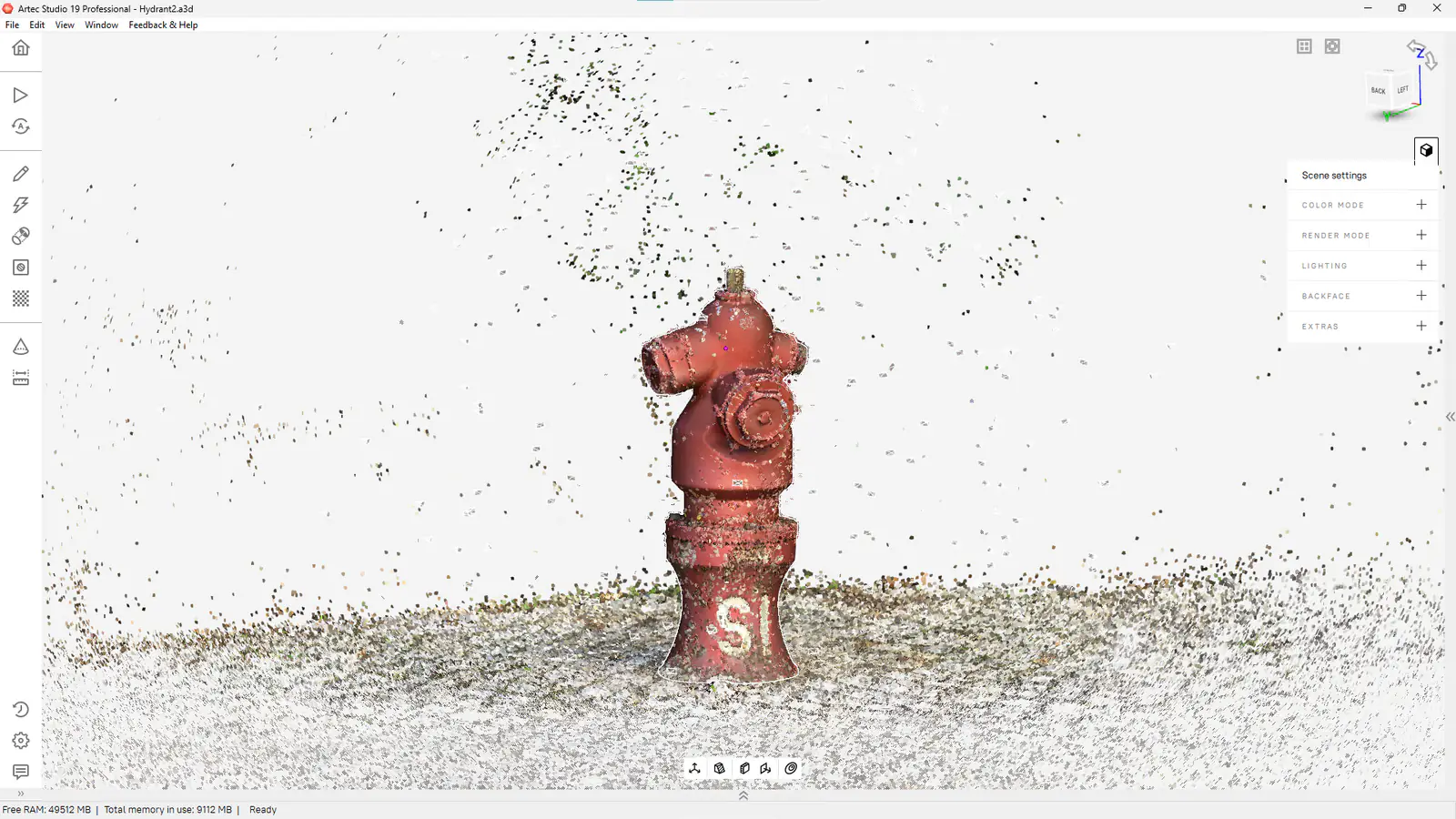
Artec Studio 19 window showing a red fire hydrant rebuilt from photos, inside a sparse cloud of points
A photo-built model opens in Artec Studio like any scan, ready for the same tools.

Reconstruction modes, scaling and CAD export

Photo-built models, like this hydrant in Artec Studio 19, get the same editing and analysis tools as scans do, and they can be merged with scanner data in one project. Artec is plain that photogrammetry is less accurate than professional 3D scanning, so we recommend it for visualization, documentation, design reference and texture, and a scanner wherever tolerances are tight.

  • Three modes: AI without masks for most objects, AI with masks to separate an object from a busy background, and Classic for large scenes.
  • Multi-camera support and sharp-image prioritization let you combine photos from several devices.
  • Built-in scale bars give real dimensions for distance, area and volume measurements.
  • Workflows automate the whole photo-to-model pipeline in one click.
  • Exports OBJ, PLY, STL and E57 meshes or STEP, IGES and X_T CAD bodies.
  • Adds color texture to geometry from scanners that capture none, such as the Point II.

What are the key facts about Artec Studio AI Photogrammetry?

Artec Studio AI Photogrammetry key facts
Input devicesSmartphone, digital camera, microscope, drone
Photo and video importBMP, JPG, PNG, TIF; MOV, MP4, AVI, M4V, 3G2, 3GP, 3GP2, 3GPP
Key modesAI without masks (default), AI with masks, Classic scene capture
ScalingBuilt-in scale bars for distance, area and volume
Capture featuresMulti-camera support, sharp image prioritization, masking
Available inArtec Studio Pro; Artec Studio Lite Individual and Business (photogrammetry only, no 3D scanning)
Runs onWindows 10 x64, Windows 11
Export formats (Lite)Meshes: PLY, STL, WRL, OBJ, ASC, AOP, PTX, XYZRGB, E57; CAD: STEP, IGES, X_T
First releasedArtec Studio 19, November 2024

Specs checked:

What is Artec Studio AI Photogrammetry used for?

  • Capture without a scanner

    Model objects or parts when no scanner is available, using only a phone or a camera.

  • Aerial and large-scene capture

    Use drone footage with Classic scene mode to model sites and landscapes, then add fine detail with a 3D scanner.

  • Texture for laser scans

    Add realistic color to geometry from scanners such as the Point II that capture no texture.

  • Small objects under a microscope

    Reconstruct tiny objects from images taken with a camera-equipped microscope.

Industries

  • Product design
  • Manufacturing
  • Heritage and museums
  • Forensics
  • CGI and visual effects
  • Education

What parts and surfaces can Artec Studio AI Photogrammetry handle?

AI Photogrammetry covers a wider size range than any single scanner: microscope images for tiny objects, handheld photos for parts and products, and drone footage for buildings and landscapes. Its AI modes are built for surfaces that defeat classic photogrammetry, including shiny, transparent and featureless objects, and masking separates an object from a busy background. The maker is plain that photogrammetry is less accurate than professional 3D scanning, so use it for visualization, documentation, design reference and texture rather than tight-tolerance inspection. On large scenes, merge photogrammetry data with 3D scans to keep sub-millimeter accuracy where it counts.

What does Artec Studio AI Photogrammetry work with?

AI Photogrammetry lives inside Artec Studio, so the tools you use on scans also apply to photo-built models: hole filling, texture mapping, simplification, sculpting and defeature brushes, distance and thickness maps, 2D sections, Boolean operations and auto-surfacing for CAD. Workflows can automate the whole photo-to-model pipeline in one click. Models export as OBJ, PLY, STL, E57 and other mesh formats, or as STEP, IGES and X_T CAD bodies, and projects can sync to Artec Cloud. Artec Studio Pro adds 3D scanner support and wider export options, while Artec Studio Lite is the photogrammetry-only edition. Both run on Windows 10 or 11.

How does Artec Studio AI Photogrammetry compare?

Can I see Artec Studio AI Photogrammetry work on my own scans?

Often, yes. Tell us you want to see Artec Studio AI Photogrammetry, and we will confirm whether we can show it at your location. Where we can, our specialist runs it on scans of your own work, so you see how it fits your workflow, from raw scan data to the result you need, before you decide. Pick something you measure often, or a part that has no CAD model, and say what you need to check, rebuild or deliver. On-site demos are available in most areas; ask when you request.

  1. Request a demo and tell us what you scan and which results matter to you.
  2. Where we can show the software at your location, our specialist runs it on scans of that work.
  3. You review the results with us and talk through how it fits your workflow.

What do buyers ask about Artec Studio AI Photogrammetry?

Do I need an Artec scanner to use AI Photogrammetry?

No. Artec Studio Lite builds 3D models from photos and video only and does not support 3D scanning, so it works without any scanner. It comes as an Individual license for personal, non-commercial projects and a Business license for paid work. If you own an Artec scanner, AI Photogrammetry is already part of Artec Studio Pro, and photo-built models can be merged with your scans in the same project.

How accurate is AI Photogrammetry compared with a 3D scanner?

Artec describes photogrammetry as less accurate than professional 3D scanning, though it produces highly textured, realistic models. Built-in scale bars give models real dimensions, so you can measure distance, area and volume. For reverse engineering or inspection that depends on tight tolerances, use a scanner, and use photogrammetry for context, texture, hard-to-reach areas and quick documentation.

What cameras and file types can I use with AI Photogrammetry?

Any camera-equipped device works: smartphones, digital cameras, drones and microscopes. Artec Studio imports BMP, JPG, PNG and TIF photos and MOV, MP4, AVI, M4V and 3GP video. You capture the object from all angles, create a preview that places the images in 3D, choose the area to reconstruct, then build the model. Multi-camera support lets you combine images from several devices in one reconstruction.

Which AI Photogrammetry mode should I choose?

Use AI without masks, the default, for most objects, including close-up photo sets where the object is not fully in view. Choose AI with masks when the object sits in a busy environment and must be separated from its background. Use Classic scene capture for very large objects and wide scenes, such as drone footage of a site or a landscape.

See Artec Studio AI Photogrammetry work on your own scans

Our specialists can show it on scans of your own work, at your facility. On-site demos are available in most areas; ask when you request. You can also start with a pricing request.

Call (816) 608-7745