Skip to content
(816) 608-7745Get pricingBook a demo

CreaformHandheld white-light 3D scanner with color capture

Creaform Go!SCAN SPARK

White-light handheld scanner that records shape and color together, with no tripod, arm or mandatory targets.

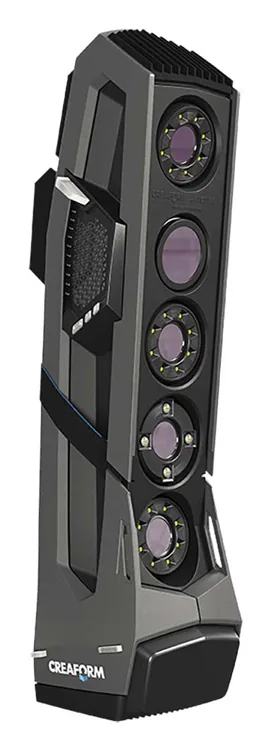
Creaform Go!SCAN SPARK handheld color 3D scanner, three-quarter view of the dark grey body with a column of lenses and LED rings
Best accuracy
0.050 mm
Part size
0.1–4 m

Key takeaways

  • Creaform rates the Go!SCAN SPARK at up to 0.050 mm accuracy and 0.050 mm + 0.100 mm/m volumetric accuracy.
  • It records up to 1,500,000 measurements per second from 99 white light lines over a 390 × 390 mm scanning area.
  • Color texture is captured at 50 to 200 DPI in 24-bit color, alongside the geometry.
  • Positioning works from geometry, color texture or targets, so many parts need no target preparation.
  • With a MaxSHOT NEXT Elite camera, volumetric accuracy tightens to 0.050 mm + 0.015 mm/m on large parts.

What is the Go!SCAN SPARK?

The Go!SCAN SPARK is Creaform's handheld white-light 3D scanner. It projects 99 white light lines, records up to 1,500,000 measurements per second and captures 24-bit color texture in the same pass as the geometry. Creaform rates it at up to 0.050 mm accuracy, with volumetric accuracy of 0.050 mm + 0.100 mm/m. It positions itself from the part's shape, its color texture, positioning targets or a mix of the three, so many objects need no target preparation. Creaform recommends it for parts from 0.1 to 4 m. It suits design and reverse-engineering teams who want a fast model in full color more than a certified inspection report.

What can the Go!SCAN SPARK do?

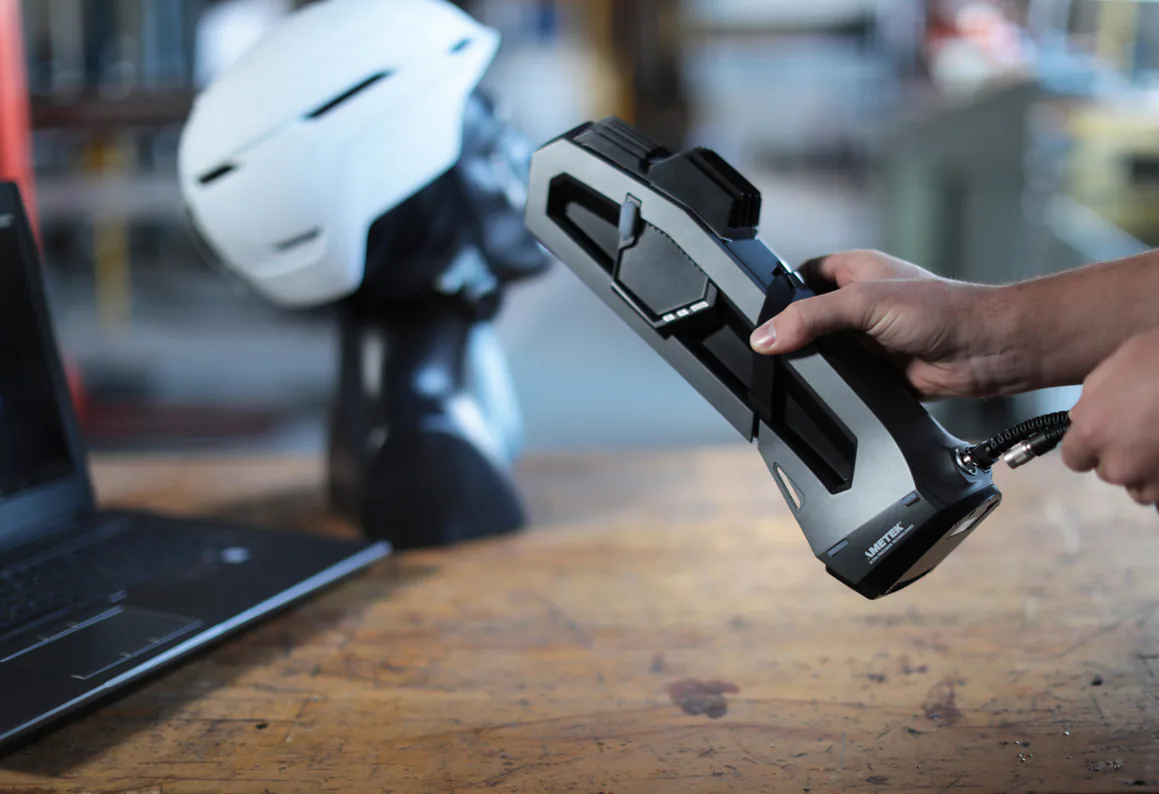
Hand holding a Creaform Go!SCAN SPARK by its side grip near a helmet on a mannequin head, laptop on the workbench
A helmet on a head form, the kind of freeform design object the SPARK is built to capture.

Handheld color 3D scanner for design teams

Everything in this setup is the scanner in one hand and a laptop on the bench. At 1.25 kg, with no arm, tripod or tracker, the Go!SCAN SPARK fits in a suitcase and moves easily between the design office and the shop. Freeform objects like a helmet or a head form suit it well, because the scanner can follow their shape and color texture, and both the object and the scanner can move while you scan.
Full-color 3D scans in a single pass

Color capture is what sets the Go!SCAN SPARK apart from Creaform's blue-laser HandySCAN line. Its camera records 24-bit color texture at 50 to 200 DPI while the white light lines measure shape, so the finished model carries the part's real colors and markings. The Automatic Shutter in Creaform.OS tunes the capture for difficult, contrasted finishes, which helps on parts with several colors. Color models suit design reviews, product records, virtual presentations and digital archives.

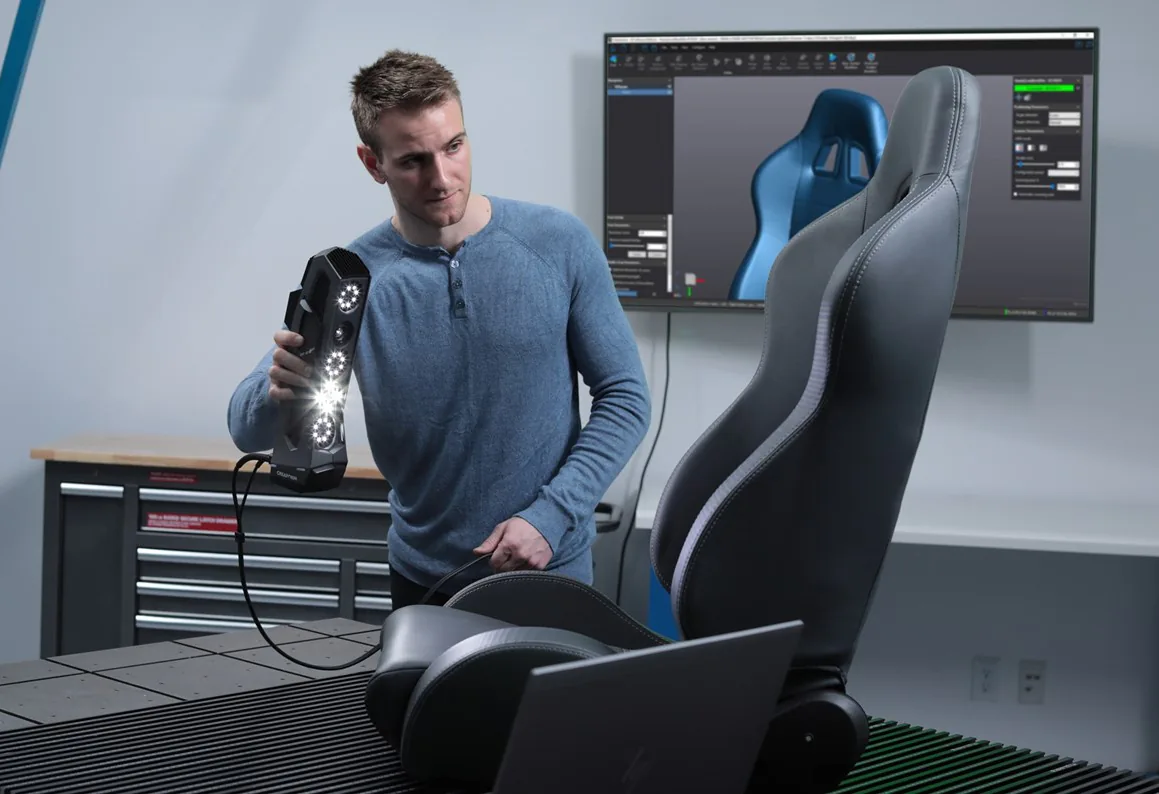
Engineer scanning a black car seat with a Creaform Go!SCAN SPARK while a wall monitor shows the seat's 3D model building
No stickers on the seat: the scanner tracks on its shape and texture while the model grows on the wall screen.

Target-free scanning on shape and color

The Go!SCAN SPARK positions itself from the part's own geometry and color texture, so many objects need no target stickers, like the black car seat shown here. On flat or plain surfaces with little to follow, Creaform advises adding positioning targets to keep tracking reliable. Because the scanner references itself to the part, both the object and the scanner can move freely during capture, and the model keeps building on the screen.

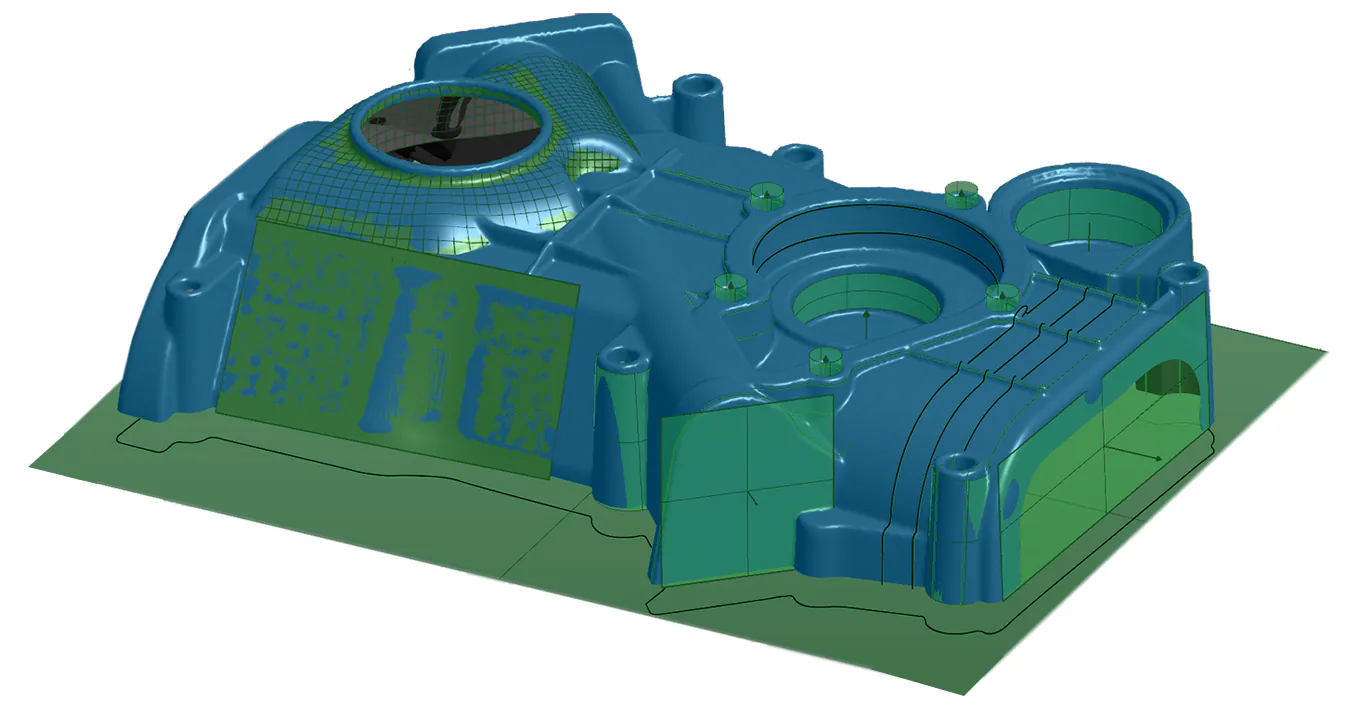
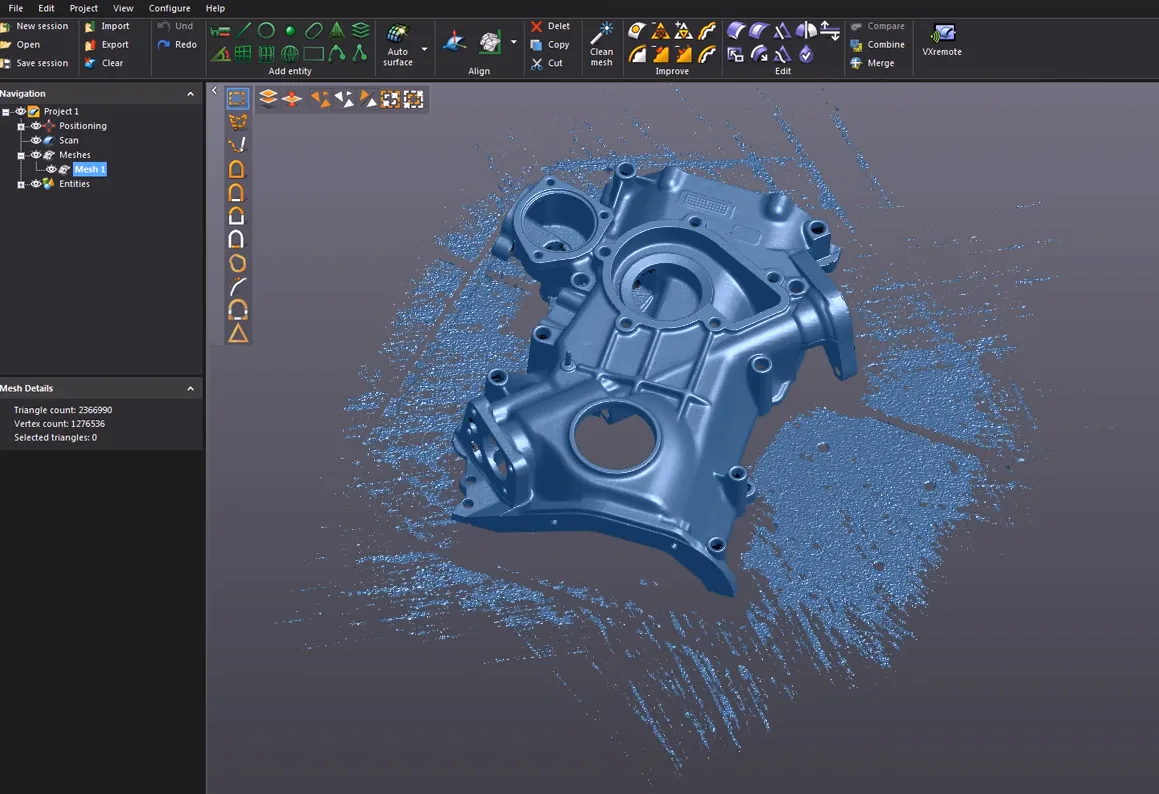
Creaform VXelements window showing a blue mesh of a scanned cast engine cover surrounded by loose scan points
This view is from VXelements, the software Creaform.OS replaced in 2025; the scan becomes one mesh as soon as capture stops.

Instant mesh as soon as you stop scanning

Creaform.OS joins every scan frame into a single mesh the moment you finish, so there is no separate processing wait before you can check the result. The mesh exports as .obj, .stl, .fbx, .3mf and other formats, ready for your CAD program, the Scan-to-CAD module or a 3D printer. For design and printing work, that makes the path from a physical object to a file you can use a short one.

What are the Go!SCAN SPARK specifications?

Go!SCAN SPARK specifications
AccuracyUp to 0.050 mm
Volumetric accuracy0.050 mm + 0.100 mm/m
Volumetric accuracy with MaxSHOT NEXT Elite0.050 mm + 0.015 mm/m
Measurement resolution0.100 mm
Mesh resolution0.200 mm
Measurement rate1,500,000 measurements/s
Light source99 white light scanning lines
Positioning methodsGeometry, color texture and/or targets
Scanning area390 × 390 mm
Stand-off distance400 mm
Depth of field450 mm
Part size range (recommended)0.1–4 m
Texture resolution50 to 200 DPI
Texture colors24 bits
Weight1.25 kg
Dimensions (L × W × H)89 × 114 × 346 mm
Connection1 × USB 3.0
Output formats.dae, .fbx, .ma, .obj, .stl, .txt, .wrl, .x3d, .zpr, .3mf
Operating temperature5–40 °C

Specs checked:

What is the Go!SCAN SPARK used for?

  • Product design and prototyping

    Capture a clay model, prototype or existing product in shape and color, then take the mesh into CAD or a design review. Creaform aims the Go!SCAN at the product development stage.

  • Reverse engineering

    Scan an existing part and pull out the dimensions you need to rebuild a CAD model, in Creaform Scan-to-CAD or your own CAD software.

  • Color models for visualization and records

    Texture capture at 50 to 200 DPI gives realistic models for virtual presentations, product documentation and digital archives.

  • 3D printing preparation

    Instant meshing and ready-to-use files shorten the path from a scanned object to a printable model.

Industries

  • Consumer products
  • Transportation
  • Manufacturing
  • Education and research
  • Medical
  • Cultural heritage
  • Additive manufacturing

What surfaces and part sizes does the Go!SCAN SPARK handle?

The Go!SCAN SPARK is built for objects rather than structures. Creaform recommends parts from 0.1 to 4 m, scanned from a 400 mm stand-off with a 450 mm depth of field. At a 0.3 m working distance its smallest reliable features are 1.25 mm pins, 2.5 mm holes and 0.75 mm walls, with 0.050 mm steps. Freeform and organic shapes scan well because the scanner can lock on to geometry and color texture. Creaform advises adding positioning targets to objects with little shape or texture, which improves tracking. Both the object and the scanner can move during the scan, because the scanner references itself to the part dynamically.

Part size
0.1–4 m
Positioning targets
Optional
Color texture
Captured
Wireless
No

Compare sizes, materials and finishes across every scanner

What software does the Go!SCAN SPARK use?

Like every Creaform-branded scanner (the peel 3 uses its own Peel.OS), the Go!SCAN SPARK runs on Creaform.OS, the acquisition software that replaced VXelements in 2025 and is included with the hardware. Creaform.OS scans, shows the mesh live, detects targets, cleans the mesh and exports .obj, .stl, .fbx, .wrl, .3mf and other formats. For reverse engineering, the separate Scan-to-CAD module extracts entities and sends them to CAD; the Inspection module compares a scan with a CAD model. Creaform lists compatibility with Geomagic, PolyWorks, Metrolog X4, Spatial Analyzer, Verisurf, CATIA V5, SOLIDWORKS, Creo, NX, Solid Edge, Inventor and PowerINSPECT, plus any package that imports meshes or point clouds.

How does the Go!SCAN SPARK compare?

Can I see the Go!SCAN SPARK scan my own work?

Often, yes. Tell us you want to see the Go!SCAN SPARK, and we will confirm whether we can show it at your location. Where we can, we bring the scanner to your facility and scan what you choose, so you see how it handles your surfaces, sizes and tolerances before you decide, instead of judging from a spec sheet. Pick the job that is hardest to measure today, such as a part with no CAD model or a shape you cannot measure by hand, and say what you need to check. On-site demos are available in most areas; ask when you request.

  1. Request a demo, name the model and tell us what you want scanned.
  2. We confirm whether we can show that model at your location.
  3. Where we can, we scan your own work and review the data with you.

What do buyers ask about the Go!SCAN SPARK?

Does the Go!SCAN SPARK need positioning targets?

Often not. Creaform says the Go!SCAN can position itself from an object's natural geometry and its color texture, which removes target preparation on many parts. On flat, smooth or plain objects with little shape or texture, you add positioning targets to keep tracking reliable. Note that Creaform measures the 0.050 mm + 0.100 mm/m volumetric accuracy figure with targets, and states that objects with enough geometry or texture can reach it without them.

Is the Go!SCAN SPARK accurate enough for quality inspection?

It is rated at up to 0.050 mm, which suits design checks, reverse engineering and general shape comparison. For tolerance-driven inspection, Creaform's blue-laser scanners go further: the HandySCAN BLACK Elite is rated at 0.025 mm and the HandySCAN EVO Elite at 0.020 mm, both with acceptance tests from an ISO/IEC 17025-accredited lab. Choose the Go!SCAN when color and speed matter more than the last few hundredths of a millimeter.

What is the difference between the Go!SCAN SPARK and a HandySCAN?

The Go!SCAN SPARK uses white light and records color texture; the HandySCAN line uses blue laser lines and does not capture color texture. The Go!SCAN is rated at up to 0.050 mm and can track on geometry or color, while the HandySCAN EVO, BLACK Elite and PRO are rated between 0.020 and 0.030 mm and use positioning targets. In short, the Go!SCAN fits design and visualization work, and a HandySCAN fits metrology and inspection.

How large an object can the Go!SCAN SPARK scan?

Creaform recommends parts from 0.1 to 4 m. Each frame covers up to 390 × 390 mm, and the software merges frames as you move around the object. On parts near the top of that range, a MaxSHOT NEXT Elite photogrammetry camera improves volumetric accuracy from 0.050 mm + 0.100 mm/m to 0.050 mm + 0.015 mm/m, because the camera fixes an accurate reference frame before you scan.

How much does the Creaform Go!SCAN SPARK cost?

The Go!SCAN SPARK is a single model with no variants, so the quote turns on what you pair with it. Creaform.OS comes with the scanner; for reverse engineering you would add the Scan-to-CAD module, and for shape checks against a model, the Inspection module. If your objects sit near the top of its size range, a MaxSHOT NEXT Elite photogrammetry camera improves volumetric accuracy, and positioning targets help on plain, flat surfaces. Add training for your design or engineering team. Tell us what you scan and whether color matters; once we have talked it through, we quote the SPARK setup that suits it.

Request pricing on the Creaform Go!SCAN SPARK

See the Go!SCAN SPARK scan your own work

Tell us what you want scanned, and we will confirm whether we can show it at your location. On-site demos are available in most areas. You can also start with a pricing request.

Call (816) 608-7745