Skip to content
(816) 608-7745Get pricingBook a demo

CreaformAcquisition and operating software for Creaform scanners, probes and photogrammetry

Creaform.OS

The operating software that runs every Creaform-branded scanner, probe and photogrammetry camera (the peel 3 uses its own Peel.OS), included with the hardware.

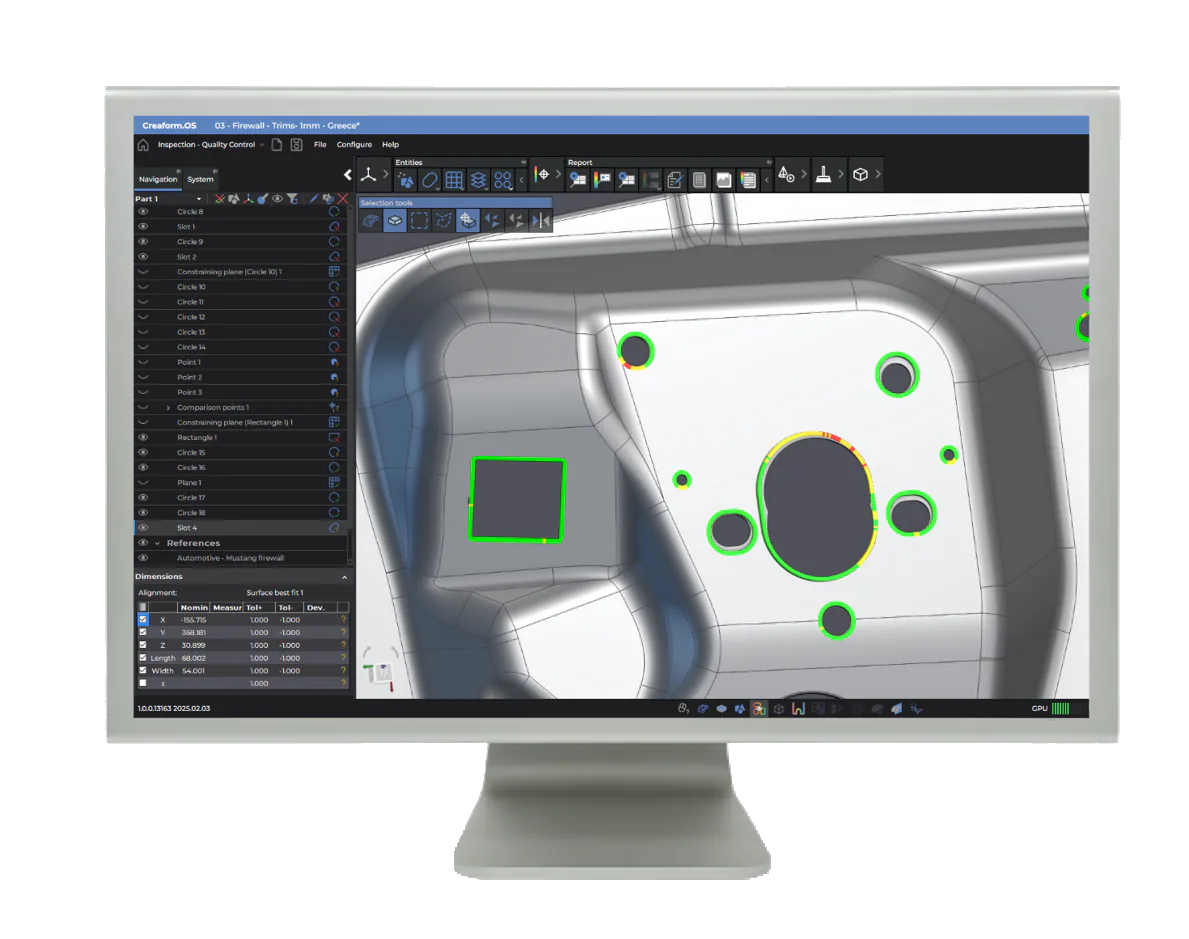
Monitor showing Creaform.OS in Inspection - Quality Control mode, green rings on measured holes of a sheet-metal firewall, entity tree at left

Key takeaways

  • Creaform.OS is included with all Creaform-branded 3D measuring and scanning devices; the peel 3 uses Peel.OS.
  • It replaced VXelements on February 20, 2025, with Scan, Probe and Photogrammetry acquisition modules.
  • AI-driven target detection, Smart Resolution and an automatic shutter run during acquisition.
  • Creaform.OS LTS, a long-term-support edition, is offered only for R-Series automated systems.
  • A downloadable Creaform.OS Viewer lets colleagues open meshes and complete inspection programs.

What is Creaform.OS?

Creaform.OS is the acquisition software that runs Creaform's 3D scanners, optical CMMs and photogrammetry cameras. Creaform introduced it on February 20, 2025 as the redesigned successor to VXelements, together with the Creaform Metrology Suite of application modules. It is included with every Creaform-branded 3D measuring and scanning device; the peel 3 uses its own Peel.OS. Its Scan, Probe and Photogrammetry modules capture the data, while features such as Smart Resolution, automatic shutter, live mesh view, AI-driven target detection, real-time feedback and mesh enhancement improve it as you work. A workflow-based interface, embedded tutorials and an in-app Insight channel are designed to get new users productive quickly.

What can Creaform.OS do?

Creaform.OS: the software that runs Creaform scanners

Creaform.OS is the acquisition software included with every Creaform-branded 3D scanner, optical CMM and photogrammetry camera; the peel 3 uses its own Peel.OS. Its Scan, Probe and Photogrammetry modules capture the data, and application modules open in the same workspace, as Inspection - Quality Control does in the screen shown. A downloadable Creaform.OS Viewer lets colleagues, suppliers and customers open meshes and inspection programs without a scanner, which speeds up approvals.
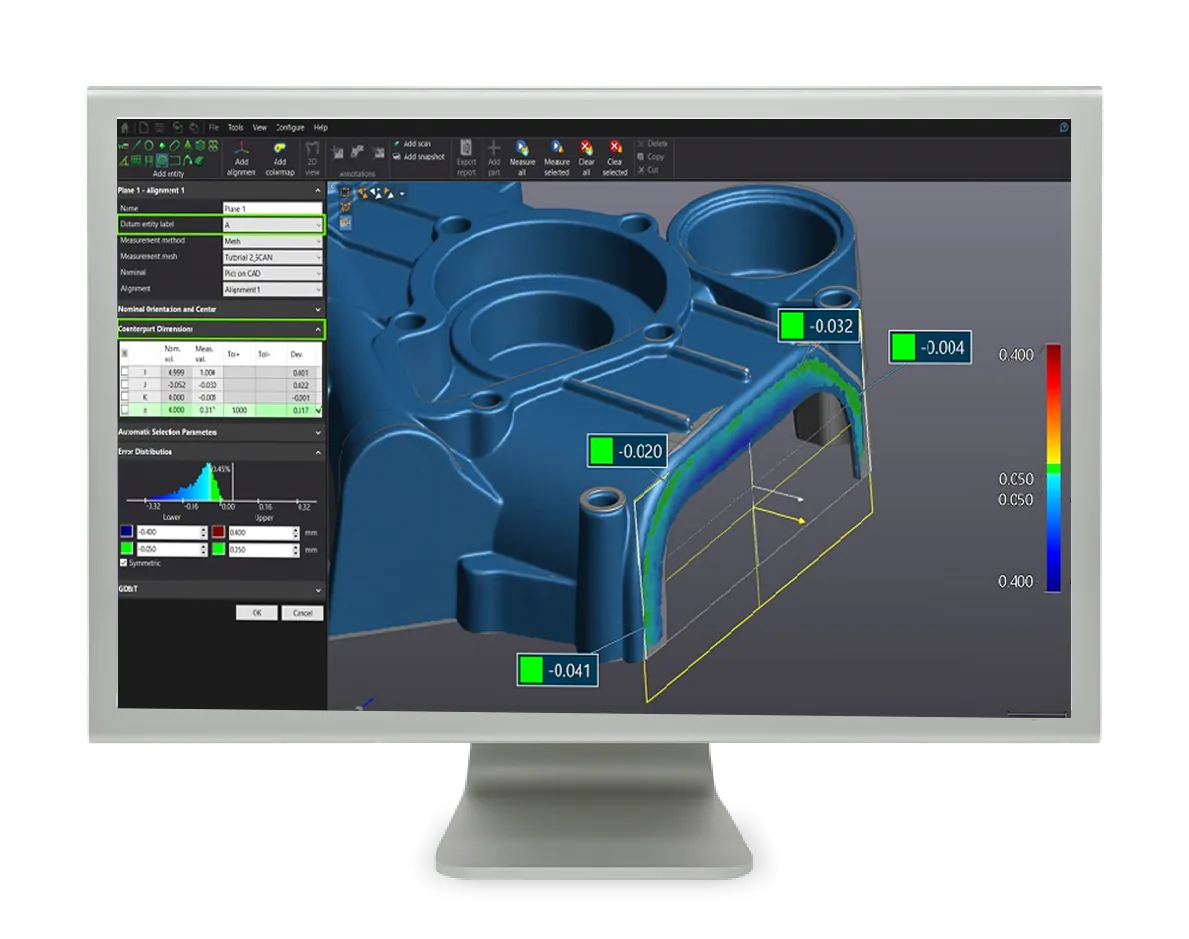
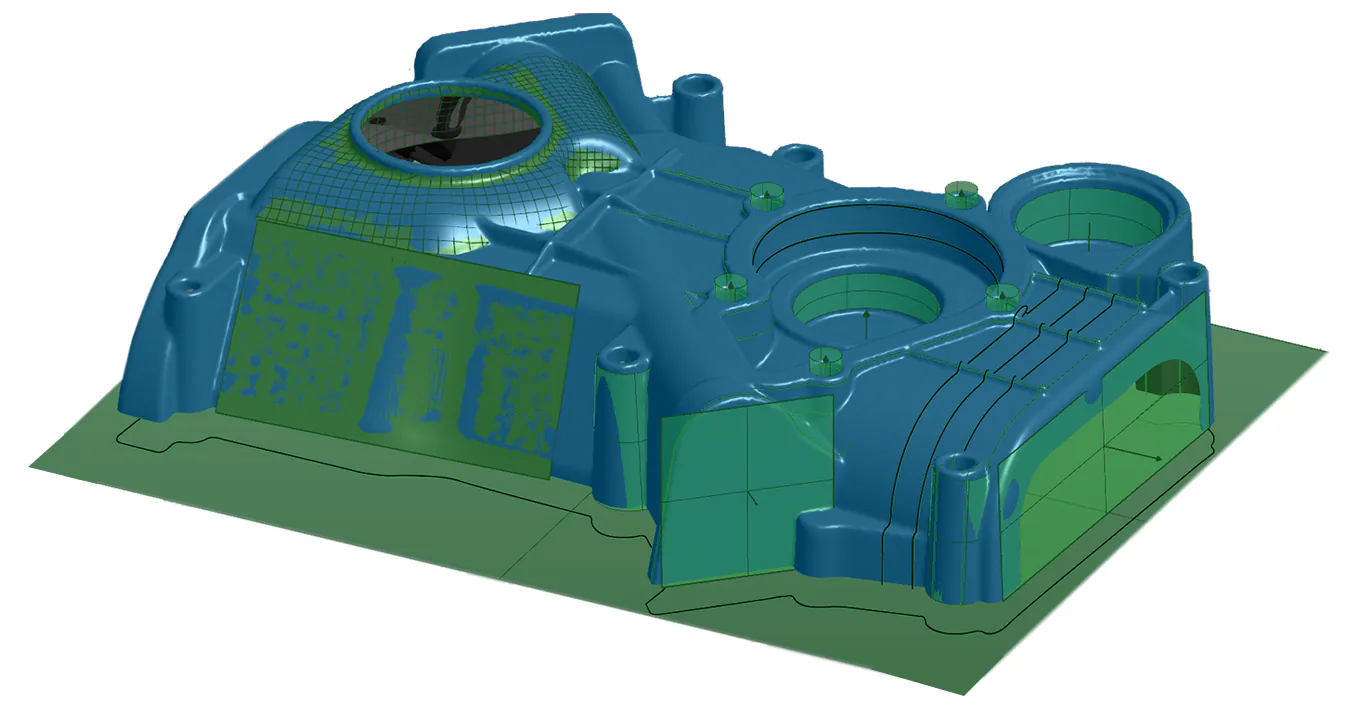
Scan acquisition tools built into Creaform.OS

Creaform.OS does more than record data: several tools work on each scan while you capture it. They matter most on contrasted finishes and large parts, where a wrong setting or a missed target would otherwise mean scanning again. A workflow-based interface, embedded tutorials and an in-app Insight channel help new operators get started. Where we can show it at your location, our specialists run these tools on scans of your own work.

  • Automatic shutter: tunes camera and laser settings for contrasted finishes.
  • Smart Resolution: picks a suitable mesh resolution for each scan.
  • Live mesh view and real-time feedback: show coverage and missing areas as you scan.
  • AI-driven target detection: identifies and tracks positioning targets automatically.
  • Mesh enhancement: improves the quality of the final mesh.

Application modules that work with Creaform.OS

Creaform.OS is the base layer, and the application modules of the Creaform Metrology Suite add the work you do with the data. They are separate products, although some bundles include one: the HandySCAN 3D PRO Series, for example, comes with Scan-to-CAD Pro. Scans can also leave Creaform.OS as standard mesh files, such as .stl, .obj and .ply, for PolyWorks, Geomagic and the major CAD platforms.

  • Scan-to-CAD: reverse engineering, from mesh cleanup to CAD-ready entities and surfaces.
  • Inspection: dimensional quality control against CAD or a reference mesh, with reports.
  • Automation: offline robot programming in a digital twin.
  • Dynamic Tracking: follows the position and orientation of several objects over time.

What are the key facts about Creaform.OS?

Creaform.OS key facts
Included withAll Creaform 3D measuring and scanning devices
Acquisition modulesScan, Probe, Photogrammetry
Previous nameVXelements (relaunched as Creaform.OS on February 20, 2025)
Acquisition featuresSmart Resolution, automatic shutter, live mesh visualization, AI-driven target detection, real-time feedback, mesh enhancement
Application modules (Creaform Metrology Suite)Scan-to-CAD, Inspection, Automation, Dynamic Tracking
Long-term support editionCreaform.OS LTS, for R-Series systems only
ViewerCreaform.OS Viewer, a downloadable program for meshes and inspection programs
Mesh export formats (HandySCAN EVO).dae, .fbx, .ma, .obj, .ply, .stl, .txt, .wrl, .x3d, .x3dz, .zpr, .3mf

Specs checked:

What is Creaform.OS used for?

  • 3D scanning

    The Scan module drives HandySCAN, Go!SCAN and MetraSCAN scanners, meshing live and flagging missing areas as you go.

  • Probing

    The Probe module records points from a HandyPROBE tracked by the C-Track, for feature-based inspection.

  • Photogrammetry

    The Photogrammetry module processes MaxSHOT images into a reference frame for large-part scanning.

  • Onboarding new users

    Embedded content, learning tutorials and loading tips help new operators learn the software on their own.

  • Sharing results

    Creaform.OS Viewer lets customers and colleagues review meshes and inspection programs, which speeds up approvals.

Industries

  • Manufacturing
  • Automotive
  • Aerospace
  • Heavy industry
  • Consumer products

What parts and surfaces can Creaform.OS handle?

Creaform.OS is not tied to one part size; its limits are those of the connected device, from 0.05 m parts on a HandySCAN to 15 m structures with a HandySCAN MAX EVO Elite or 10 m assemblies with a MetraSCAN BLACK2. Several of its acquisition tools target difficult surfaces. The automatic shutter tunes camera and laser lines for contrasted finishes, Smart Resolution picks a suitable mesh resolution for each scan, and mesh enhancement algorithms improve the final mesh quality. On large parts, AI-driven target detection identifies and tracks positioning targets automatically.

What does Creaform.OS work with?

Creaform.OS is the base layer of Creaform's software stack. The application modules of the Creaform Metrology Suite work with it: Scan-to-CAD for reverse engineering, Inspection for dimensional quality control, Automation for robot programming in a digital twin, and Dynamic Tracking for following objects over time. Creaform's NDT software, the Creaform Integrity Suite, covers pipelines, aircraft and pressure equipment. Outside Creaform's tools, scans leave Creaform.OS as standard mesh files such as .stl, .obj and .ply, which Creaform lists as compatible with PolyWorks, Geomagic, Metrolog X4, Spatial Analyzer, Verisurf and the major CAD platforms.

How does Creaform.OS compare?

Can I see Creaform.OS work on my own scans?

Often, yes. Tell us you want to see Creaform.OS, and we will confirm whether we can show it at your location. Where we can, our specialist runs it on scans of your own work, so you see how it fits your workflow, from raw scan data to the result you need, before you decide. Pick something you measure often, or a part that has no CAD model, and say what you need to check, rebuild or deliver. On-site demos are available in most areas; ask when you request.

  1. Request a demo and tell us what you scan and which results matter to you.
  2. Where we can show the software at your location, our specialist runs it on scans of that work.
  3. You review the results with us and talk through how it fits your workflow.

What do buyers ask about Creaform.OS?

Is Creaform.OS the same as VXelements?

It is the successor. On February 20, 2025, Creaform announced that its acquisition and application software, previously sold as VXelements, had been redesigned and relaunched as Creaform.OS and the Creaform Metrology Suite. Creaform.OS keeps the acquisition role with Scan, Probe and Photogrammetry modules, while application modules such as VXmodel and VXinspect now appear as Scan-to-CAD and Inspection. A few Creaform pages, such as the MaxSHOT 3D page, still mention VXelements.

Is Creaform.OS included with a Creaform scanner?

Yes. Creaform states that Creaform.OS is included with all of its 3D measuring and scanning devices. The application modules of the Creaform Metrology Suite, such as Inspection and Scan-to-CAD, are separate products, although some bundles include one: the HandySCAN 3D PRO Series, for example, comes with Scan-to-CAD Pro. Ask which modules are part of the configuration when you request pricing.

Can colleagues view my scans without a Creaform scanner?

Yes. Creaform offers Creaform.OS Viewer, a downloadable program that displays meshes in 3D and complete inspection programs. It lets colleagues, suppliers or customers review results on their own computers, which helps collaboration and speeds up validation and approval. Scans can also be exported as standard mesh files, such as .stl or .obj, for any 3D program.

What is Creaform.OS LTS?

Creaform.OS LTS is a long-term-support edition of Creaform.OS, offered only for R-Series automated inspection systems. It gives extended support for a specific software version, so a plant can complete its manufacturing program cycles without upgrading to new versions partway through. Version stability matters on production lines that have validated their measurement process.

See Creaform.OS work on your own scans

Our specialists can show it on scans of your own work, at your facility. On-site demos are available in most areas; ask when you request. You can also start with a pricing request.

Call (816) 608-7745