Skip to content
(816) 608-7745Get pricingBook a demo

GeomagicScan-to-CAD add-in that runs inside SOLIDWORKS

Geomagic for SOLIDWORKS

A scan-to-CAD add-in that brings point clouds, meshes, surfacing and deviation analysis into the SOLIDWORKS window.

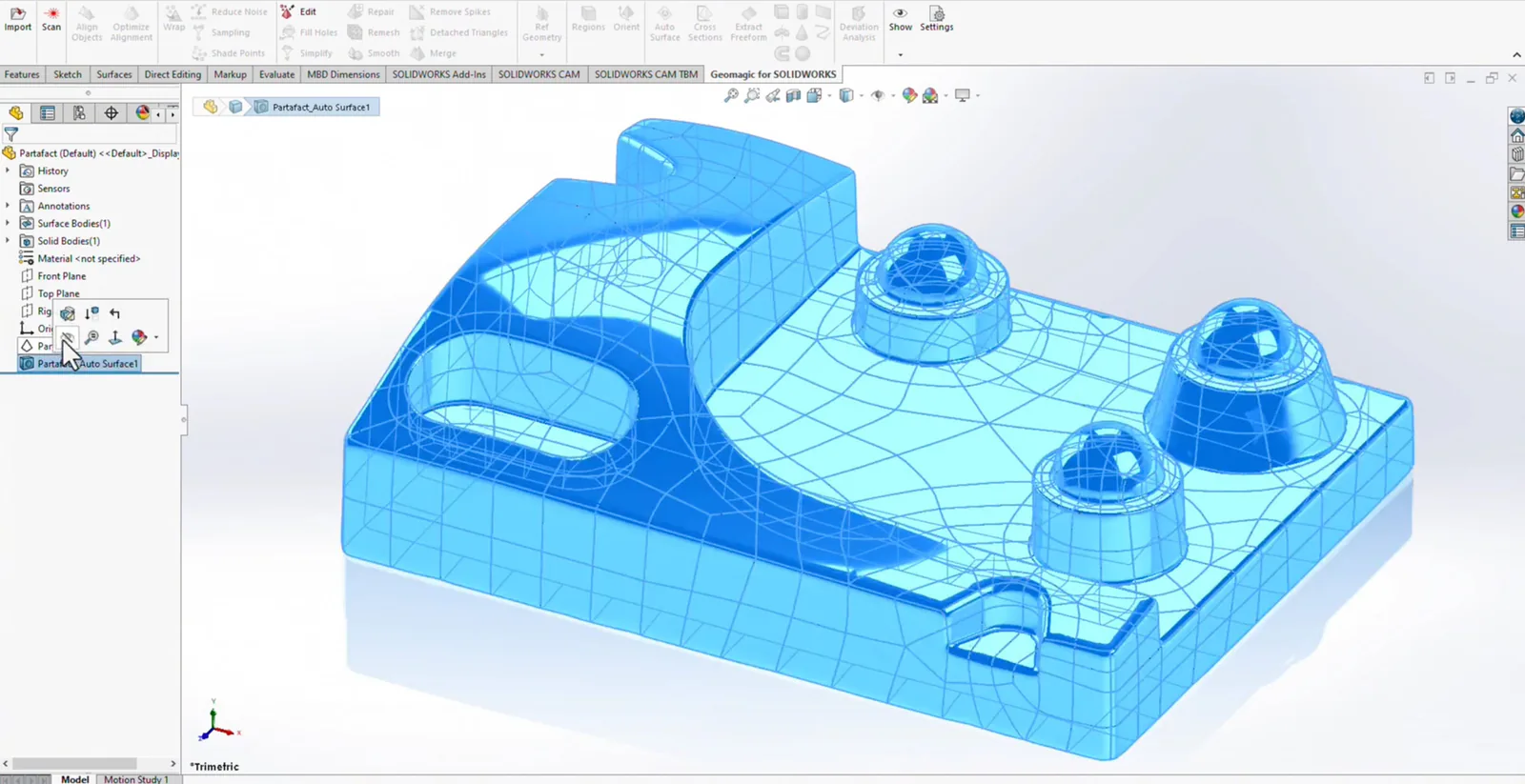
SOLIDWORKS window with the Geomagic for SOLIDWORKS tab open and a blue auto-surface patch network on a scanned part

Key takeaways

  • Geomagic for SOLIDWORKS works in SOLIDWORKS 2021 to 2027, in every SOLIDWORKS desktop edition.
  • The maker supports it on the three most recent SOLIDWORKS versions, and it does not run in 3DEXPERIENCE SOLIDWORKS.
  • Deviation analysis runs while you model, so each feature can be checked against the scan.
  • Artec states it can edit high-resolution data from any Artec 3D scanner, from the Micro II to the Ray II.
  • The current release saves data sets larger than 2 GB and adds real-time sectioning.

What is Geomagic for SOLIDWORKS?

Geomagic for SOLIDWORKS is an add-in that takes you from a 3D scan to a SOLIDWORKS model without leaving SOLIDWORKS. It adds a Geomagic tab with tools to import or capture scan data, clean point clouds and meshes, align scans, extract planes, cylinders and sketches, and fit automatic surfaces to organic shapes. Deviation analysis checks each step against the scan as you build, so the model stays true to the real part. It is aimed at engineers and designers who already work in SOLIDWORKS and want to reuse, improve or fit parts to existing products. Version 2026.1 works with SOLIDWORKS 2021 to 2027.

What can Geomagic for SOLIDWORKS do?

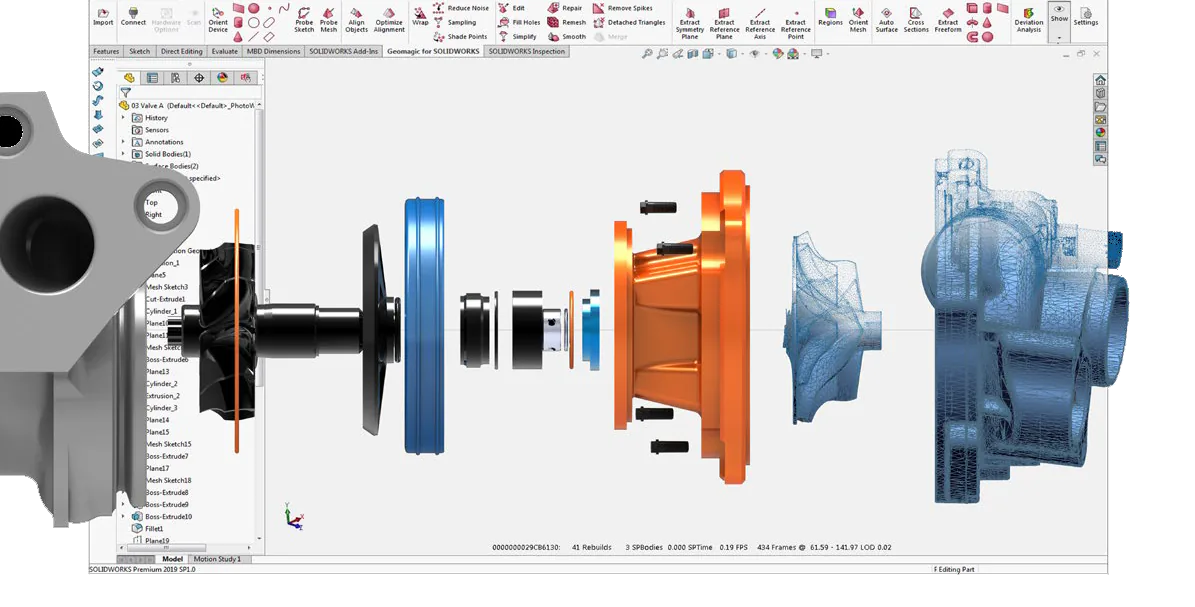
SOLIDWORKS showing the Geomagic tab tools above an exploded valve, scanned mesh at the right and rebuilt CAD parts at the left
Mesh and rebuilt parts share one SOLIDWORKS file, so each part can be checked against its scan.

Scan data inside the SOLIDWORKS window

The add-in puts a Geomagic tab in SOLIDWORKS with the tools a scan needs: import, scan and probe, align, reduce noise, fill holes, remesh, regions, sections, surfacing and deviation analysis. Scan data comes in from files or straight from most 3D scanners on the market, and lands in the same part as your features. There is no export, no second program and no file translation between the scan and the model.
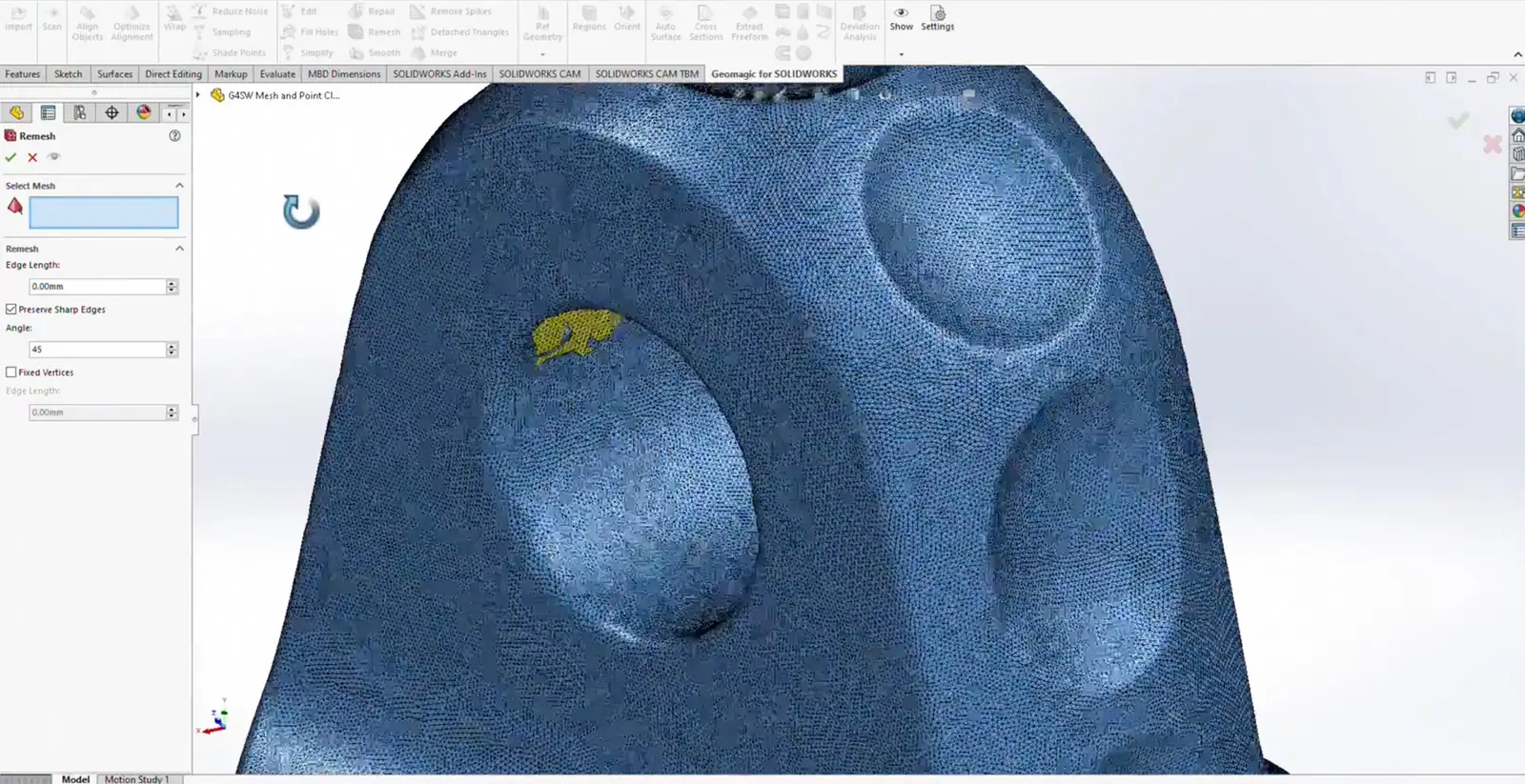
Geomagic for SOLIDWORKS Remesh panel with edge length and sharp-edge settings beside a dense scanned casting mesh
Remeshing evens out the triangles while the setting on the left keeps sharp edges sharp.

Mesh and point cloud processing where you model

Point clouds and meshes are processed where they will be used. Polygon tools decimate, smooth, reduce noise and fill holes, mesh creation turns a point cloud into polygons or merges meshes, and remeshing evens out the triangles while keeping sharp edges. The maker built the add-in for large data, and the current release saves data sets larger than 2 GB, so detailed scans of big parts stay in one file.

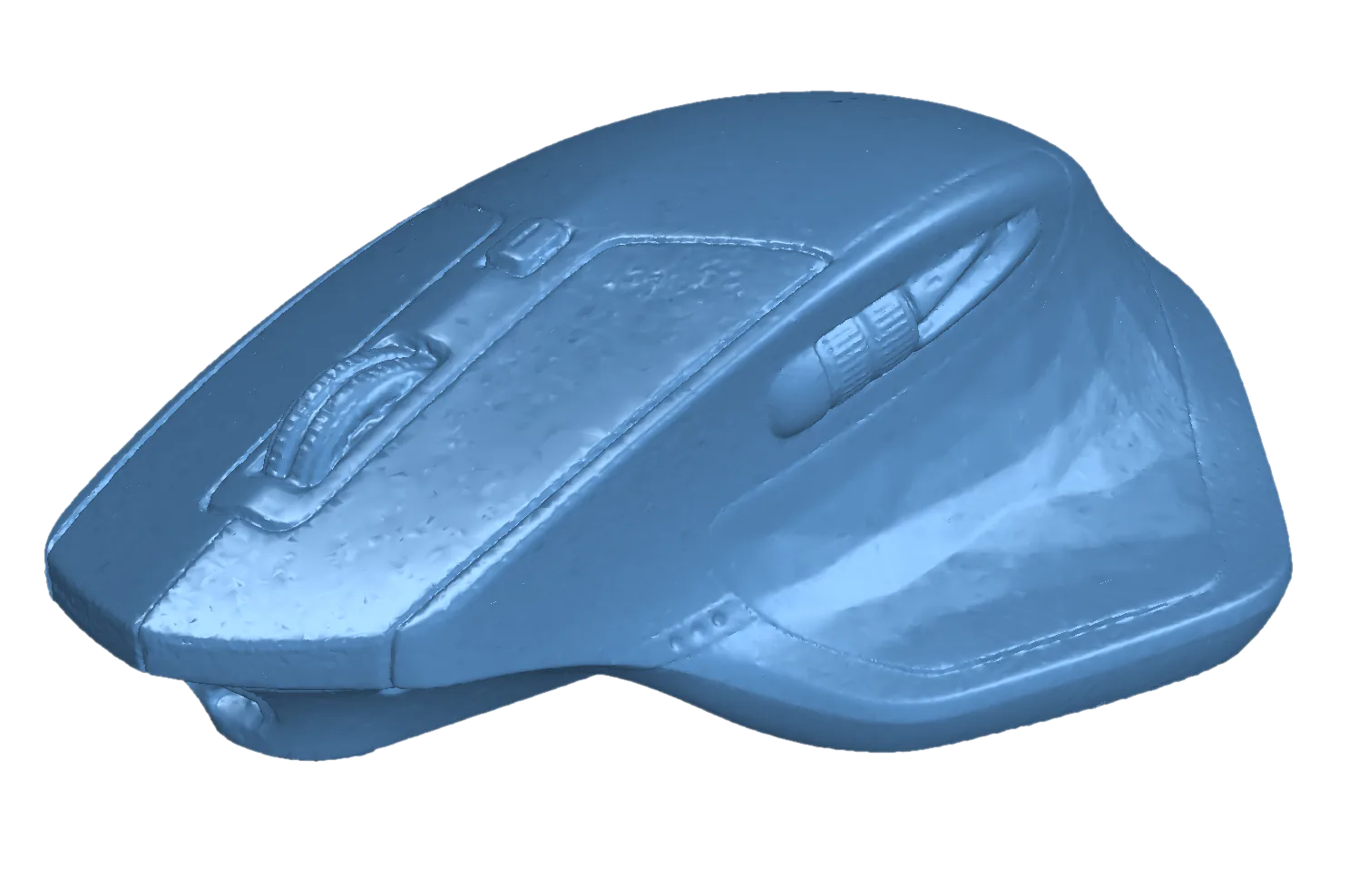
Blue scan mesh of a computer mouse showing its buttons, scroll wheel and thumb rest in fine detail
A scanned mouse is a ready reference for a grip, cover or accessory that must fit it.

Design around parts you already have

Many designs have to fit something that already exists: a housing around a product, an accessory that clips onto it, a part that mates with a worn original. With the scan inside SOLIDWORKS you design around the real geometry, aligning the mesh to the world coordinate system or to other scans by picked points, then sketching and extruding against it. The fit is measured from the object, not estimated from calipers.

Feature extraction with regions and smart selection

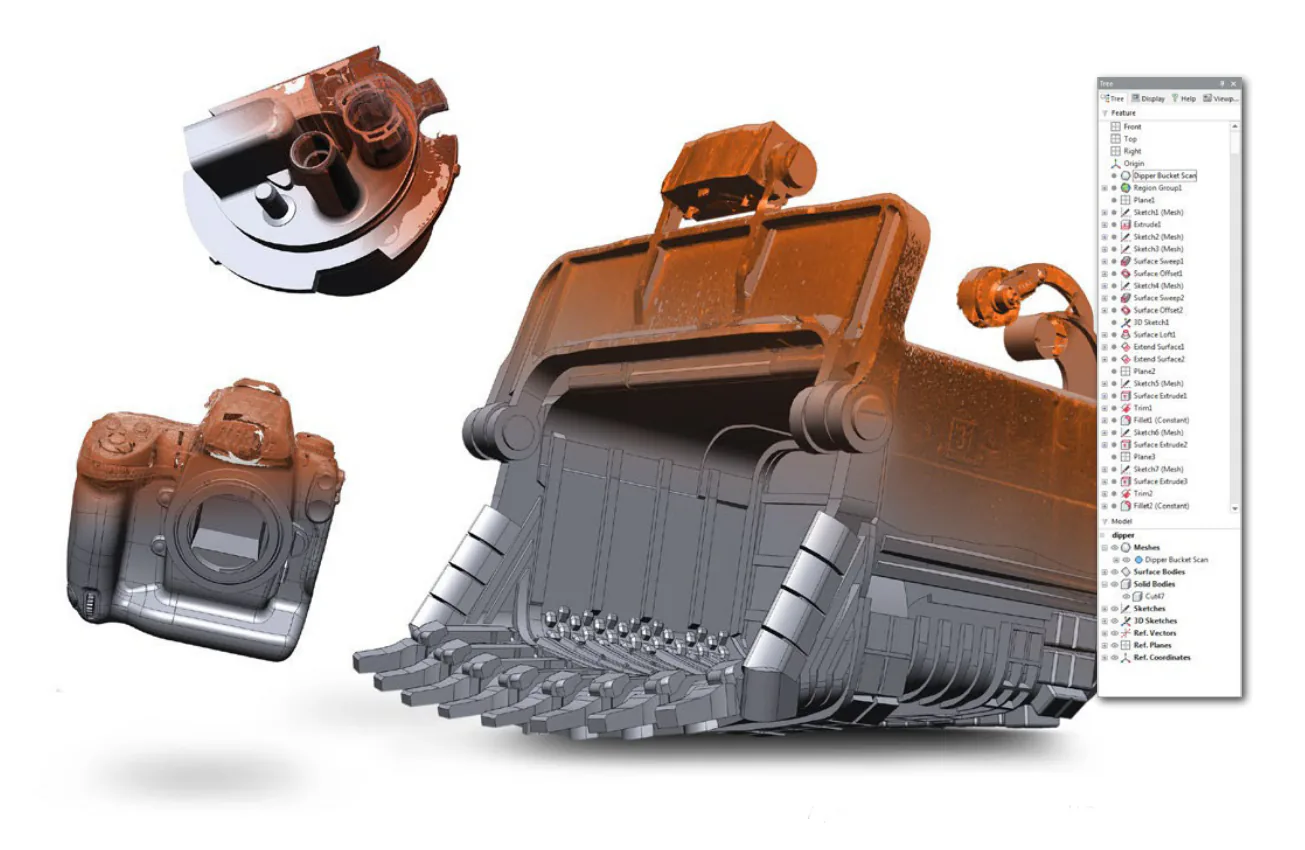
Feature extraction turns triangles into CAD. Region grouping splits the mesh into areas first, and selection tools pick polygon groups by region, lasso, box or polygon. From a selection you extrude, revolve or sweep, fit primitives or build a freeform surface, while mesh cross sections create curves and sketches automatically. Each result is an ordinary SOLIDWORKS feature that you can edit later, like any other in the tree.

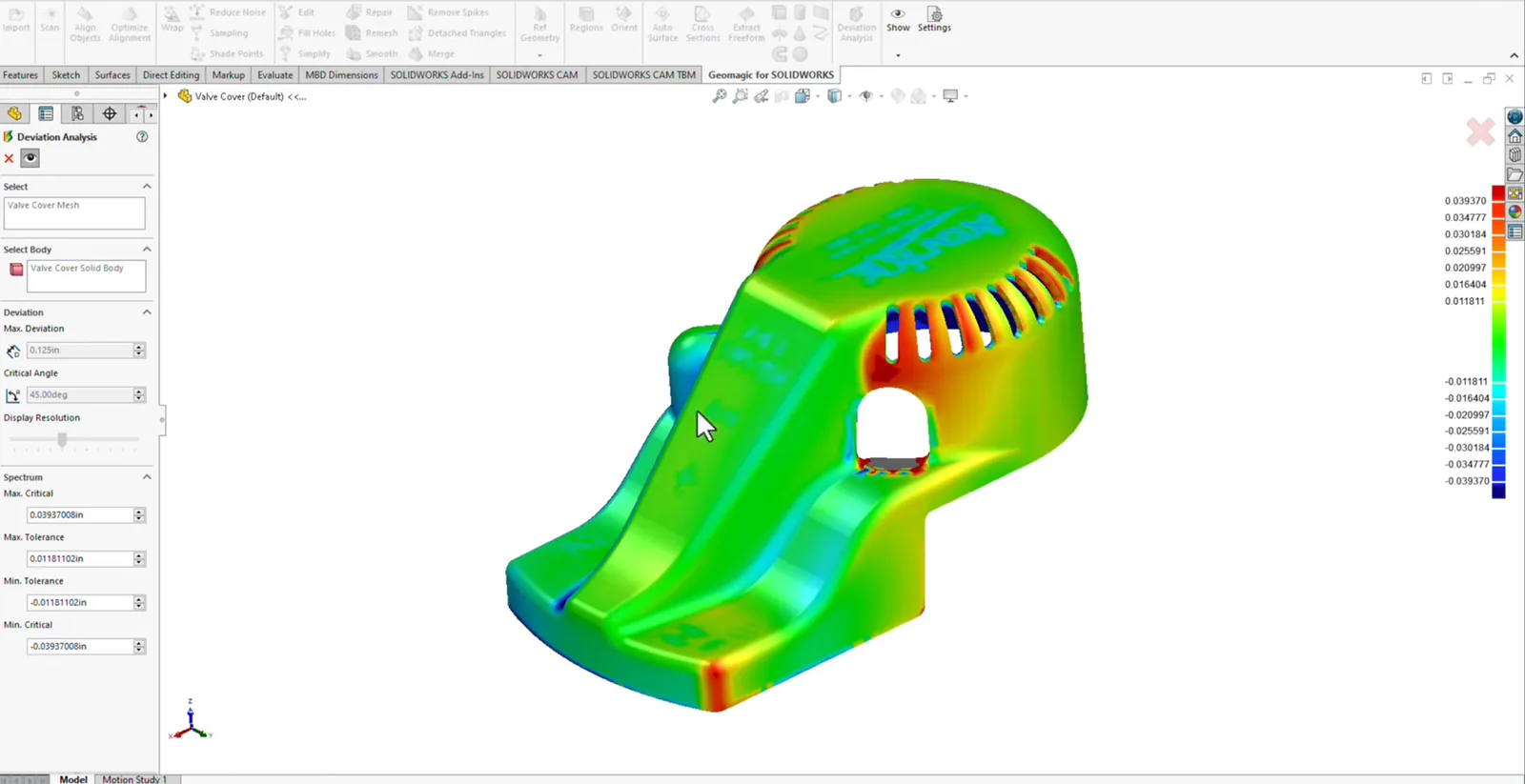
Geomagic for SOLIDWORKS Deviation Analysis coloring a valve cover model by its distance from the scan
Green means the model follows the scan; red and blue show where it sits above or below it.

Deviation analysis while you build

Deviation analysis compares the mesh with your CAD body at any point, not only at the end. Color shows where the model follows the scan and where it drifts, against the tolerance you set, and the check is offered throughout the modeling tools, so each feature can be confirmed as it is built. That catches a misplaced plane or a sagging surface before it spreads through the rest of the model.

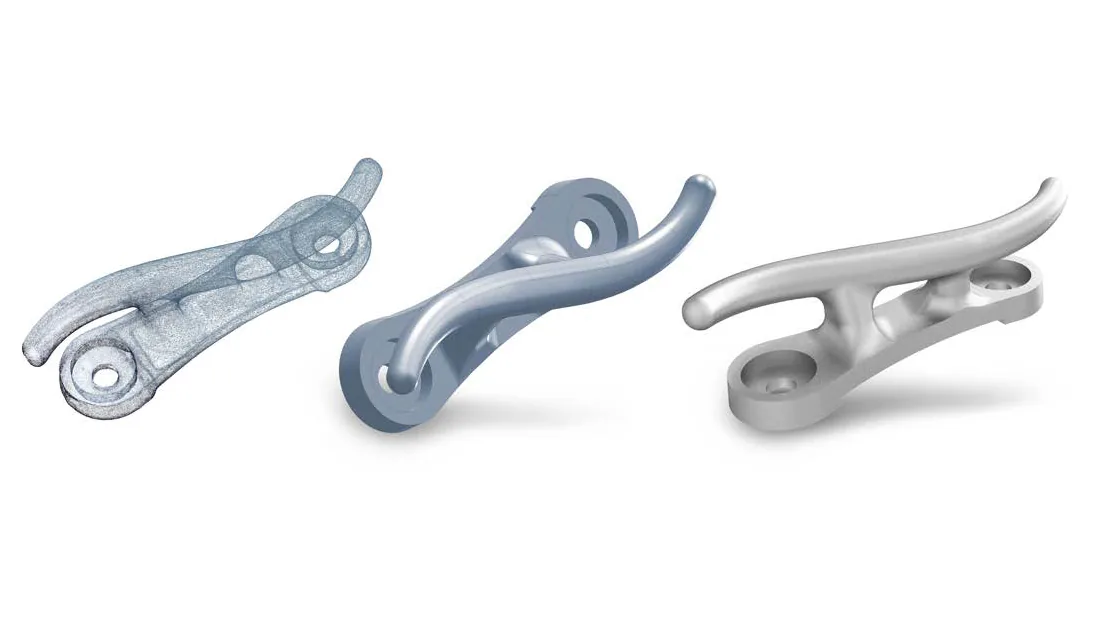
Boat cleat shown three ways: as a translucent scan, as a blue CAD model and as a finished grey part
From left to right: the scan, the rebuilt CAD model and the part made from it.

Recover lost design data from old parts

Old parts without drawings and worn or broken molds are a common starting point. Scan the part, rebuild it as SOLIDWORKS features, and carry on with the design data you lost. Scan-driven modeling mixes with dimension-driven work, so you can trace the organic areas from the scan and type exact values where the design calls for them. The rebuilt model then feeds drawings, machining or a new mold.

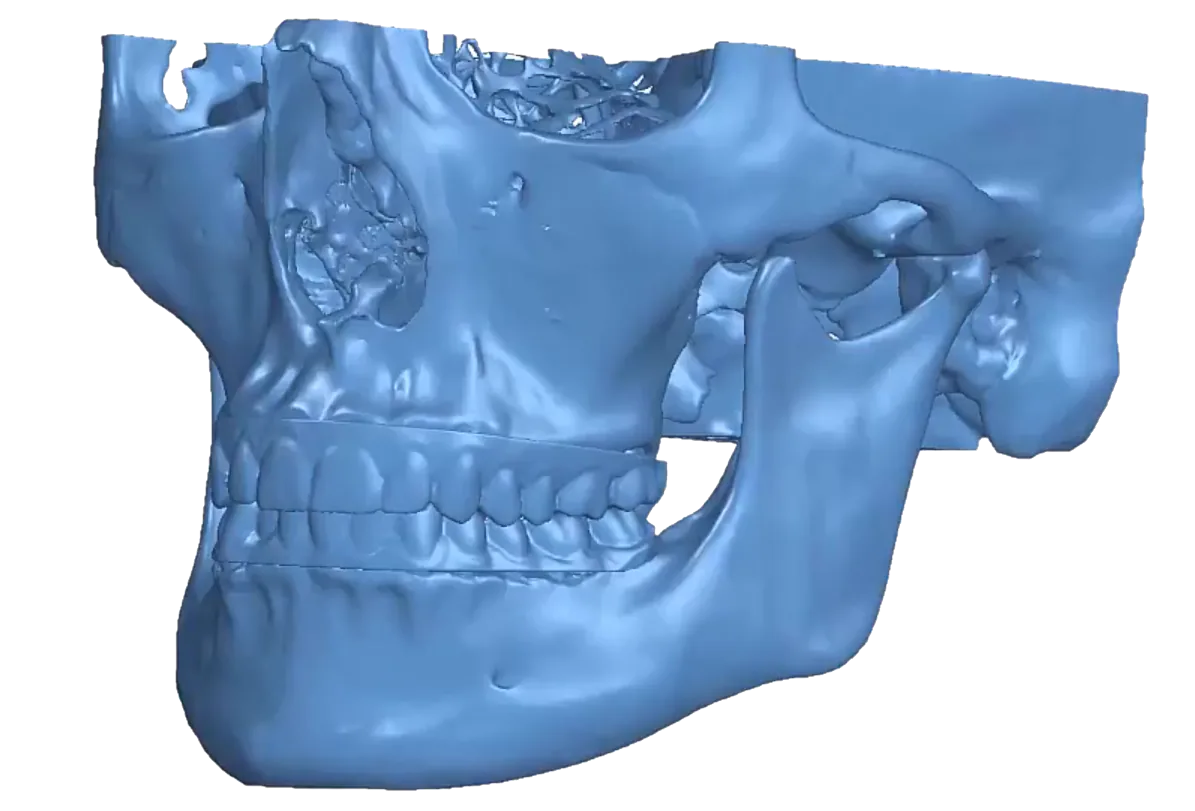
Blue mesh model of a human skull and lower jaw with teeth, seen from the side
Anatomy like this is the starting point for parts that must fit the body.

Organic shapes and parts that fit the body

Some products have to fit people: orthotics, protective gear, grips and patient-matched shapes. Automatic surfacing turns organic scan data, such as a limb or a skull, into CAD surfaces and solids inside SOLIDWORKS, and exact surface fitting keeps the result close to the real shape. Designers then add the mechanical features, holes, ribs and fasteners with normal SOLIDWORKS tools, all in one part file.

What are the key facts about Geomagic for SOLIDWORKS?

Geomagic for SOLIDWORKS key facts
SOLIDWORKS versions2021 to 2027
Current version2026.1.x
SOLIDWORKS editionsAll desktop editions
Not supported3DEXPERIENCE SOLIDWORKS
SOLIDWORKS validationSupport and validation for the three most recent SOLIDWORKS versions
Scan dataImport data, or scan directly with most 3D scanners on the market
ToolsDevice integration, mesh and point cloud processing, automatic surfacing, real-time deviation analysis
New in the current releaseWorks in SOLIDWORKS 2026 and 2027; real-time sectioning; saves data sets larger than 2 GB
Artec scanner dataAny Artec 3D scanner, from Micro II to Ray II
Interface languages12: English, Chinese, Japanese, Korean, German, Italian, Portuguese, Spanish, Polish, Turkish, French, Czech
Operating systemMinimum Windows 10 64-bit or later; recommended Windows 11 64-bit
ProcessorMinimum Intel or AMD 64-bit; recommended Intel Core i7 or i9 (13th generation or newer) or AMD Ryzen 7 or 9 (5000 series or newer)
Memory (RAM)Minimum 8 GB; recommended 32 GB or more
StorageMinimum 30 GB free, plus a cache of about 3 GB per 100 million points; recommended SSD of 512 GB or more
DisplayMinimum 1280 × 720; recommended 1920 × 1080 or higher
Graphics cardMinimum NVIDIA with OpenGL 4.0 and 2 GB VRAM; recommended NVIDIA RTX with 4 GB VRAM or more
Other requirementsThree-button or 3D mouse; Windows tablets not supported

Specs checked:

What is Geomagic for SOLIDWORKS used for?

  • Legacy parts and worn molds

    Recover design data from old parts with no drawings, or from worn or broken molds, and rebuild it as SOLIDWORKS features.

  • Parts that fit the human body

    Design orthotics, grips and protective gear around a body scan, so the fit is measured rather than guessed.

  • Organic shapes in SOLIDWORKS

    Bring freeform shapes into a SOLIDWORKS model with automatic surfacing instead of modeling every curve by hand.

  • Improving existing products

    Start a redesign from the scanned geometry of the current part and keep the dimensions that already work.

  • Checking a model against its scan

    Run deviation analysis at any point to compare the CAD model with the mesh before you release it.

Industries

  • Manufacturing
  • Consumer products
  • Medical and orthotics
  • Automotive aftermarket
  • Tooling and molds

What parts and surfaces can Geomagic for SOLIDWORKS handle?

Because it runs inside SOLIDWORKS, the add-in works on whatever scan data you bring into a SOLIDWORKS part, and the maker built it for large data: the current release saves data sets larger than 2 GB, and its cache needs about 3 GB per 100 million points. Prismatic shapes are rebuilt from extracted planes, cylinders, sections and sketches, while organic shapes such as anatomy, grips, sculpted covers or castings are covered with automatic surfaces. Region grouping splits a mesh into areas before features are extracted, and deviation analysis shows where the model departs from the scan.

What does Geomagic for SOLIDWORKS work with?

Geomagic for SOLIDWORKS adds its own tab to SOLIDWORKS, so scan processing, feature extraction and deviation analysis sit beside the usual SOLIDWORKS tools. It works in SOLIDWORKS 2021 to 2027, though not in 3DEXPERIENCE SOLIDWORKS, and the maker supports the three most recent versions. Scan data comes in from files or straight from most 3D scanners on the market. Artec Studio exports to SOLIDWORKS as well, and Creaform scans arrive as standard meshes such as .stl or .ply. If you would rather rebuild parts in a separate program and send the feature tree across, Geomagic Design X does that with LiveTransfer.

How does Geomagic for SOLIDWORKS compare?

Can I see Geomagic for SOLIDWORKS work on my own scans?

Often, yes. Tell us you want to see Geomagic for SOLIDWORKS, and we will confirm whether we can show it at your location. Where we can, our specialist runs it on scans of your own work, so you see how it fits your workflow, from raw scan data to the result you need, before you decide. Pick something you measure often, or a part that has no CAD model, and say what you need to check, rebuild or deliver. On-site demos are available in most areas; ask when you request.

  1. Request a demo and tell us what you scan and which results matter to you.
  2. Where we can show the software at your location, our specialist runs it on scans of that work.
  3. You review the results with us and talk through how it fits your workflow.

What do buyers ask about Geomagic for SOLIDWORKS?

Which SOLIDWORKS versions does Geomagic for SOLIDWORKS support?

Version 2026.1 works with SOLIDWORKS 2021 to 2027, in every desktop edition from Standard to Premium and above. The maker supports and validates it on the three most recent SOLIDWORKS versions, so a current release is the safer choice. It does not run in 3DEXPERIENCE SOLIDWORKS. Tell us which version and edition your team uses, and we check the match before you order.

Is Geomagic for SOLIDWORKS the same as Design X?

No. Geomagic for SOLIDWORKS is an add-in that works inside the SOLIDWORKS window, so you never leave your CAD program. Design X is a separate application with its own modeling environment, region groups, wizards and Accuracy Analyzer, and LiveTransfer sends its feature tree to SOLIDWORKS, NX, Creo, AutoCAD or Inventor. Choose the add-in if your team models only in SOLIDWORKS and wants the scan beside the model; choose Design X for heavier reverse engineering or for several CAD systems.

Can I scan directly into SOLIDWORKS?

Yes, with a supported scanner. The maker states that you can import data or scan directly with most 3D scanners on the market from the Geomagic tab in SOLIDWORKS. Artec describes a workflow in which scans from its scanners are optimized in Artec Studio or in the add-in, then segmented and rebuilt as solid CAD. Creaform scans come in as standard mesh files. Ask us which connection suits your scanner, and we show it at a demo.

How does deviation analysis help while I model?

Every rebuilt feature can be compared with the scan as you go. Deviation analysis colors the distance between your SOLIDWORKS body and the mesh, so you see at once whether a fitted plane, cylinder or surface follows the real part or drifts from it. Catching that before the model is finished saves rework, and the same check records how closely the final CAD matches the physical part.

What computer does Geomagic for SOLIDWORKS need?

Beyond SOLIDWORKS itself, the maker's guide asks for 64-bit Windows 10 or later, with Windows 11 recommended, at least 8 GB of RAM with 32 GB or more recommended, 30 GB free on disk, and an NVIDIA graphics card with OpenGL 4.0 and 2 GB of video memory, or an NVIDIA RTX card with 4 GB or more for heavy scans. A three-button or 3D mouse is required, and Windows tablets are not supported.

How much does Geomagic for SOLIDWORKS cost?

The add-in is quoted on its own or with a scanner, so the quote starts from what you already have: your SOLIDWORKS version and edition, and the scanner whose data you will bring in. We check that both are supported, then add training on scan processing and surfacing inside SOLIDWORKS for your designers. Tell us the parts you want to rebuild, and we quote the setup that fits.

Request pricing on Geomagic for SOLIDWORKS

See Geomagic for SOLIDWORKS work on your own scans

Our specialists can show it on scans of your own work, at your facility. On-site demos are available in most areas; ask when you request. You can also start with a pricing request.

Call (816) 608-7745