Skip to content
(816) 608-7745Get pricingBook a demo

CreaformEntry-level handheld 3D scanner with color capture

peel 3 by Creaform

Entry-level handheld scanner from Creaform's peel 3d brand, with color capture and optional scan-to-CAD software.

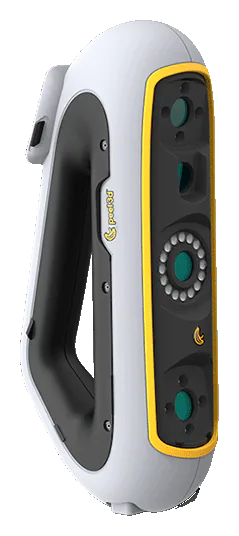
peel 3 handheld 3D scanner by Creaform, white body with yellow trim around the sensor face, three-quarter view
Best accuracy
0.050 mm
Part size
0.1–3 m

Key takeaways

  • Accuracy is up to 0.050 mm, with volumetric accuracy of 0.050 mm + 0.100 mm/m.
  • It records 1,250,000 measurements/s over a 340 × 475 mm scanning area, at a scan speed of 80 s per m².
  • Positioning works from geometry, texture or targets, and color is captured at 50 to 200 DPI.
  • Mesh resolution is 0.250 mm; the two CAD bundles add .iges and .step export.
  • It weighs 950 g, measures 304 × 150 × 79 mm and puts a touchscreen on the scanner itself.

What is the peel 3?

peel 3 is the entry-level handheld 3D scanner from peel 3d, a brand Creaform started in 2017 to explore demand for accessible professional scanning. This third generation launched in September 2022. It projects infrared VCSEL light, records 1,250,000 measurements per second, and is rated at up to 0.050 mm accuracy with 0.050 mm + 0.100 mm/m volumetric accuracy. It tracks on geometry, texture, targets or any mix of them, captures color at 50 to 200 DPI, and weighs 950 g. It comes in three bundles: peel 3 with Peel.OS, peel 3.CAD adding Peel.CAD, and peel 3 Pro.CAD adding Peel.CAD Pro for reverse engineering.

What can the peel 3 do?

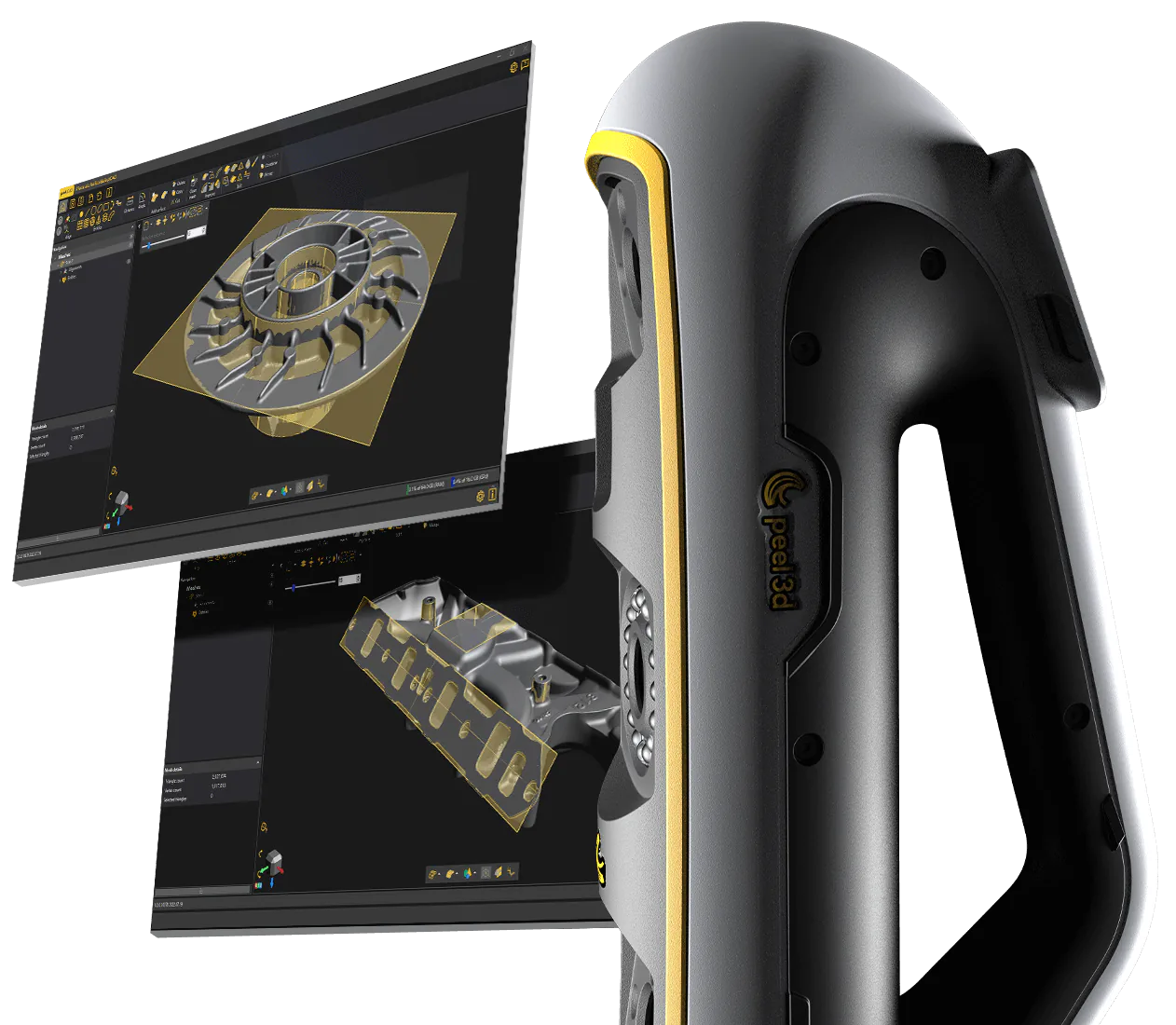
peel 3 handheld 3D scanner beside two Peel.CAD windows showing a scanned finned round part and an intake manifold
Each bundle pairs the scanner with its software: Peel.OS for meshes, plus Peel.CAD or Peel.CAD Pro in the CAD bundles.

Entry-level handheld 3D scanner with color

peel 3 is the entry-level handheld 3D scanner from peel 3d, the brand Creaform started in 2017. It records 1,250,000 measurements per second, captures color at 50 to 200 DPI, and is rated at up to 0.050 mm accuracy for objects from 0.1 to 3 m. Three bundles share the same scanner: peel 3 with Peel.OS, peel 3.CAD with Peel.CAD, and peel 3 Pro.CAD with Peel.CAD Pro for reverse engineering.
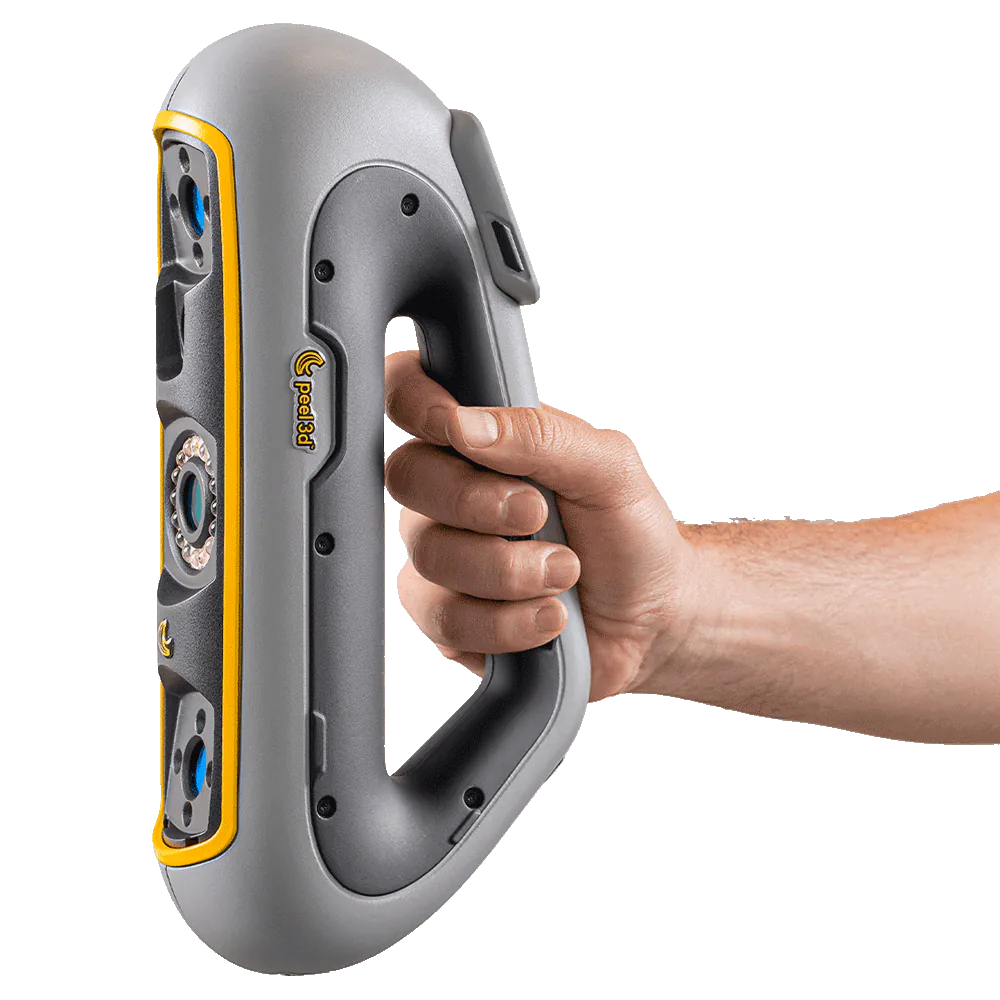
Hand gripping the loop handle of a grey peel 3 scanner, side view of the yellow-trimmed sensor face and peel 3d logo
The open handle lets you turn the scanner freely as you work your way around an object.

Scan by moving the object or the scanner

peel 3 lets you move the scanner, the object or both while you capture, because it tracks on geometry, texture, targets or a mix of them. Peel.OS shows what has been scanned and what is still missing in real time, so you fill gaps before you stop. Many objects need no stickers at all; for flat or plain ones, the starter pack of positioning targets in the box keeps tracking steady.

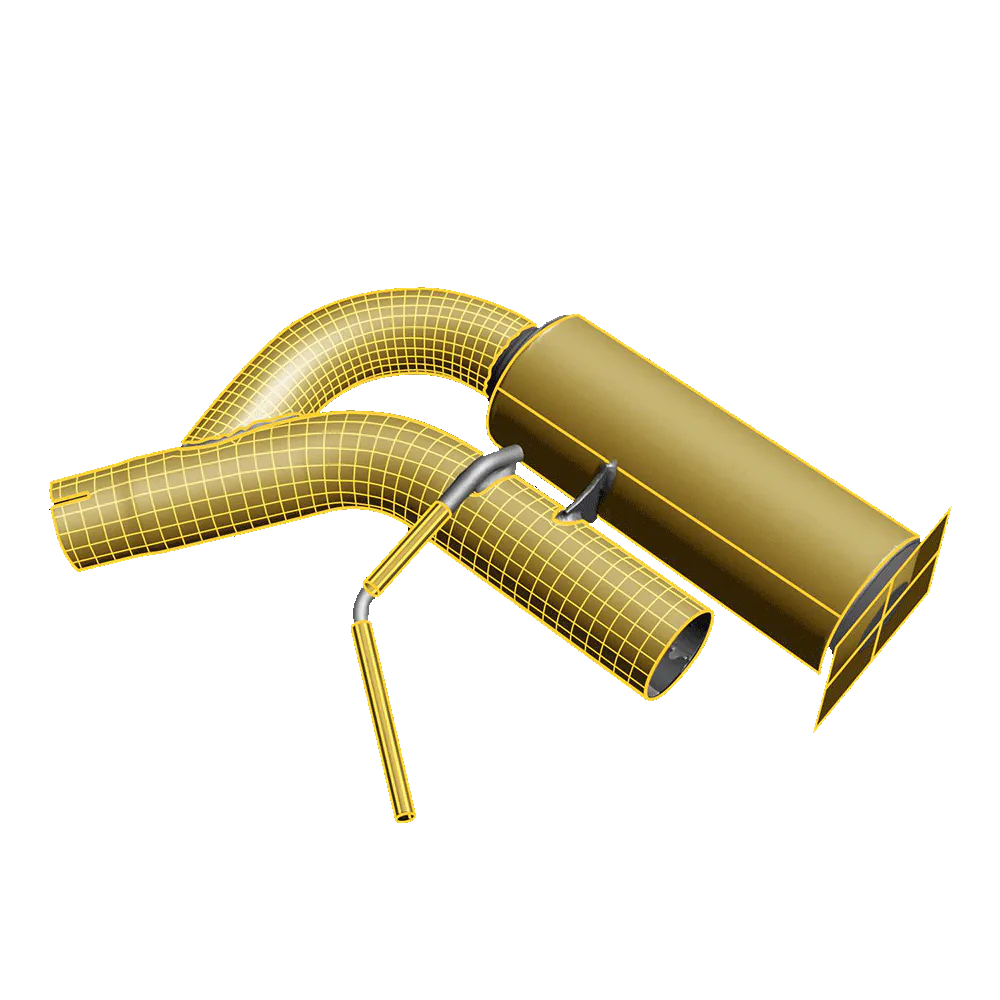
Yellow grid-patterned surface model of an exhaust pipe and muffler assembly made from a peel 3 scan
Fitted surfaces turn a dense scan into a lighter model that CAD software can work with.

Clean the mesh and extract CAD entities

Once the scan is done, Peel.OS cleans, aligns and merges the data into a finished mesh, with guided steps and built-in help along the way. With a CAD bundle, Peel.CAD goes further: it fits geometric surfaces and cuts cross-sections so you can pull dimensions and shapes from the object. That turns a scan of a worn bracket or an exhaust part into reference geometry you can design around.

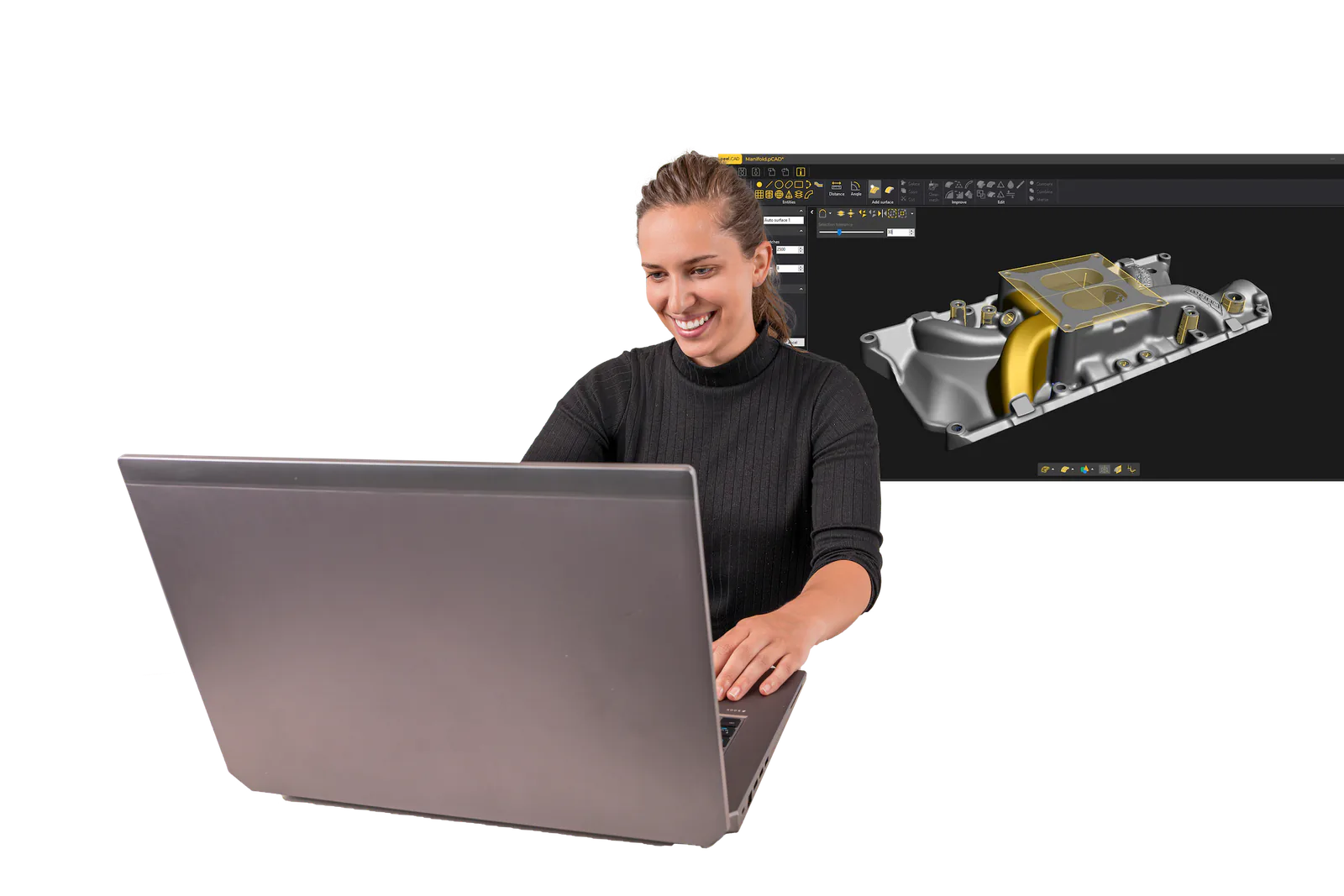
Engineer smiling at a laptop, with a Peel.CAD window behind her showing a scanned intake manifold with yellow surface entities
Planes and surfaces fitted in Peel.CAD carry across to your CAD program as reference geometry, not just a mesh.

Send scan data to the CAD software you use

The peel 3.CAD and peel 3 Pro.CAD bundles move extracted entities into the CAD software you already use, in one click according to peel 3d. Both add .iges and .step export, so the geometry opens in other CAD systems too. The plain peel 3 exports meshes in formats such as .stl, .obj, .ply and .3mf for printing, visualization or another program. Choose the bundle by how far you need to take the data.

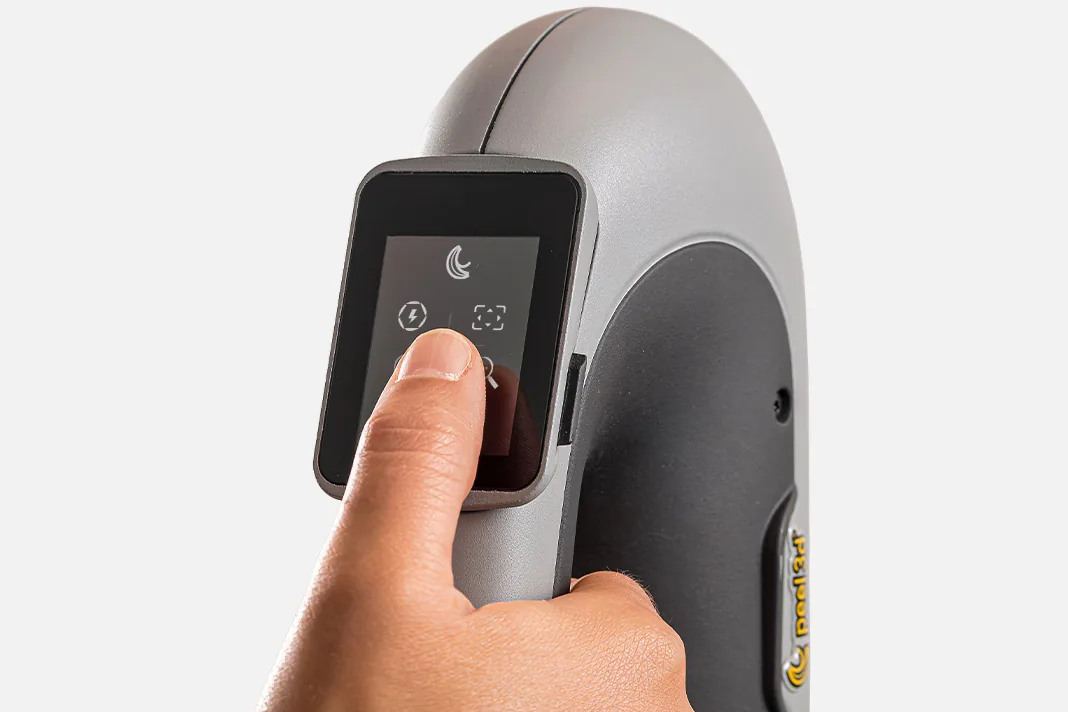
Finger tapping an icon on the small touch screen at the back of a peel 3 handheld 3D scanner
Controls on the device mean fewer trips to the keyboard during a session.

Touch screen controls on the scanner

A small touch screen on the back of peel 3 puts the main controls in your hand. You can pause a scan and zoom the view without reaching for the mouse, and the screen also works as a distance meter that shows when you are at the right range from the object. Working distance runs from 250 to 550 mm, with a 300 mm depth of field.

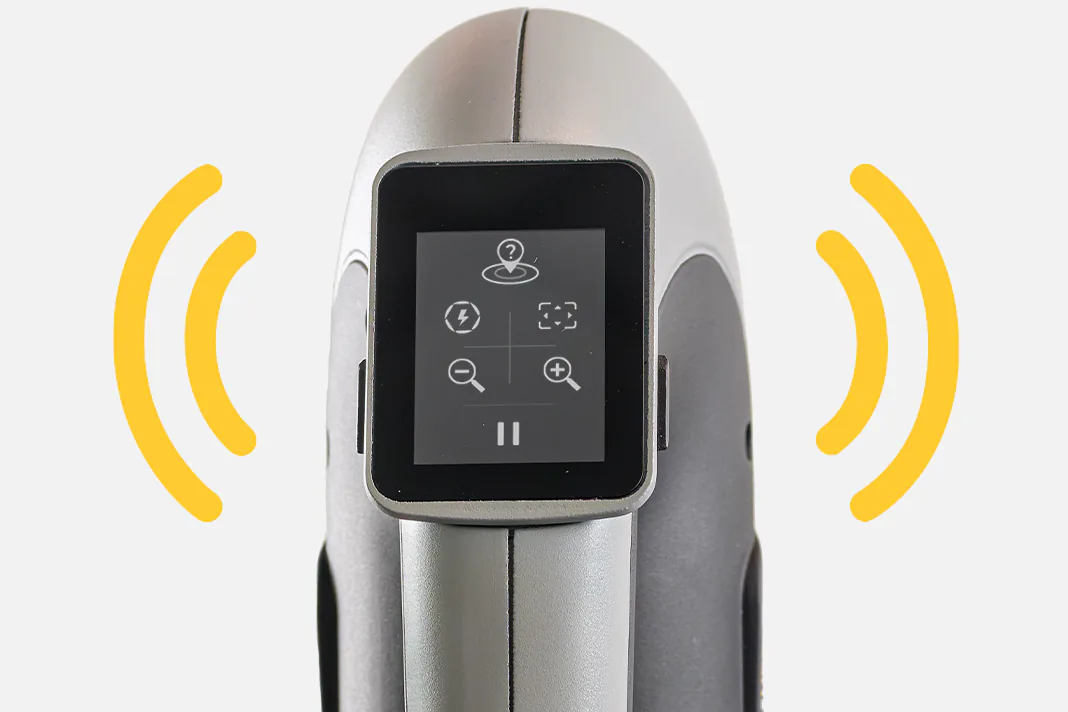
peel 3 scanner touch screen with zoom, pause and help icons, yellow arcs on each side marking vibration feedback
The yellow arcs stand for the vibration patterns the scanner uses to signal how the scan is going.

Haptic feedback while you scan

peel 3 uses vibration patterns to give feedback in real time, so you can feel how the scan is going without watching a monitor. That helps when you are working around a large object, crouched beside a vehicle or concentrating on the angle of the scanner. Together with the touch screen and the live view in Peel.OS, it helps newer users keep a steady pace and avoid missed areas.

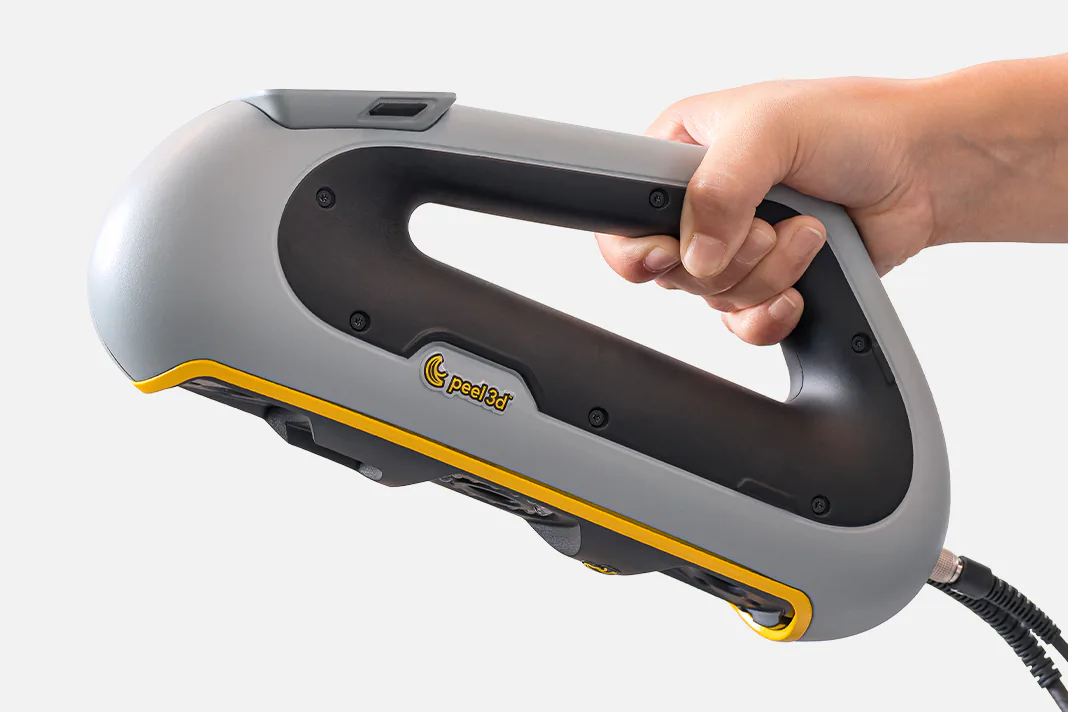
Hand holding a peel 3 handheld scanner by the top of its triangular loop grip, cable attached at the rear
The loop gives several ways to hold the scanner, and the cable leaves from the rear, away from your hand.

Ergonomic grip for common scanning positions

The triangular loop grip on peel 3 is shaped to stay comfortable in the positions you use most, whether you hold the scanner level or angle it down at a part on a table. The whole unit weighs 950 g and measures 304 × 150 × 79 mm, so it stays easy to handle as you move. A 4 m USB cable connects it to the computer, leaving room to walk around larger pieces.

What are the peel 3 specifications?

peel 3 specifications
Specificationpeel 3peel 3.CADpeel 3 Pro.CAD
Software includedPeel.OSPeel.OS + Peel.CADPeel.OS + Peel.CAD Pro
AccuracyUp to 0.050 mmUp to 0.050 mmUp to 0.050 mm
Volumetric accuracy0.050 mm + 0.100 mm/m0.050 mm + 0.100 mm/m0.050 mm + 0.100 mm/m
Mesh resolution0.250 mm0.250 mm0.250 mm
Measurement rate1,250,000 measurements/s1,250,000 measurements/s1,250,000 measurements/s
Scanning area340 × 475 mm340 × 475 mm340 × 475 mm
Scan speed80 s/m²80 s/m²80 s/m²
Working distance250 to 550 mm250 to 550 mm250 to 550 mm
Depth of field300 mm300 mm300 mm
Recommended object size0.1–3.0 m0.1–3.0 m0.1–3.0 m
Light sourceIR VCSEL projectorIR VCSEL projectorIR VCSEL projector
Positioning methodsGeometry, targets and/or textureGeometry, targets and/or textureGeometry, targets and/or texture
Color resolution50 to 200 DPI50 to 200 DPI50 to 200 DPI
Scanner controlsTouchscreenTouchscreenTouchscreen
Weight950 g950 g950 g
Dimensions304 × 150 × 79 mm304 × 150 × 79 mm304 × 150 × 79 mm
ConnectionUSB 3.0USB 3.0USB 3.0
Output formats.dae, .fbx, .ma, .obj, .ply, .stl, .txt, .wrl, .x3d, .x3dz, .zpr, .dxf, .3mf.dae, .fbx, .ma, .obj, .ply, .stl, .txt, .wrl, .x3d, .x3dz, .zpr, .dxf, .3mf, .iges, .step.dae, .fbx, .ma, .obj, .ply, .stl, .txt, .wrl, .x3d, .x3dz, .zpr, .dxf, .3mf, .iges, .step

Specs checked:

What is the peel 3 used for?

  • Product design

    Capture existing products, mock-ups and ergonomic forms in shape and color as a starting point for new designs.

  • Aftermarket parts and tuning

    Scan vehicle parts and mounting areas to design custom brackets, panels and accessories that fit the first time.

  • MRO and engineering

    Record worn or broken parts and rebuild them as CAD with Peel.CAD or Peel.CAD Pro.

  • Heritage, art and digital content

    Digitize sculptures, artifacts and props in color for archives, AR and VR scenes or online collections.

  • Teaching and research

    Creaform presents peel 3 as an accessible tool for academic courses and research projects.

Industries

  • Product design
  • Automotive aftermarket
  • MRO and engineering
  • Heritage and art
  • AR, VR and digital content
  • Healthcare
  • Education

What surfaces and part sizes does the peel 3 handle?

peel 3 is meant for objects from 0.1 to 3.0 m. It scans from 250 to 550 mm with a 300 mm depth of field, and it resolves 1.5 mm pins, 3.0 mm holes, 1.0 mm walls and 0.1 mm steps, with a 0.250 mm mesh resolution. That suits parts, products and artwork in that size range; features smaller than those limits call for a HandySCAN. Because it can track on geometry, texture or targets, many objects need no stickers. When an object lacks shape or texture to follow, use the positioning targets from the starter pack that ships with the scanner.

Part size
0.1–3 m
Positioning targets
Optional
Color texture
Captured
Wireless
No

Compare sizes, materials and finishes across every scanner

What software does the peel 3 use?

Every peel 3 includes Peel.OS, which scans, cleans, aligns, merges and exports data with guided workflows and built-in help. Exports cover .stl, .obj, .ply, .fbx, .3mf, .dxf and other mesh formats. peel 3.CAD adds Peel.CAD, a reverse-engineering tool that extracts information from scans and transfers it to CAD software, and peel 3 Pro.CAD adds Peel.CAD Pro; both CAD bundles add .iges and .step export. peel uses its own software family rather than Creaform.OS. Tell us which computer you plan to use when you request a demo, and we will confirm it can run the software.

What comes with the peel 3?

The maker lists these items with the peel 3:

  • peel 3 scanner
  • Peel.OS data acquisition software
  • Starter package of positioning targets
  • Foam insert as a light-duty carrying case
  • Power supply
  • USB cable (4 m)

How does the peel 3 compare?

Can I see the peel 3 scan my own work?

Often, yes. Tell us you want to see the peel 3, and we will confirm whether we can show it at your location. Where we can, we bring the scanner to your facility and scan what you choose, so you see how it handles your surfaces, sizes and tolerances before you decide, instead of judging from a spec sheet. Pick the job that is hardest to measure today, such as a part with no CAD model or a shape you cannot measure by hand, and say what you need to check. On-site demos are available in most areas; ask when you request.

  1. Request a demo, name the model and tell us what you want scanned.
  2. We confirm whether we can show that model at your location.
  3. Where we can, we scan your own work and review the data with you.

What do buyers ask about the peel 3?

Is peel 3 made by Creaform?

Yes. peel 3d is Creaform's entry-level brand: Creaform launched it in 2017 as a testing ground for accessible professional scanning, and released the third generation, peel 3 and peel 3.CAD, in September 2022. Creaform still publishes the peel 3 technical specifications on its own site. The scanner uses its own software family (Peel.OS, Peel.CAD and Peel.CAD Pro) rather than Creaform.OS.

What is the difference between peel 3, peel 3.CAD and peel 3 Pro.CAD?

The scanner is the same in all three bundles; the software differs. peel 3 includes Peel.OS for scanning and mesh processing. peel 3.CAD adds Peel.CAD for reverse engineering, and peel 3 Pro.CAD adds Peel.CAD Pro. Both CAD bundles add .iges and .step to the export list. Pick the plain peel 3 if you need meshes for printing, visualization or another program, and a CAD bundle if you want to build CAD geometry from your scans.

Does peel 3 need positioning targets?

Not always. peel 3 can position itself on an object's geometry, its texture, targets, or a mix of the three, so shapes with enough detail scan without stickers. Each scanner ships with a starter package of positioning targets for objects that are flat, smooth or plain. If you scan many such objects, extra target packs are sold as accessories.

What comes in the box with peel 3?

Peel 3d lists the scanner, the Peel.OS data acquisition software, a starter package of positioning targets, a foam insert that serves as a light-duty carrying case, a power supply and a 4 m USB cable. The CAD bundles add Peel.CAD or Peel.CAD Pro. A manual turntable and extra targets are offered separately as accessories, so check which ones your work needs when you request pricing.

See the peel 3 scan your own work

Tell us what you want scanned, and we will confirm whether we can show it at your location. On-site demos are available in most areas. You can also start with a pricing request.

Call (816) 608-7745